Enjoy 5% OFF + FREE shipping on orders $49+! Use Code: 202512AK5

Enjoy 5% OFF + FREE shipping on orders $49+! Use Code: 202512AK5
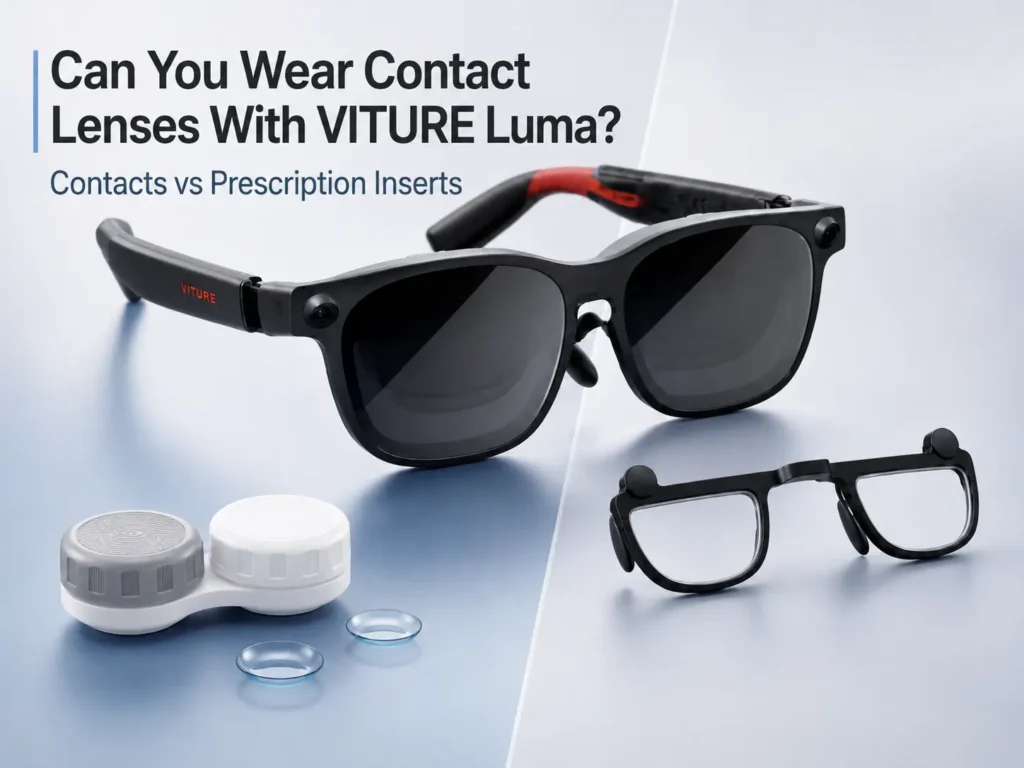
You can wear contacts with VITURE Luma, and for many users contacts are physically cleaner than wearing regular glasses under XR glasses. There is no extra eyeglass frame pressing on the nose, no second pair of temples under the device, and less chance that everyday glasses push the display out of position.
That does not mean contacts solve every clarity or comfort issue. Dryness, astigmatism correction, toric contact stability, built-in myopia adjustment, PD/IPD, frame alignment, lens smudges, and source quality can still affect small text. For the broader prescription route, start with the VITURE Luma prescription lenses guide.
Can You Wear Contacts With VITURE Luma?
Yes, many VITURE Luma users can wear contact lenses while using the device. Contacts sit directly on the eye, so they usually avoid the fit problems that can happen when regular eyeglasses are placed under XR glasses.
Contacts may be especially practical if you already wear them comfortably for distance vision, movies, gaming, or screen work. They can also help you avoid the pressure and lens-spacing issues discussed in the wear glasses under VITURE Luma article.
The main caution is that contacts are only one part of the setup. If VITURE Luma still looks soft, doubled, smeared, or tiring while you wear contacts, the cause may be fit, alignment, dry lenses, astigmatism, display settings, or prescription values rather than the simple question of contacts versus inserts.
Contacts vs Glasses vs Myopia Adjustment vs Prescription Inserts
The best setup depends on what problem you are trying to solve. Contacts can be comfortable and clean for some users, regular glasses may work for occasional testing, built-in adjustment may help supported nearsightedness, and prescription inserts may be worth comparing when you want correction inside the device path.
For the broader route comparison, see VITURE Luma vision correction options.
| Setup | Best for | Watch out for | Check first |
|---|---|---|---|
| Contact lenses | Users who already wear contacts comfortably and want no extra glasses frame under VITURE Luma. | Dryness during long screen sessions, toric contact movement, outdated correction, or small text that still looks soft. | Check clarity in both eyes, comfort after 10-15 minutes, and whether the frame position changes the image. |
| Regular glasses under VITURE Luma | Occasional testing when the glasses are thin, narrow, and physically comfortable. | Frame stacking, pressure, lens contact, smudges, and the device sitting too far forward. | Compare fit with the wear glasses under VITURE Luma checklist. |
| Built-in myopia adjustment | Supported nearsighted users whose text becomes clear after careful adjustment. | It is not full prescription correction and does not replace CYL/AXIS astigmatism correction. | Review the VITURE Luma myopia adjustment comparison if the dials are not enough. |
| Prescription inserts | Users who want correction without relying on contacts every session or stacking regular glasses under XR glasses. | Inserts still require accurate values and may not solve blur from fit, smudges, source quality, or eye fatigue. | Confirm SPH, CYL, AXIS, and PD from a current eyeglass or distance prescription. |
Should You Use Myopia Adjustment While Wearing Contacts?
Contacts already correct your vision on the eye, so VITURE Luma myopia adjustment should not be blindly stacked on top of them. If your contacts are already giving you clear distance vision, start gently and adjust only if the VITURE Luma image needs it.
If turning the adjustment makes text worse, do not keep pushing the dials and assume more adjustment is better. Re-check whether VITURE Luma is sitting evenly, whether the lenses are clean, whether one eye is clearer than the other, and whether your PD/IPD or source clarity may be affecting the image.
For users with astigmatism, built-in myopia adjustment can be even more limited because it is not the same as CYL and AXIS correction. If the image changes from sharp to smeared or shadowed, compare the symptoms with the astigmatism and blur sections below before deciding that contacts or inserts are the only issue.
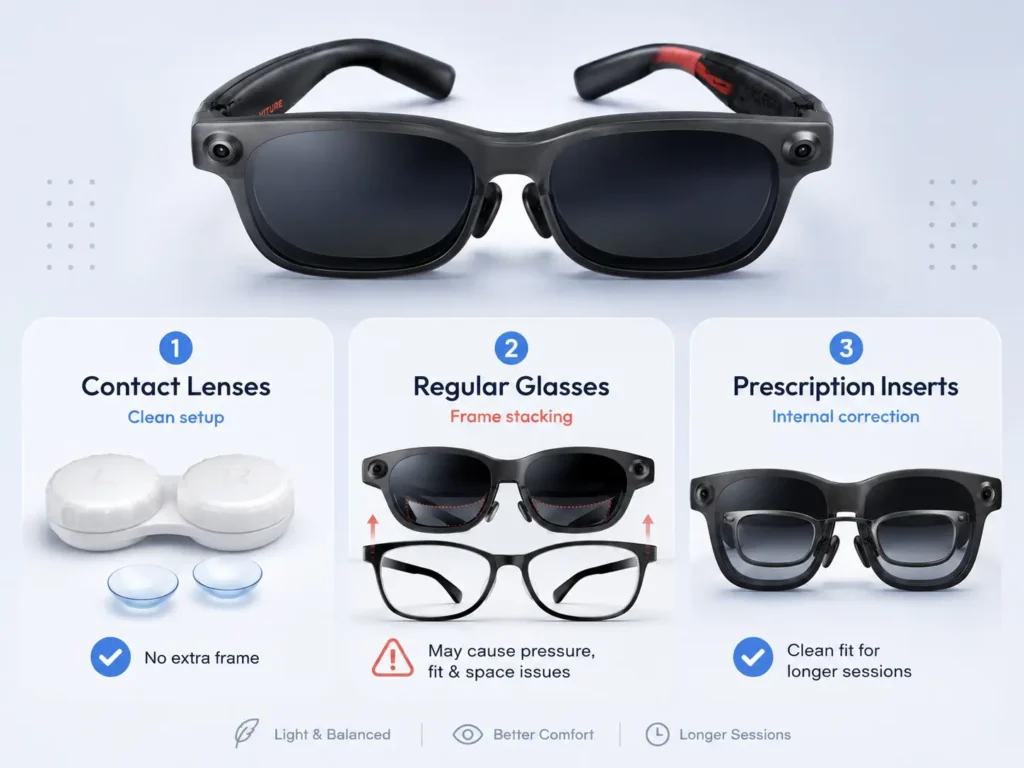
When Contacts May Work Well With VITURE Luma
Contacts may work well with VITURE Luma when your distance vision is already clear, your contacts stay comfortable, and the device sits naturally on your face. This is often the simplest physical setup because there is no regular glasses frame changing the distance between your eyes and the optics.
Use a short test before judging the setup:
- Put in your contacts before adjusting the device.
- Check small text, subtitles, menus, and white text on a dark background.
- Compare one eye at a time if one side looks softer.
- Notice whether clarity changes when you lift, lower, or gently tilt the frame.
- Pause if your eyes feel dry, irritated, or unusually tired.
General eye-comfort sources such as the American Academy of Ophthalmology note that contact lens wearers may notice dryness during longer digital-device use. That does not mean contacts are wrong for VITURE Luma, but longer sessions are worth testing honestly.
Why VITURE Luma Can Still Look Blurry With Contacts
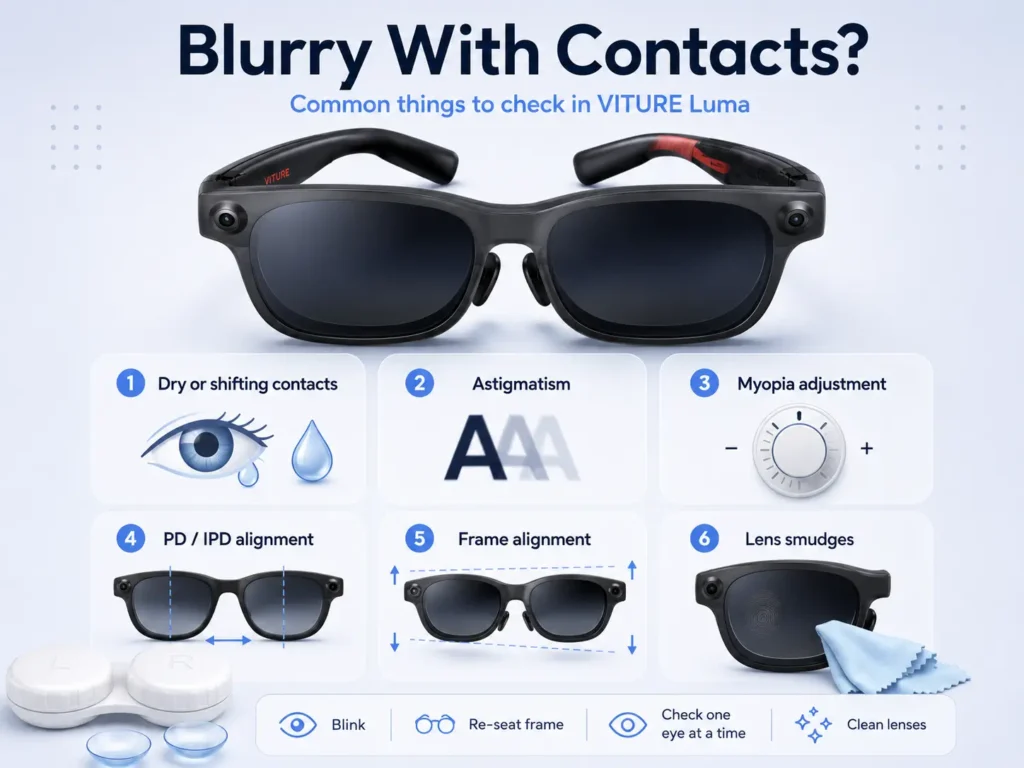
Contacts can correct vision, but VITURE Luma clarity also depends on how the device sits, how the display is adjusted, and how stable your correction feels during screen use. If the image is still soft, use a non-diagnostic checklist before buying anything.
| Possible issue | What you may notice | What to check |
|---|---|---|
| Dry or shifting contacts | Text starts clear, then becomes hazy or tiring during the session. | Blink, pause, follow your contact lens care guidance, and avoid pushing through discomfort. |
| Astigmatism correction mismatch | Text looks smeared, doubled, shadowed, or directionally soft. | Compare with the VITURE Luma astigmatism guide, especially if your prescription includes CYL and AXIS. |
| Myopia adjustment conflict | The dials improve one moment but make small text worse after another change. | Reset gently and adjust only after your contacts are in place and the frame is seated evenly. |
| PD/IPD or sweet-spot alignment | Clarity changes when the frame moves up, down, closer, or farther away. | Review the VITURE Luma PD and IPD guide before blaming contacts alone. |
| Lens smudges or source quality | Menus look acceptable, but a specific app, browser page, or low-contrast text looks poor. | Clean lenses carefully and compare multiple sources, font sizes, and contrast levels. |
| Outdated prescription | Both contacts and regular screens feel less reliable than they used to. | Confirm your current prescription with an eye-care professional. |
For a broader symptom path, the blurry VITURE Luma text guide can help separate prescription issues from fit, cleaning, and display variables.
What If You Have Astigmatism or Toric Contacts?
If you have astigmatism, contacts can still work with VITURE Luma, especially if your toric contacts correct your distance vision well and stay comfortable. The important point is that astigmatism is not the same as simple nearsightedness.
Small XR text can make small correction issues more noticeable. If toric contacts feel unstable, if one eye looks sharper than the other, or if text looks smeared in a consistent direction, check your prescription values and compare your symptoms with the VITURE Luma astigmatism guide.
Built-in myopia adjustment may help supported nearsightedness, but it does not replace CYL and AXIS correction. If those values matter in your normal prescription, they should be part of the decision when you compare contacts, glasses, and inserts.
Can You Use a Contact Lens Prescription for VITURE Luma Inserts?
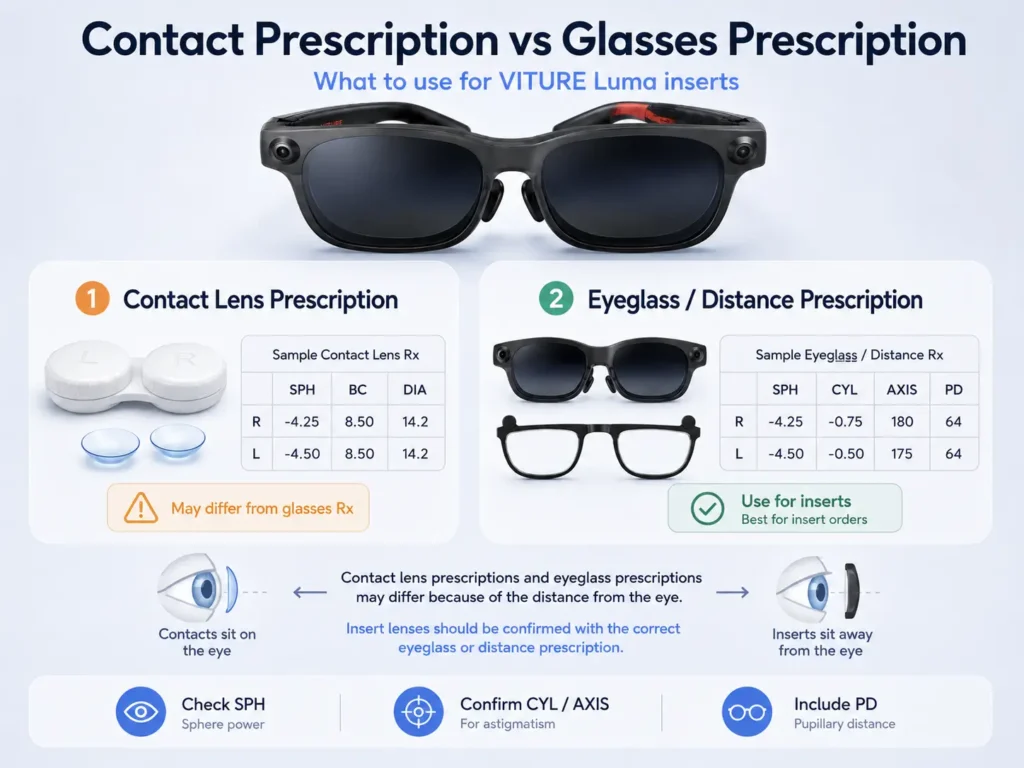
Do not assume a contact lens prescription is the right set of numbers for VITURE Luma prescription inserts. Contact lenses sit directly on the eye, while insert lenses sit away from the eye inside the device path. Because of that distance difference, prescription values can differ.
Before ordering inserts, confirm the correct eyeglass or distance prescription values, including SPH, CYL, AXIS, and PD. If you only have contact lens values, ask your eye-care professional or optical provider which values should be used for insert lenses.
The VITURE Luma prescription values article explains SPH, CYL, AXIS, and PD in plain language so you can check whether your prescription is complete before comparing insert options.
When Prescription Inserts May Be Worth Comparing
Prescription inserts may be worth comparing if contacts are comfortable for daily life but less comfortable during longer VITURE Luma sessions. They may also be worth checking if you do not want to put in contacts every time you use the device, or if wearing regular glasses under VITURE Luma creates pressure, smudges, or alignment problems.
ANNKUTVR prescription inserts are designed for VITURE Luma users who want vision correction without stacking regular glasses under XR glasses. They may help users who need clearer vision support beyond built-in adjustment, depending on fit and prescription.
Inserts are not a universal answer for every blurry image. They may not solve issues caused by poor frame position, dirty lenses, low-quality source content, fatigue, outdated prescription values, or an IPD/sweet-spot mismatch. Treat inserts as one option to compare after you have checked the simple causes first.
Want a Contact-Free Option for VITURE Luma?
ANNKUTVR prescription inserts are designed for VITURE Luma users who want vision correction without stacking regular glasses under XR glasses or relying on contacts for every session.
View VITURE Luma Prescription InsertsQuick Decision Checklist
Choose contacts if:
- you already wear them comfortably
- VITURE Luma text stays clear after fit and adjustment checks
- long sessions do not make your eyes feel noticeably dry or tired
- you prefer no extra frame under the device
Compare regular glasses only if:
- your frames are thin and narrow
- the XR frame does not feel pushed forward
- the lenses do not touch or rub
- the image stays clear when the frame moves naturally
Use built-in myopia adjustment carefully if:
- your main issue is supported nearsightedness
- the image improves without making one eye worse
- you are not trying to replace astigmatism correction with focus dials
Compare prescription inserts if:
- contacts are inconvenient for repeated sessions
- contacts feel less comfortable during screen-heavy use
- regular glasses under VITURE Luma affect fit
- your prescription needs more than built-in adjustment
- your eyeglass/distance prescription and PD are current
FAQ
1. Can you wear contacts with VITURE Luma?
Yes, many users can wear contacts with VITURE Luma. Contacts can be physically cleaner than regular glasses under XR glasses because they do not add a second frame layer.
2. Are contacts better than wearing glasses under VITURE Luma?
Contacts may be better for fit because they avoid frame stacking, lens contact, and temple pressure. Regular glasses may still work for some users, but comfort depends on frame size and how VITURE Luma sits.
3. Why is VITURE Luma still blurry with contacts?
Blur can come from dry contacts, astigmatism correction, myopia adjustment, PD/IPD alignment, frame position, smudges, source quality, or an outdated prescription. Check these causes before assuming one product route is the answer.
4. Do contacts help with VITURE Luma myopia adjustment?
Contacts correct your vision on the eye, so myopia adjustment should be used carefully after contacts are in place. If adjustment makes text worse, re-check fit, prescription, PD/IPD, and source clarity.
5. What if I have astigmatism or toric contacts?
Toric contacts may work well for some users, but small XR text can reveal correction or stability issues. If your prescription includes CYL and AXIS, compare your symptoms with astigmatism guidance before choosing inserts.
6. Can I use my contact lens prescription for VITURE Luma inserts?
Do not assume the contact lens numbers are the right insert numbers. Insert lenses sit away from the eye, so confirm the correct eyeglass or distance prescription and PD before ordering.
7. Do I still need PD or IPD if I wear contacts?
Yes. Contacts correct vision on the eye, but they do not control how VITURE Luma sits on your face. PD may matter for inserts, and IPD or sweet-spot fit can still affect clarity.
8. Are prescription inserts better for long VITURE Luma sessions?
They may be worth comparing if contacts become uncomfortable, if you do not want to rely on contacts every session, or if regular glasses under VITURE Luma affect fit. The right choice still depends on prescription, comfort, and frame alignment.