Enjoy 5% OFF + FREE shipping on orders $49+! Use Code: 202512AK5

Enjoy 5% OFF + FREE shipping on orders $49+! Use Code: 202512AK5
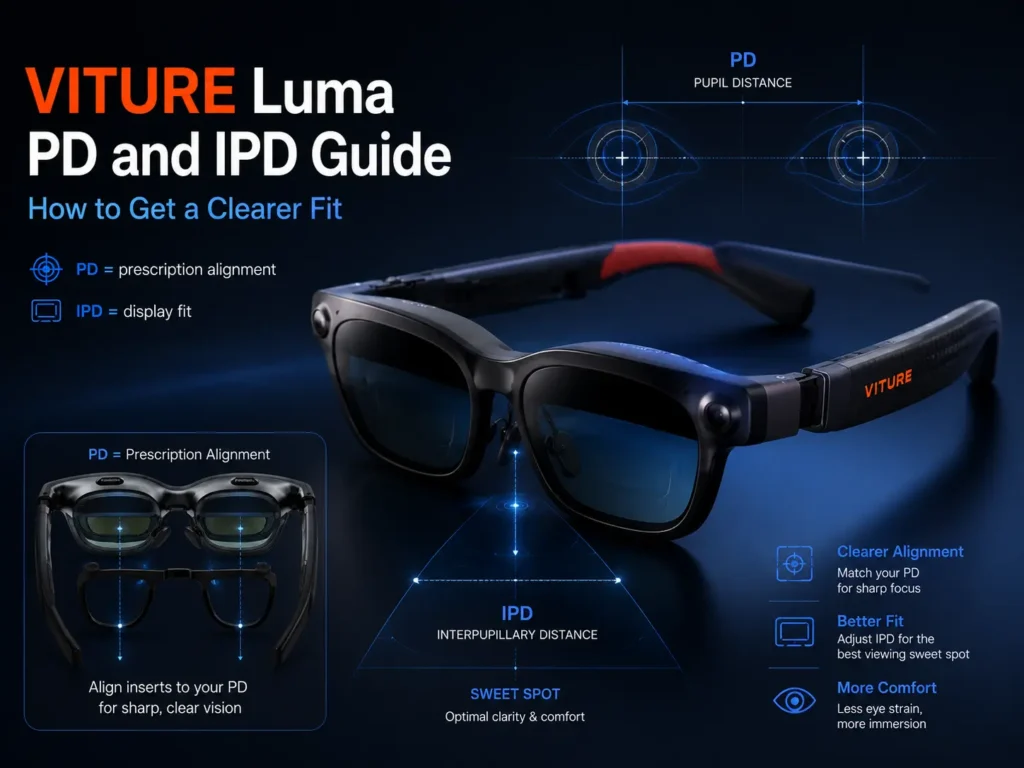
For VITURE Luma PD and IPD questions, start with one distinction: PD and IPD are related, but they are not the same thing. PD matters when ordering prescription inserts because it helps align the optical center of the prescription lenses with your pupils. IPD matters for fit because it affects whether your eyes line up with the screen and lens sweet spot.
If VITURE Luma text looks clear only in the center, blurry near the edges, better after moving the frame up or down, or uneven between your left and right eyes, the issue may involve fit, IPD, PD, nose pad height, frame size, or prescription alignment. It is not always just an SPH strength problem. For the wider prescription context, the VITURE Luma prescription lenses guide explains how SPH, CYL, AXIS, PD, and inserts fit together.
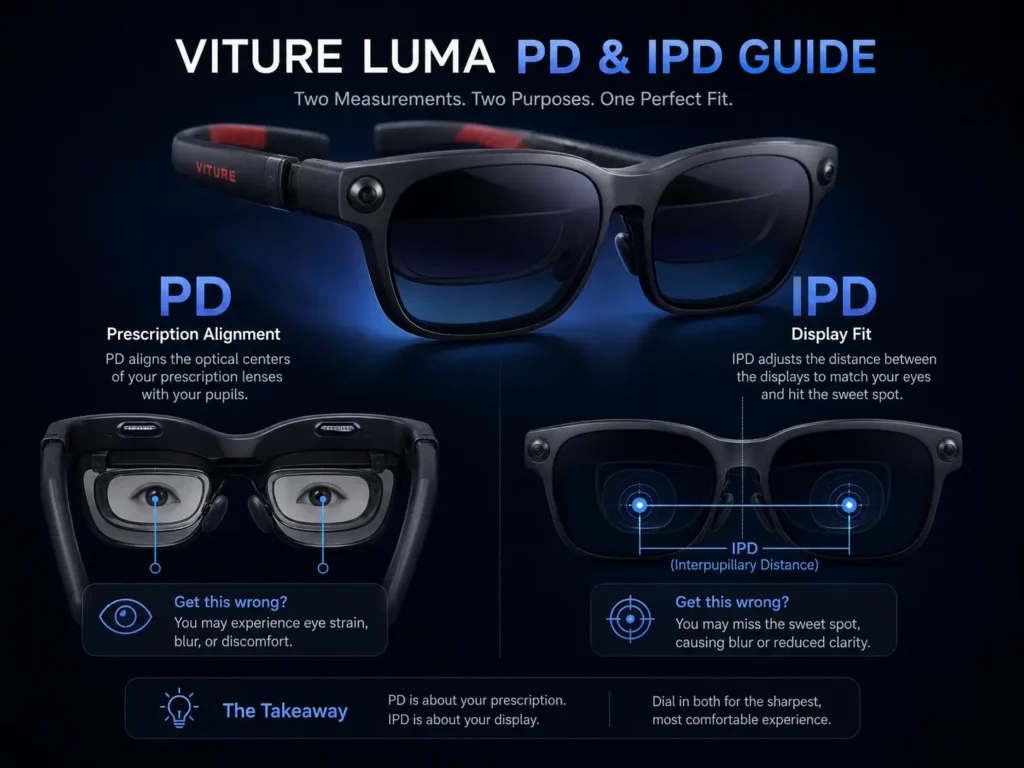
PD vs IPD: The Difference VITURE Luma Users Should Know
PD is mainly a prescription lens measurement. IPD is mainly a fit and display alignment measurement. Both involve your pupils, but they are used in different parts of the VITURE Luma clarity problem.
| Term | What It Means | Why It Matters for VITURE Luma |
|---|---|---|
| PD | Pupillary distance used for prescription lens placement. | Helps align insert lens optics with your pupils. |
| Monocular PD | Separate PD values for the right and left eye. | Can be more precise than one combined PD number. |
| IPD | Distance between the centers of the pupils. | Helps determine whether your eyes match the device’s viewing range. |
| Optical center | The intended viewing center of a prescription lens. | Wrong placement can make lenses feel almost right but tiring. |
| Sweet spot | The clearest usable viewing zone in the display and lens path. | Poor alignment can make you keep chasing the clear area. |
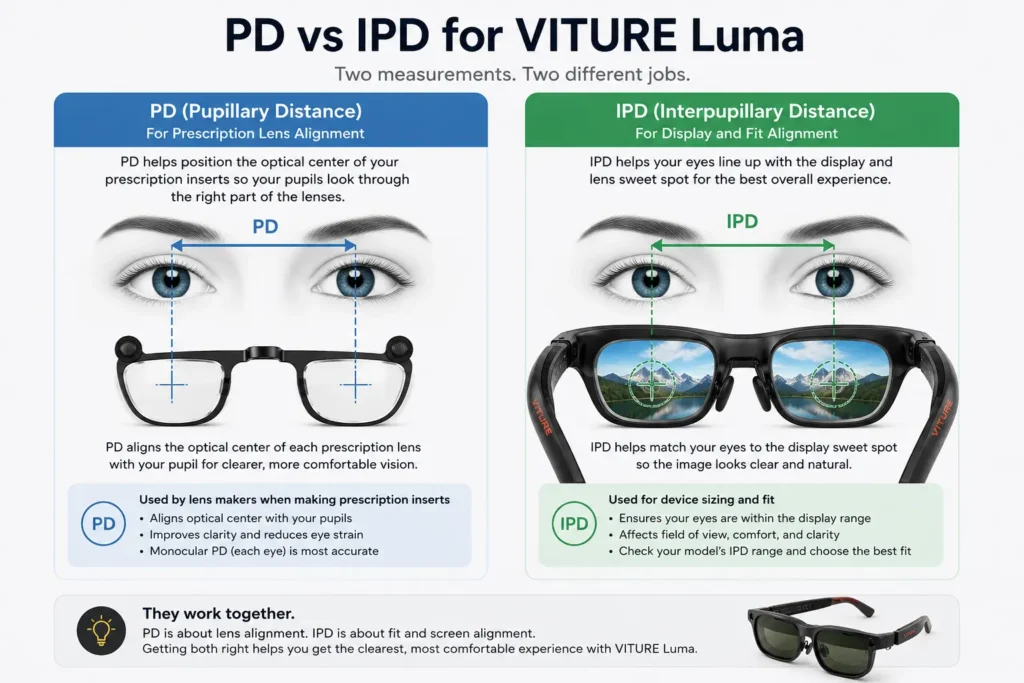
Why IPD Matters for VITURE Luma Screen Clarity
IPD affects whether both eyes naturally line up with the VITURE Luma display and lens sweet spot. If your IPD is near the edge of a supported range, you may still see the image, but you might need to shift the frame more carefully to get stable clarity.
Check the range for your exact model before assuming prescription strength is the only clarity issue.
| Model | Official IPD Range | What to Check |
|---|---|---|
| VITURE Luma | Regular IPD 56-72mm | Check whether your IPD sits comfortably within the range. |
| VITURE Luma Pro | Regular 64.0±6.0mm; Large 68.0±6.0mm | If your IPD falls in both ranges, choose the size closer to the reference average. |
| VITURE Luma Ultra | Regular IPD 58-70mm | Confirm your IPD before assuming prescription strength is the only clarity issue. |
That last part matters. IPD numbers do not tell the whole story. Face shape, nose bridge height, frame position, and personal comfort can change how the sweet spot feels in real use. VITURE’s official VITURE Luma Pro sizing guidance also defines IPD as the distance between the centers of your pupils and recommends a formal eye exam for accurate measurement. Treat that as better guidance than guessing from a mirror or photo.
Why PD Matters for VITURE Luma Prescription Inserts
PD becomes especially important when making VITURE Luma prescription inserts. The lens maker uses PD to place the optical center of each prescription lens so your eyes look through the intended area. If PD is wrong, the prescription can feel close but still cause eye strain, edge softness, or a slight sense that your eyes are working too hard.
Monocular PD is better than one combined PD when available because each eye can be positioned separately. That matters for people whose eyes are not perfectly symmetrical, which is common. If your prescription only lists one PD value, ask whether a monocular PD measurement is available before ordering custom inserts.
Do not guess PD. If you are already comparing lens options, keep PD with your SPH, CYL, and AXIS values so the insert decision is based on complete prescription data.
Symptoms That Point to Fit or Alignment, Not Just Prescription Strength
When the image is blurry, it is tempting to blame SPH first. Sometimes that is right. But VITURE Luma blurry edges, uneven clarity, and unstable sharpness can also come from fit or alignment.
- Text is sharp in the center but soft near the edges.
- One eye feels clearer than the other.
- The image improves when the frame is lifted, lowered, or pushed closer.
- You keep adjusting the glasses to find the same clear zone.
- The image is clearer after changing nose pads.
- Eye fatigue appears even when SPH values seem correct.
If these symptoms sound familiar, the guide on blurry VITURE Luma text can help separate prescription issues from fit, lens cleanliness, source quality, and device setup.
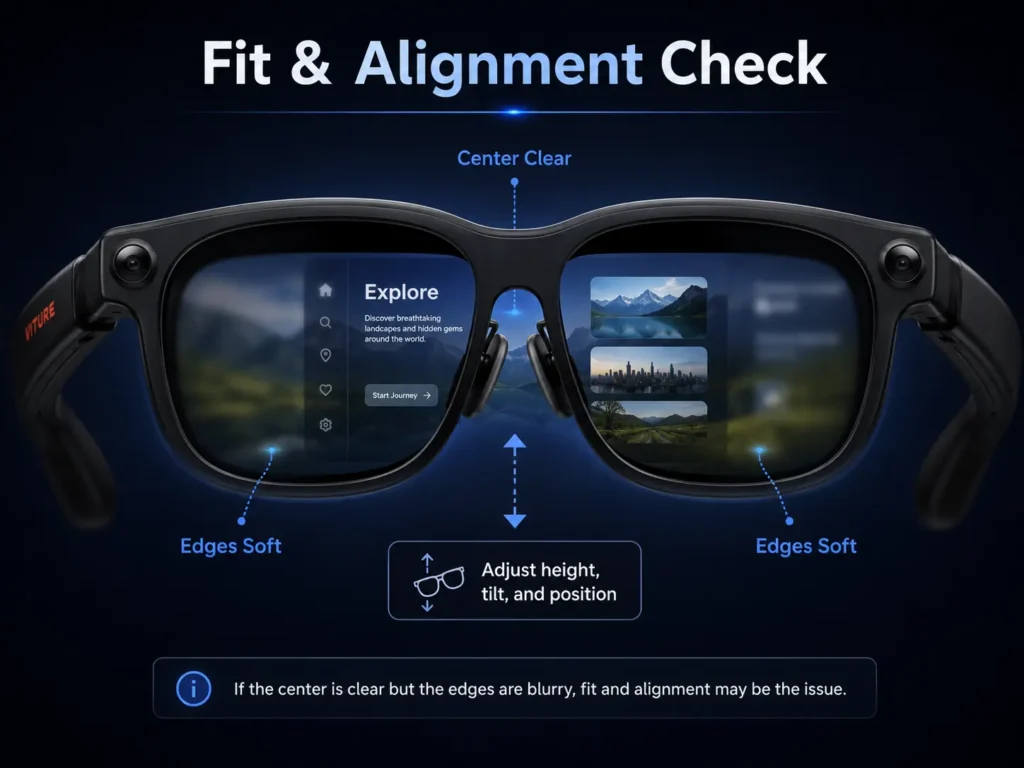
Nose Pads, Frame Height, and Tilt Can Change the Sweet Spot
VITURE Luma fit depends on more than numbers. Nose pads can change vertical alignment. A taller or shorter nose pad can move the display path relative to your pupils, which may change whether text lands in the clearest zone.
Frame tilt matters too. If the frame leans too far forward, sits too low, or presses unevenly, your eyes may look through a less ideal part of the lens path. That can feel like a prescription problem even when the prescription values are reasonable.
Before assuming prescription inserts are wrong, test fit carefully. Try small nose pad and frame-position adjustments, then check text-heavy content. Video may hide mild alignment issues, while menus, subtitles, and browser text reveal them quickly.
How PD and IPD Overlap With Astigmatism
PD and IPD problems usually create alignment discomfort, edge softness, or a feeling that the clear zone is hard to hold. Astigmatism can create a different pattern: directional blur, ghosting, smearing, double edges, or text that looks stretched along one angle.
These issues can overlap. If moving the frame helps only partly, check whether your prescription includes CYL and AXIS. Those values describe astigmatism correction. If they are present, built-in myopia adjustment alone may not address the full issue.
The VITURE Luma astigmatism guide is the better companion when blur looks smeared or doubled even after you adjust fit, focus, and nose pad position.
Built-in Myopia Adjustment Still Matters, But It Does Not Replace PD
VITURE Luma built-in myopia adjustment still matters for many nearsighted users. It mainly changes focus so the display can look clearer without full prescription inserts in some cases.
But focus adjustment is not optical alignment. It does not replace PD measurement for custom prescription lenses. It does not fully solve astigmatism. It also cannot automatically fix a frame that sits too low, too high, too wide, or at the wrong tilt.
Separate the problem into two questions: does each eye need focus correction, and are your eyes aligned with the right viewing zones? The VITURE Luma myopia adjustment vs prescription inserts article is useful when you are deciding whether the built-in dial is enough.
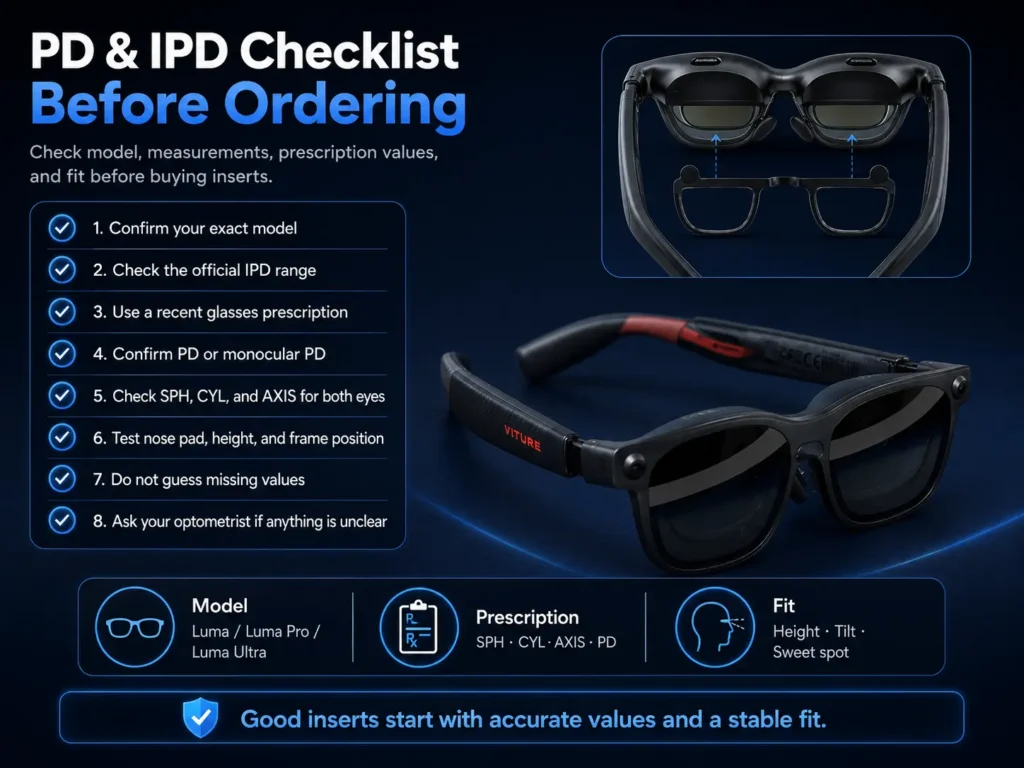
A Practical PD and IPD Checklist Before Ordering VITURE Luma Prescription Inserts
- Confirm your exact model: Luma, Luma Pro, or Luma Ultra.
- Check the official IPD range for your model and size.
- Use a recent glasses prescription, not a contact lens prescription.
- Confirm PD or monocular PD.
- Confirm SPH, CYL, and AXIS for both eyes.
- Try nose pad and frame-position adjustments first.
- Do not guess missing values.
- Ask your optometrist if the prescription is old, incomplete, or unclear.
This is not medical diagnosis. Use your optometrist’s prescription as the source of truth, especially if your values are missing, old, or different between your two eyes.
Where ANNKUTVR Fits In
ANNKUTVR makes prescription lens inserts for XR and VR users who need more than simple built-in focus adjustment. For VITURE Luma users, the better first step is not buying inserts blindly. It is checking whether the issue comes from prescription values, PD, IPD, fit, or astigmatism. Once those values are clear, prescription inserts can be made with a more realistic target.
If your PD, SPH, CYL, AXIS, and model fit checks suggest inserts may help, ANNKUTVR VITURE Luma prescription inserts can be one option to compare. If the image mainly changes when the frame moves, solve fit first.
Need Clearer Vision in VITURE Luma?
ANNKUTVR prescription inserts are designed for users who need more than basic built-in focus adjustment.
View VITURE Luma Prescription InsertsFAQ
1. Is PD the same as IPD for VITURE Luma?
No. PD and IPD are related, but they are not the same measurement. PD is mainly used for prescription lens placement, while IPD is used to understand how your eyes line up with the display and lens sweet spot.
2. Do I need PD for VITURE Luma prescription inserts?
Yes. PD helps place the optical center of each prescription lens in front of your pupils. If the PD is wrong, the prescription may feel close but still cause eye strain, edge softness, or uneven clarity.
3. Can wrong IPD make VITURE Luma blurry?
It can contribute to blur, soft edges, or unstable clarity if your eyes do not line up well with the viewing sweet spot. Nose pads, frame height, face shape, and tilt can also affect this.
4. What IPD range does VITURE Luma support?
The standard VITURE Luma model supports Regular IPD 56-72mm. VITURE Luma Pro has Regular 64.0±6.0mm and Large 68.0±6.0mm sizing. VITURE Luma Ultra supports Regular IPD 58-70mm.
5. Should I use single PD or dual PD?
Use monocular or dual PD when available. It gives separate measurements for the right and left eye, which can be more precise than one combined PD value.
6. Can nose pads affect VITURE Luma clarity?
Yes. Nose pads can change frame height and vertical alignment. That can affect whether your eyes sit in the clearest viewing zone, especially when reading menus, subtitles, or small text.
7. What if my prescription is correct but VITURE Luma is still blurry?
Check fit, nose pad height, frame tilt, lens cleanliness, source quality, IPD range, and PD alignment. If blur looks directional, smeared, or doubled, also check CYL and AXIS for astigmatism.
8. Does VITURE Luma myopia adjustment replace PD?
No. Myopia adjustment mainly changes focus for some nearsighted users. PD is still needed when making prescription insert lenses because it helps align the lens optics with your pupils.