Enjoy 5% OFF + FREE shipping on orders $49+! Use Code: 202512AK5

Enjoy 5% OFF + FREE shipping on orders $49+! Use Code: 202512AK5
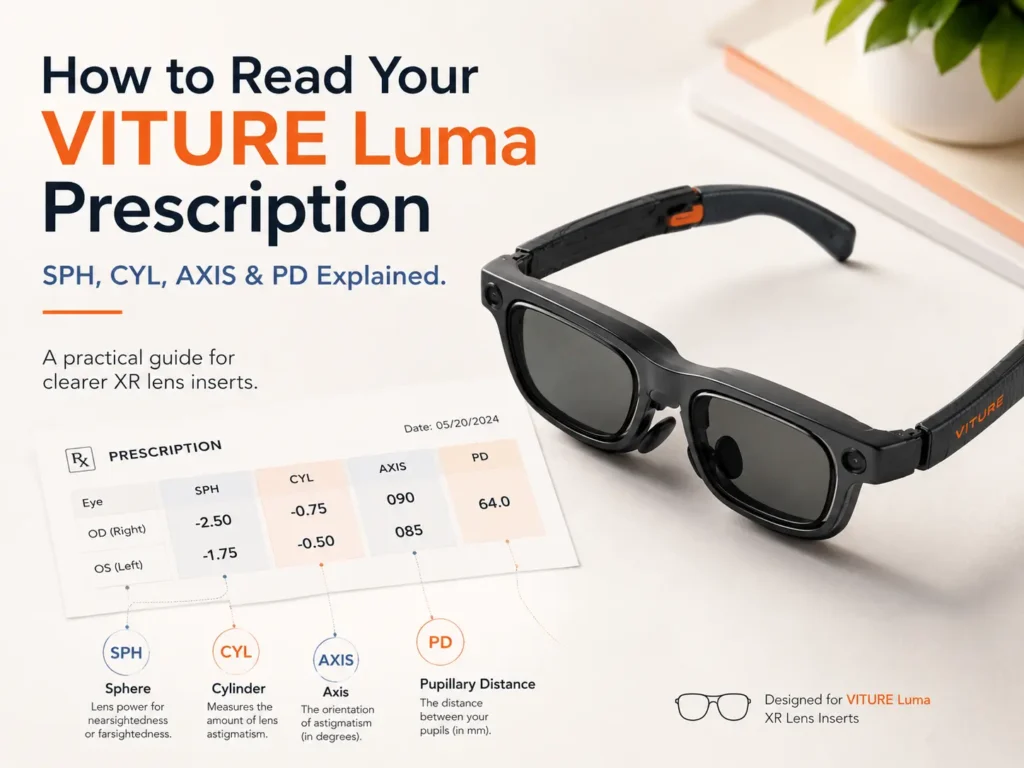
If you are reading a VITURE Luma prescription before ordering inserts, start with four values: SPH or PWR, CYL, AXIS, and PD. SPH/PWR mainly relates to nearsightedness or farsightedness. CYL and AXIS relate to astigmatism. PD helps align the optical center of prescription lenses with your eyes.
VITURE Luma built-in myopia adjustment can help some nearsighted users fine-tune focus, but it is not the same as full prescription lenses. It cannot fully handle astigmatism, different prescriptions between eyes, farsightedness, or complex prescriptions. If you have CYL/AXIS values, a large difference between eyes, values outside the built-in range, or text that still looks soft or smeared, prescription inserts are worth checking. For the broader buying path, the VITURE Luma prescription lenses guide is the best starting point.
What Numbers Matter Most for a VITURE Luma Prescription?
A glasses prescription can look crowded, but VITURE Luma, VITURE Luma Pro, and VITURE Luma Ultra users do not need to decode every field at once. Focus on the values that affect XR text clarity, focus adjustment, astigmatism correction, and lens insert alignment.
Most users should check SPH or PWR, CYL, AXIS, and PD first. If one of those values is missing, outdated, or copied from a contact lens prescription, pause before ordering custom inserts.
| Prescription Value | What It Means | Why It Matters for VITURE Luma |
|---|---|---|
| SPH / PWR | Sphere power for nearsightedness or farsightedness. | Shows whether built-in myopia adjustment may help or whether prescription inserts are worth checking. |
| CYL | Cylinder power for astigmatism correction. | Built-in myopia adjustment should not be treated as full astigmatism correction. |
| AXIS | The direction of astigmatism correction, usually written from 1 to 180 degrees. | CYL without AXIS is incomplete for most astigmatism lens correction. |
| PD | Pupillary distance, or the distance between your pupils. | Helps align the optical center of prescription inserts with your eyes. |
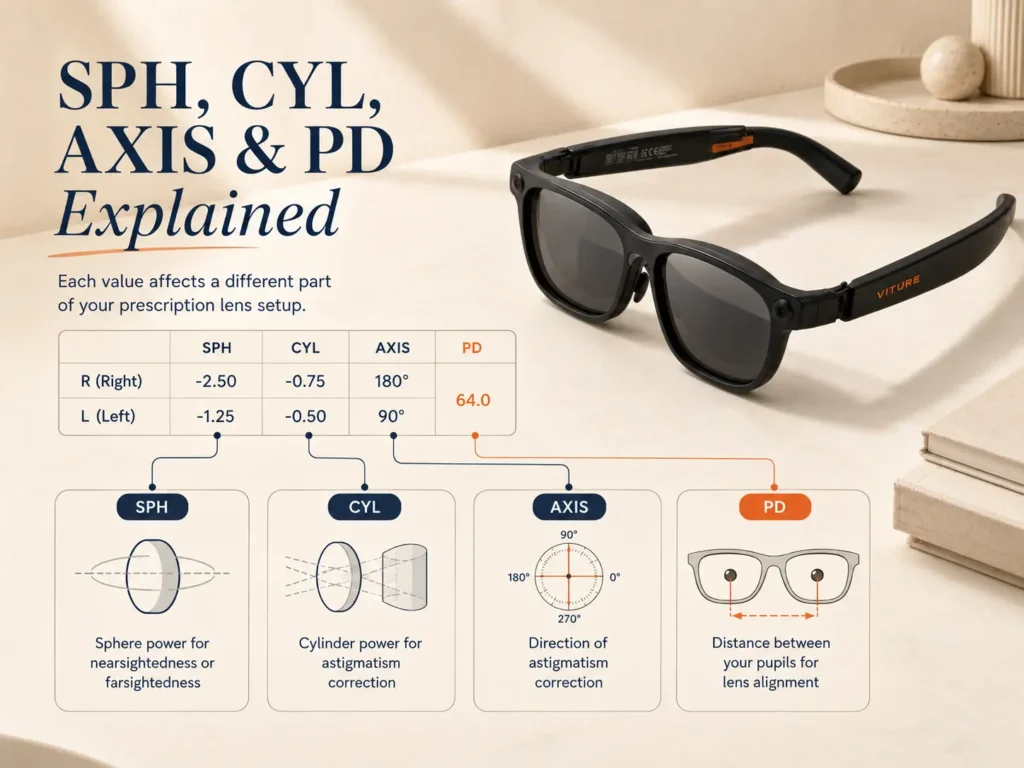
SPH or PWR: The Number Behind Nearsightedness and Farsightedness
SPH, sometimes shown as PWR, is the main focus power in your glasses prescription. Negative numbers usually mean nearsightedness. Positive numbers usually mean farsightedness. That sign matters because VITURE built-in myopia adjustment is mainly for nearsighted focus, not every kind of vision correction.
Some VITURE Luma models include built-in myopia adjustment, but users should check the exact adjustment range for their specific model before deciding whether prescription inserts are still needed. These dials can help with nearsighted blur within range, but they are not universal correction.
If your SPH is outside the range for your model, prescription inserts are worth checking. They may also be worth checking if your left and right eyes are very different. The VITURE Luma myopia adjustment article is the better companion when you are deciding whether the built-in dial is enough.
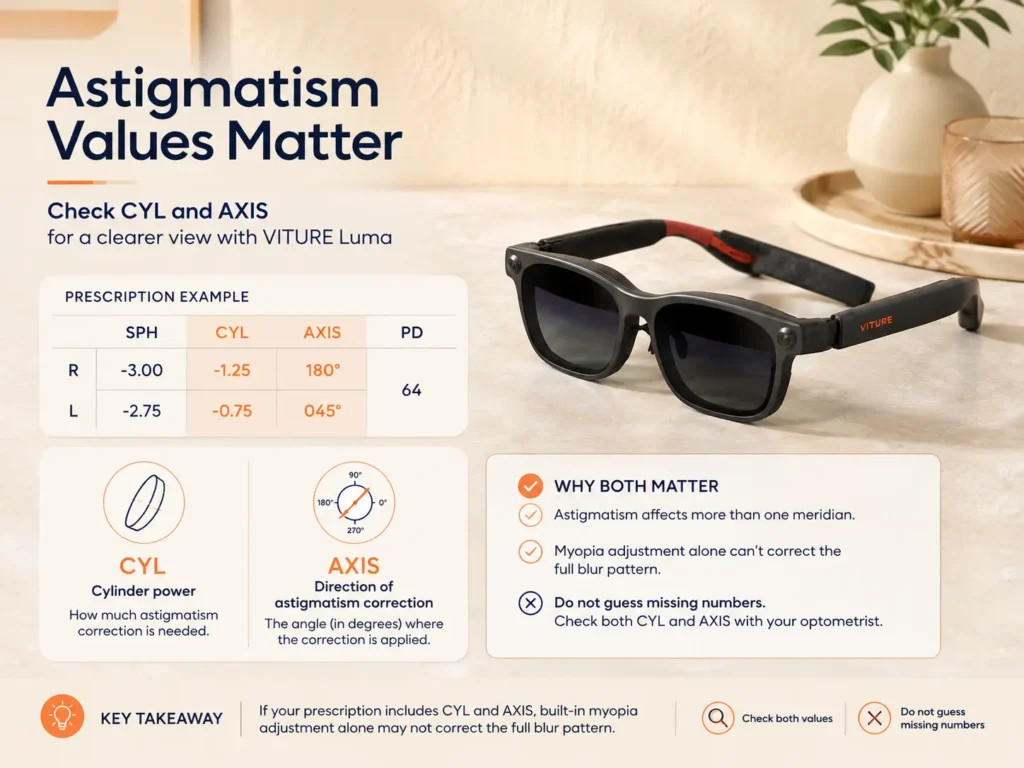
CYL and AXIS: The Astigmatism Values People Miss
CYL shows the amount of astigmatism correction in your prescription. AXIS shows the direction of that correction. These two fields work together, so CYL without AXIS is incomplete. Do not guess the AXIS value if it is missing.
This is where VITURE Luma users can misread the built-in adjustment. Myopia adjustment changes spherical focus. It should not be described as full astigmatism correction. Astigmatism can make XR text look smeared, doubled, shadowed, or directionally blurry, especially with subtitles, menus, or white text on a dark background.
If your prescription includes CYL and AXIS, or the display still has ghosting after fit and focus adjustment, compare your symptoms with the VITURE Luma astigmatism guide before assuming the device itself is the problem.
PD: The Small Number That Can Affect Comfort and Alignment
PD means pupillary distance. It helps the lens maker place the optical center of each prescription lens where your eyes naturally look through it. For VITURE Luma prescription inserts, PD helps the lens position match your eyes, not just your SPH number.
Some prescriptions show one combined PD, such as 62 mm. Others show monocular PD, such as 31 mm right and 31 mm left. Monocular PD can be more precise because many faces are not perfectly symmetrical.
Do not treat PD and IPD as exactly the same thing. PD is a prescription lens measurement. IPD is usually discussed around display alignment, fit, and the viewing sweet spot. The VITURE Luma PD and IPD guide is useful if moving the frame, nose pads, or wearing position changes clarity.
What If Your Prescription Has ADD, Prism, or Contact Lens Numbers?
ADD is often related to reading, bifocal, progressive, or multifocal needs. It does not replace SPH, CYL, AXIS, or PD, and it should not be guessed when ordering inserts.
Prism needs extra confirmation. If your prescription includes prism, do not assume it is supported by every insert option. Confirm before ordering.
Contact lens prescriptions are not the same as eyeglass prescriptions. Contacts sit directly on the eye, while glasses and XR insert lenses sit away from the eye. Use a current glasses prescription before ordering inserts.
Built-in Myopia Adjustment vs Prescription Inserts: Which One Should You Use?
Built-in adjustment may be enough if:
- You have mild or moderate nearsightedness.
- Your prescription does not list CYL or AXIS.
- Your left and right eyes are close in prescription.
- Text becomes clear after dial adjustment.
- You do not need full lens correction for comfortable XR use.
Prescription inserts are worth checking if:
- Your prescription includes CYL and AXIS.
- Your SPH is outside the built-in adjustment range for Luma, Luma Pro, or Luma Ultra.
- Your left and right eyes are very different.
- Text still has ghosting, smear, or soft edges after adjustment.
- You want a more consistent setup instead of adjusting dials every time.
If blur is still the main symptom, the blurry VITURE Luma text article can help separate prescription problems from fit, lens cleanliness, source quality, and display setup.
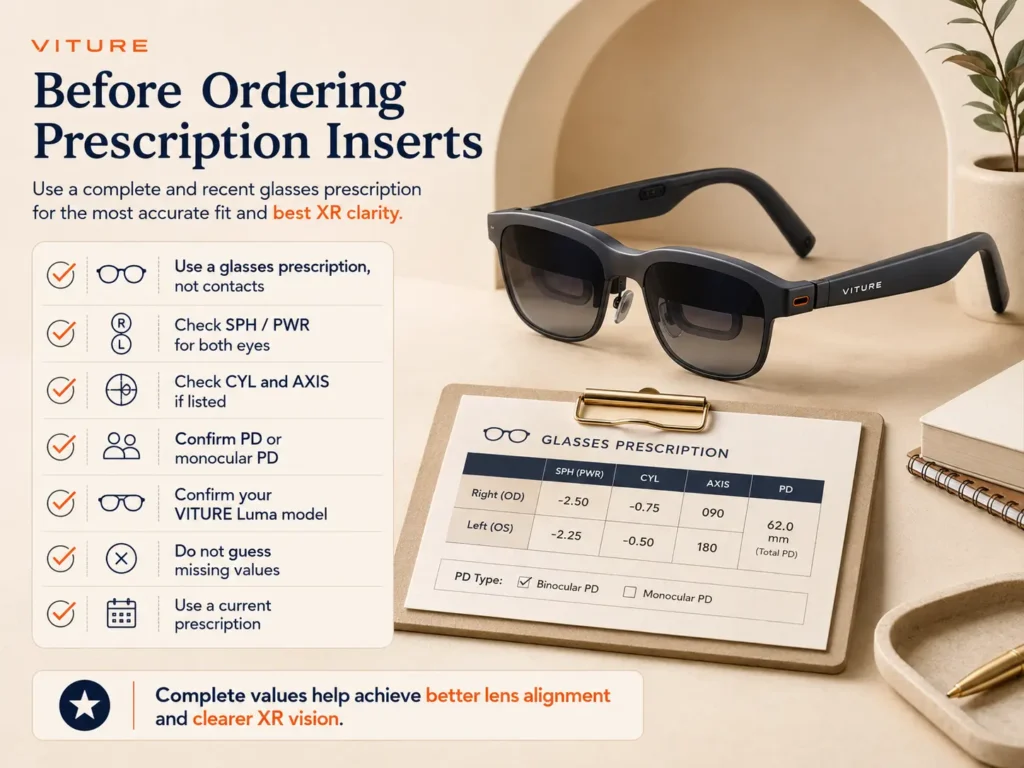
A Simple Checklist Before Ordering VITURE Luma Prescription Inserts
- Confirm the prescription is for glasses, not contacts.
- Check SPH or PWR for both eyes.
- Check CYL and AXIS if either value is listed.
- Confirm PD or monocular PD.
- Confirm whether the device is VITURE Luma, VITURE Luma Pro, or VITURE Luma Ultra.
- Check whether SPH values are within or outside the built-in adjustment range.
- Do not guess missing values.
- Ask an eye care professional if the prescription is old, incomplete, or unclear.
This article is not a medical diagnosis. Your current optometrist or eye care professional prescription should be the source of truth. If values look incomplete, confirm them before ordering.
Where ANNKUTVR Fits In
ANNKUTVR makes prescription lens inserts for XR and VR users who need more than simple built-in focus adjustment. For VITURE Luma users, the better first step is not buying inserts blindly. The better first step is checking whether the prescription includes values built-in dials cannot fully cover, especially CYL, AXIS, stronger SPH, different values between eyes, or PD-related alignment needs.
If your numbers suggest that inserts may help, ANNKUTVR prescription inserts for VITURE Luma can be one option to compare. If your prescription is mild and text becomes clear after adjustment, built-in adjustment may be enough.
Check Your Prescription Before Ordering
Have your SPH, CYL, AXIS, PD, and exact VITURE Luma model ready before choosing custom XR lens inserts.
View VITURE Luma Prescription InsertsFrequently Asked Questions
1. Do I need prescription inserts if VITURE Luma has myopia adjustment?
Not always. Built-in myopia adjustment may be enough for nearsightedness within range. Inserts are worth checking if you have CYL, AXIS, stronger SPH values, different prescriptions between eyes, or blur that remains after adjustment.
2. Does VITURE Luma myopia adjustment correct astigmatism?
It should not be treated as full astigmatism correction. Myopia adjustment mainly helps spherical focus. Astigmatism correction usually depends on CYL and AXIS.
3. What does CYL mean on a VITURE Luma prescription?
CYL means cylinder. It shows the amount of astigmatism correction in the prescription. If CYL appears, check the matching AXIS value too.
4. Do I need AXIS if I have CYL?
Yes. AXIS tells the direction of the astigmatism correction. CYL without AXIS is incomplete for most astigmatism prescriptions, so do not guess it when ordering inserts.
5. Is PD required for VITURE Luma prescription inserts?
PD is usually important because it helps align the optical center of the insert lenses with your pupils. Monocular PD can be more precise than one combined PD value.
6. Can I use my contact lens prescription?
Use a glasses prescription whenever possible. Contact lens prescriptions can differ from glasses prescriptions because contacts sit on the eye, while insert lenses sit away from the eye.
7. What if my left and right eye prescriptions are different?
If your two eyes have different SPH, CYL, or AXIS values, prescription inserts may be worth checking because each lens can be matched to the corresponding eye. Confirm the current values with your eye care professional before ordering.
Final Thoughts
Reading a VITURE Luma prescription is not about memorizing every optical term. It is about knowing which numbers affect the buying decision. Check SPH/PWR for focus strength, CYL and AXIS for astigmatism, and PD for lens alignment. If the built-in dials do not cover your needs, prescription inserts may be worth comparing.