Enjoy 5% OFF + FREE shipping on orders $49+! Use Code: 202512AK5

Enjoy 5% OFF + FREE shipping on orders $49+! Use Code: 202512AK5
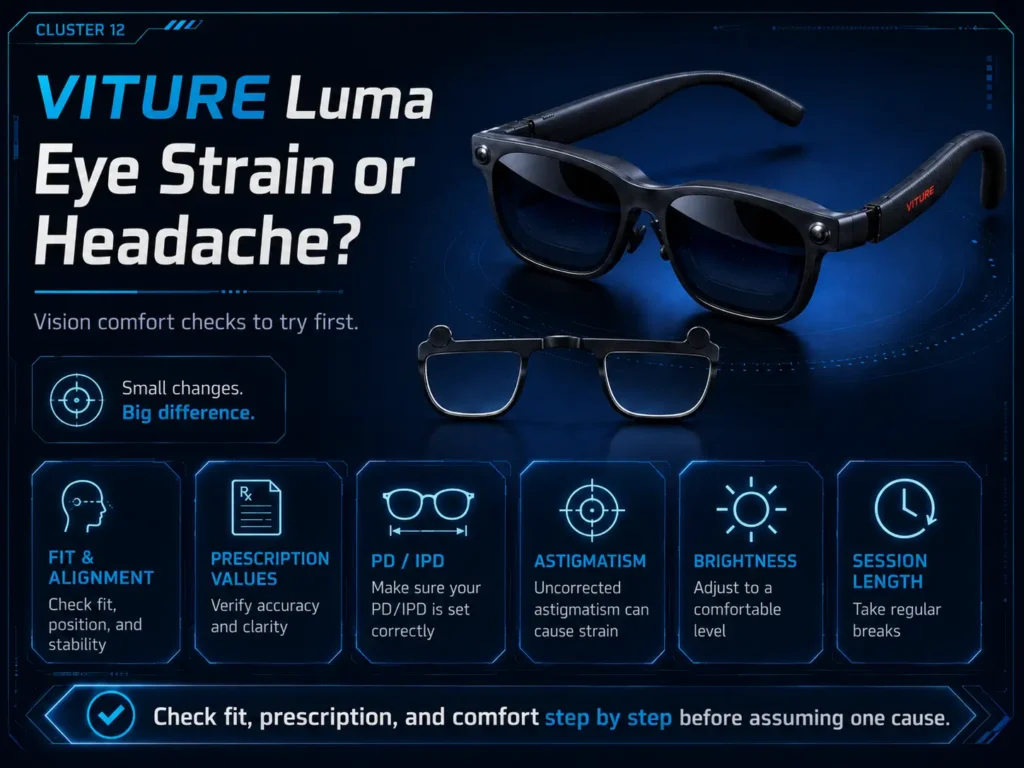
If your eyes feel tired, uncomfortable, or you get a headache while using VITURE Luma, do not assume one cause. Visual discomfort can overlap with fit, frame alignment, PD/IPD, astigmatism, wrong or outdated prescription values, regular glasses pressure, contact lens dryness, brightness, session length, and unrelated eye-health factors. This article gives non-medical comfort checks, not a diagnosis. If discomfort, pain, headache, dry eye, or blurred vision persists, stop using the glasses and ask an eye-care professional. For the broader prescription route, see the VITURE Luma prescription lenses guide, then use this page to separate comfort checks from buying decisions.
Can VITURE Luma Cause Eye Strain or Headache?
It is safer to say that VITURE Luma discomfort can have multiple possible causes, not that the glasses always cause eye strain. The feeling may come from visual effort, fit, alignment, prescription mismatch, dry contacts, brightness, long sessions, or an eye-health issue that is not specific to VITURE Luma.
Mayo Clinic notes that eyestrain can happen with intense use, including digital device use, and symptoms can include tired eyes, dry eyes, blurred vision, and headache. That general medical context does not diagnose a VITURE Luma user, but it supports a cautious checklist.
If symptoms keep happening, stop and ask an eye-care professional rather than trying to solve everything through product settings or lens purchases.
First Comfort Checks Before Assuming One Cause
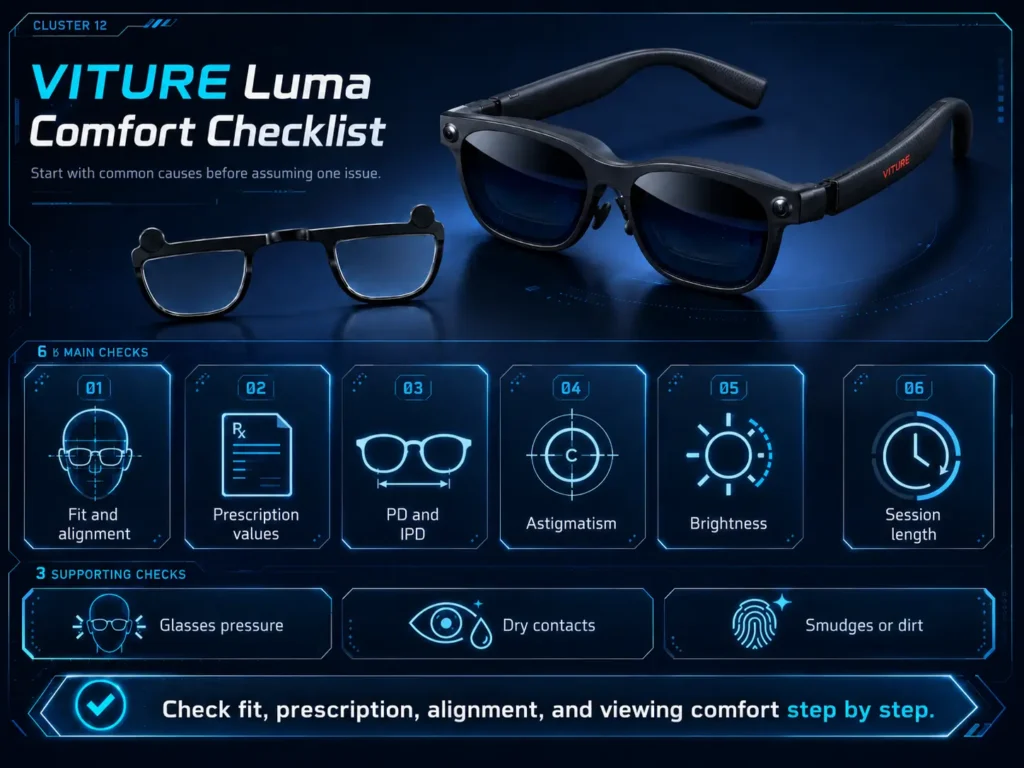
Run through the simplest checks before assuming the issue is prescription-related:
- Stop if you feel pain, strong headache, nausea, or persistent discomfort.
- Clean the lenses and check for smudges.
- Adjust the frame position and nose fit.
- Try shorter sessions.
- Lower brightness if it feels harsh.
- Take breaks and blink normally.
- Check whether one eye feels clearer than the other.
- Compare comfort with and without regular glasses or contacts, if relevant.
- Confirm that your prescription values are current.
Mayo Clinic lists breaks, lighting changes, blinking, glare reduction, display adjustment, and appropriate eyewear as possible eyestrain self-care steps. Those are general comfort practices, not a guarantee that one change will solve every VITURE Luma issue.
Check Fit, Frame Alignment, PD, and IPD
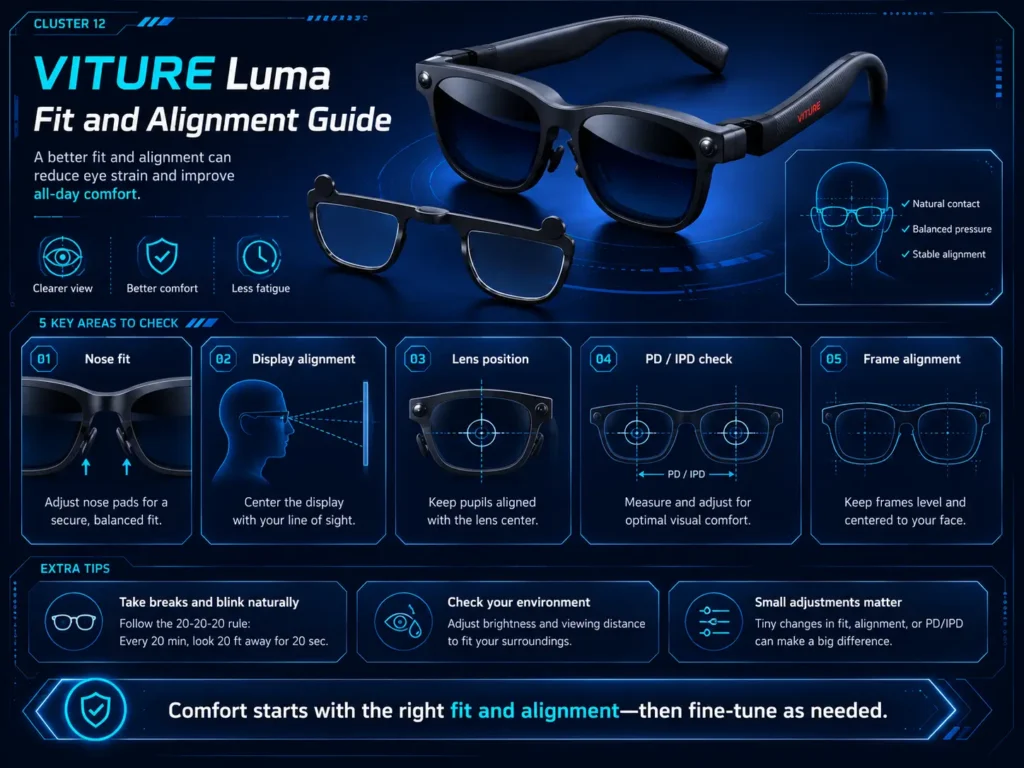
Fit can change how naturally your eyes line up with the display and lens area. If the frame sits too high, too low, too far away, or tilted, your eyes may work harder to hold a clear view.
PD and IPD can also matter. PD is important for prescription lens placement. IPD and frame fit affect how your eyes line up with the display sweet spot. If text clarity changes when you lift, lower, tilt, or press the frame closer, review the VITURE Luma PD and IPD guide.
Fit and alignment are not the only possible causes of discomfort, but they are worth checking before buying a new vision-correction option.
Check Blurry Text Separately From Eye Strain
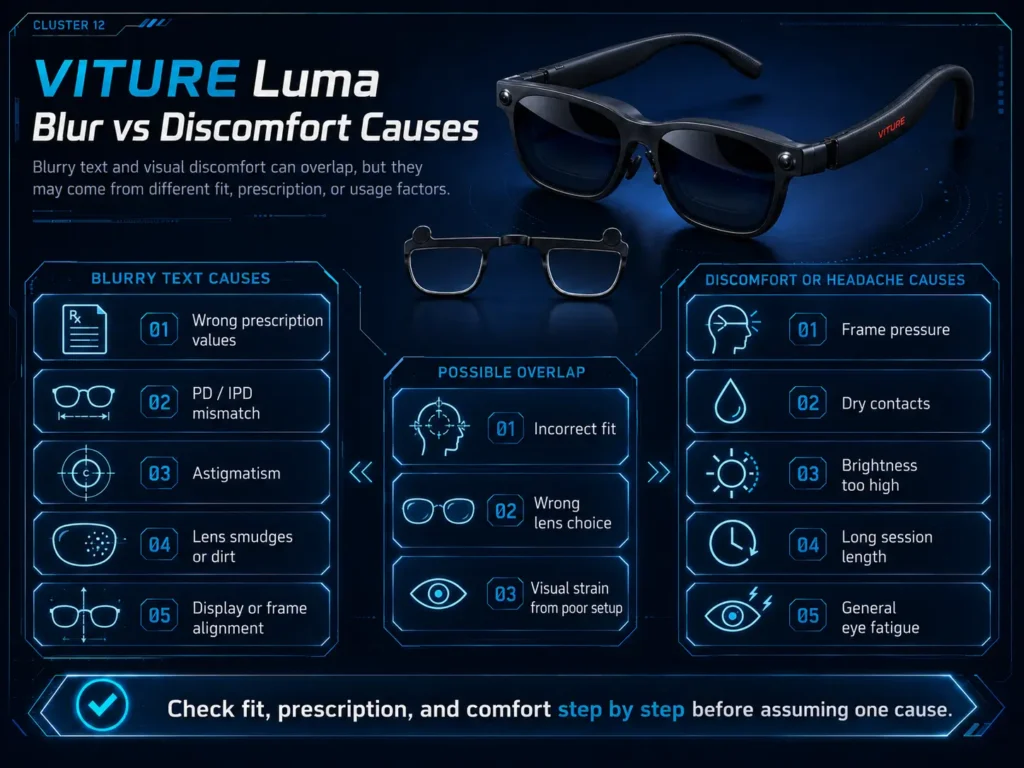
Blurry text and eye strain can overlap, but they are not the same diagnosis. Blur can come from smudges, source text quality, display settings, myopia adjustment, astigmatism, PD/IPD alignment, incorrect prescription values, or fatigue during long sessions.
If your main complaint is soft text, ghosting, smeared edges, or blur that changes with frame position, use the blurry VITURE Luma text troubleshooting article before assuming the answer is prescription inserts.
If your main complaint is pressure, headache, dryness, or tired eyes, keep checking the comfort factors below.
Check Astigmatism and Prescription Values
Wrong or incomplete prescription values can make small XR text harder to read. Astigmatism is especially easy to mix up with ordinary blur because CYL and AXIS values affect how light focuses in different directions. Built-in myopia adjustment does not replace CYL and AXIS correction.
If your prescription includes astigmatism, read the VITURE Luma astigmatism guide. If you are unsure what SPH, CYL, AXIS, or PD means, read VITURE Luma prescription values.
Do not self-diagnose from symptoms alone. Similar discomfort can come from several sources.
Check Glasses Pressure or Contact Lens Dryness
Regular glasses under VITURE Luma can create physical pressure or change the way the XR glasses sit. Even if your eyeglass prescription is correct, frame stacking may push the display out of alignment or create nose and temple discomfort. For that route, read wear glasses under VITURE Luma.
Contacts can avoid frame stacking, but they are not automatically more comfortable for long sessions. Dryness, toric lens movement, outdated correction, or contact lens discomfort can still affect the experience. Mayo Clinic notes that dry eyes can include difficulty wearing contact lenses, blurred vision, and eye fatigue. If contacts are your preferred route, read wear contacts with VITURE Luma.
Do not treat contacts as a guaranteed blur fix, and do not use contact lens prescription values for inserts without confirmation.
Check Brightness, Session Length, and Breaks
Brightness and long sessions can make discomfort more noticeable. Try lowering brightness if the display feels harsh, using shorter sessions, and taking breaks before symptoms build.
Cleveland Clinic describes digital eye strain as a screen-related issue that can involve blurry vision, irritation, and headaches. VITURE Luma is not the same as a computer monitor, but the general comfort idea still applies: sustained visual focus can be tiring for some users.
If a short, lower-brightness session feels fine but long sessions trigger discomfort, the issue may be session management, dry eyes, fit stability, or visual fatigue rather than a single prescription problem.
Comfort Troubleshooting Checklist
| What you notice | What to check | Why it may matter | Safer next step |
|---|---|---|---|
| Headache after short use | Fit, brightness, prescription values, and whether symptoms repeat. | Headache can overlap with many visual and non-visual factors. | Stop if symptoms persist and ask an eye-care professional. |
| Eye strain after reading text | Text size, source quality, prescription values, astigmatism, and breaks. | Small text can make focusing and alignment issues more noticeable. | Check blur troubleshooting before buying inserts. |
| Blurry text | Smudges, fit, PD/IPD, myopia adjustment, and CYL/AXIS. | Blur is not always caused by the same factor as discomfort. | Use the blurry text guide and prescription values guide. |
| Dry contacts | Contact comfort, session length, blinking, and dryness symptoms. | Dry contacts can affect comfort and perceived clarity. | Follow eye-care guidance for contact discomfort. |
| Frame pressure | Regular glasses, nose fit, temple pressure, and frame position. | Pressure can make an otherwise clear setup uncomfortable. | Compare glasses-under-Luma guidance and fit adjustments. |
| Symptoms continue after breaks | Whether discomfort persists away from the device. | Persistent symptoms may need professional evaluation. | Stop use and ask an eye-care professional. |
Blur vs Discomfort: Do Not Treat Them as One Problem
Blurry text can make your eyes work harder, and visual discomfort can make blur feel worse. Still, they should be checked separately.
| Possible factor | More likely blur issue | More likely comfort issue | Best next guide |
|---|---|---|---|
| PD/IPD or frame alignment | Edges look soft or clarity changes with frame position. | Eyes feel like they are working to hold the view. | VITURE Luma PD and IPD guide |
| Astigmatism | Text looks smeared, doubled, or shadowed. | Reading small text feels tiring. | VITURE Luma astigmatism guide |
| Regular glasses | Lens distance or angle changes the image. | Nose or temple pressure appears quickly. | wear glasses under VITURE Luma |
| Contacts | Blur changes as lenses dry or shift. | Dryness or irritation builds during the session. | wear contacts with VITURE Luma |
When Prescription Inserts May Be Worth Comparing
Prescription inserts may be worth comparing if your discomfort appears related to confirmed prescription needs, or if regular glasses under VITURE Luma create pressure and alignment problems. They may also reduce reliance on contacts for users who prefer not to wear contacts every session.
They are not a treatment for headaches, eye strain, dry eyes, or discomfort. If symptoms persist, treat that as a health and comfort question first, not a product-selection shortcut.
If Prescription Needs Are Part of the Problem
ANNKUTVR prescription inserts are designed for VITURE Luma users who need confirmed vision correction without stacking regular glasses under XR glasses. They may be worth comparing as a prescription option, not as a treatment for headaches or eye strain.
View VITURE Luma Prescription InsertsWhen to Stop and Ask an Eye-Care Professional
Stop using VITURE Luma and ask an eye-care professional if discomfort persists, becomes painful, or appears with symptoms such as ongoing headache, eye pain, redness, strong dryness, dizziness, double vision, or blur that does not resolve.
This is especially important if symptoms continue after breaks, fit changes, brightness changes, or updated prescription checks. A product page cannot diagnose eye strain or tell you whether the device is appropriate for your eyes.
FAQ
1. Can VITURE Luma cause eye strain?
It is better to say VITURE Luma discomfort can have multiple possible causes. Fit, prescription values, PD/IPD, contacts, brightness, session length, and unrelated eye-health factors can all overlap.
2. Why do I get a headache using VITURE Luma?
A headache can come from many factors, including visual effort, fit, brightness, session length, prescription mismatch, or unrelated causes. Stop if it persists and ask an eye-care professional.
3. Can blurry text and eye strain be related?
They can overlap, but they should be checked separately. Blurry text may come from smudges, source quality, fit, PD/IPD, astigmatism, or prescription values.
4. Can wrong prescription values make VITURE Luma uncomfortable?
Wrong or outdated values may make small text harder to view and can make visual effort more noticeable. Confirm SPH, CYL, AXIS, PD, and prescription type before ordering inserts.
5. Can PD or IPD affect VITURE Luma comfort?
PD and IPD can affect how naturally your eyes line up with lenses and display areas. If clarity changes with frame position, check fit and alignment before assuming one cause.
6. Can contacts make VITURE Luma feel dry or blurry?
Contacts may be comfortable for some users, but dryness, lens movement, or long sessions can affect comfort and perceived clarity. Follow eye-care guidance if contact discomfort persists.
7. Do prescription inserts fix eye strain?
No. Prescription inserts should not be treated as a cure for eye strain or headaches. They may be worth comparing only when confirmed prescription needs are part of the issue.
8. When should I ask an eye-care professional?
Ask an eye-care professional if discomfort, headache, dry eye, pain, or blur persists, or if your prescription values are unclear before ordering custom inserts.