Enjoy 5% OFF + FREE shipping on orders $49+! Use Code: 202512AK5

Enjoy 5% OFF + FREE shipping on orders $49+! Use Code: 202512AK5
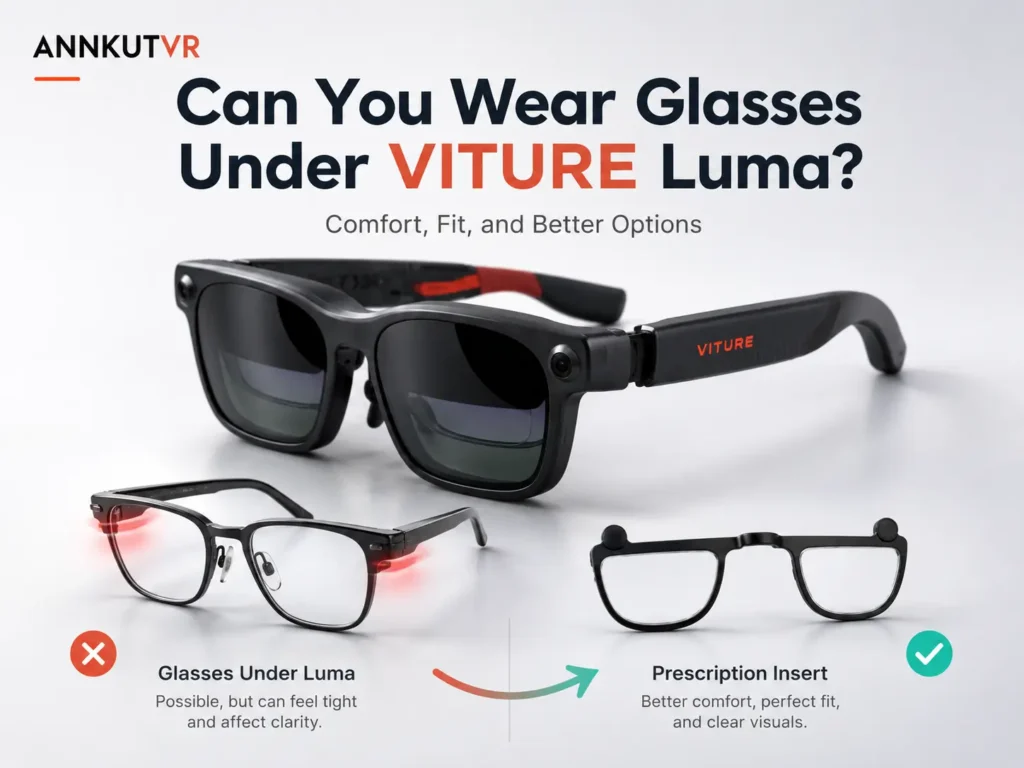
You may be able to wear glasses under VITURE Luma, but it is usually not the most comfortable setup. Regular glasses can push the XR frame forward, change the viewing angle, add pressure, create lens-to-lens contact, or make text look softer. If you need correction, compare comfort, fit, scratch risk, and prescription needs before choosing glasses, myopia adjustment, contacts, or inserts.
For the broader prescription path, start with the VITURE Luma prescription lenses guide. This article answers one practical question: can you wear glasses under VITURE Luma without hurting comfort or clarity?
Can You Wear Glasses Under VITURE Luma?
Some users can place regular glasses under VITURE Luma, especially if their frames are thin and narrow. The harder question is whether the setup stays stable, comfortable, and clear after a few minutes. Adding another frame can shift alignment and reduce the usable sweet spot.
The most common problems are subtle. The image may look almost right, then become tiring. Your glasses may touch the XR frame, or the display may look sharp only at one angle. These are signs that fit matters, not just prescription strength.
What Fit Problems Can Happen With Regular Glasses?
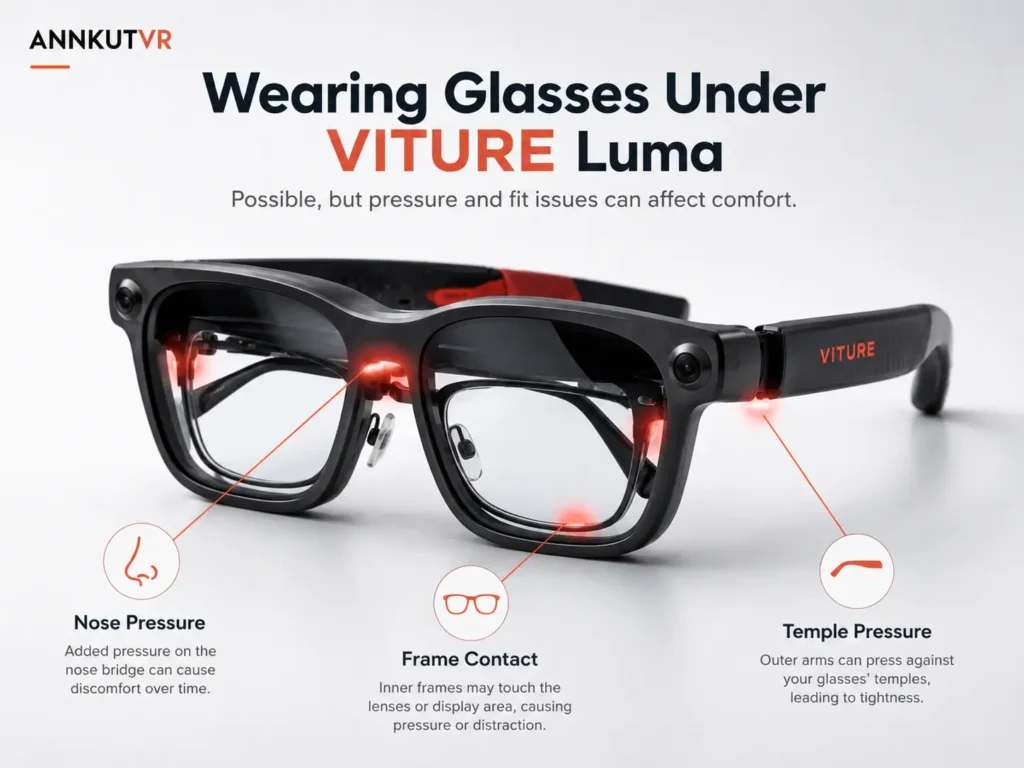
Using regular glasses under VITURE Luma creates two frame systems on the same face. Your eyeglasses need room for the bridge, temples, hinges, and lenses. VITURE Luma also needs stable nose support and eye alignment. Spacing changes can affect comfort and text clarity.
- The XR frame may sit farther from your eyes than intended.
- Your regular frames may press into your nose or temples.
- The VITURE Luma nose pads may not land evenly.
- Lens surfaces may get close enough to rub or collect smudges.
- The screen may look clear in the center but softer or cut off near the edges.
If the main symptom is blur rather than pressure, compare your experience with blurry VITURE Luma text. Blur can come from fit, lens cleanliness, setup, source quality, prescription mismatch, or a moving viewing angle.
Regular Glasses vs Prescription Inserts for VITURE Luma
The right option depends on your prescription, usage time, and sensitivity to frame pressure. Regular glasses may work for light use, while prescription inserts may suit longer sessions where repeated frame positioning becomes annoying.
| Comparison Point | Regular Glasses | Prescription Inserts |
|---|---|---|
| Comfort | May add pressure around the nose, temples, or frame contact points. | May feel cleaner because there is no second glasses frame underneath. |
| Lens distance | Can push VITURE Luma farther from your eyes and change the viewing angle. | Keep correction closer to the intended device lens path. |
| Scratch risk | Lens-to-lens contact may increase rubbing, smudges, or scratch risk. | Can reduce contact between everyday glasses and the XR optics. |
| Alignment | May shift the sweet spot if the frame sits too high, low, tilted, or far forward. | May support steadier alignment when prescription values and PD are correct. |
| Long-session use | Can become tiring if pressure or frame movement builds over time. | May be more comfortable for repeated use, depending on fit and prescription. |
| Prescription accuracy | Uses your existing glasses prescription if the glasses sit in a stable position. | Requires accurate SPH, CYL, AXIS, and PD values before ordering. |
| Travel convenience | Requires carrying and positioning two eyewear layers. | Keeps the correction with the VITURE Luma setup. |
| Best for | Occasional users with thin frames and stable clarity. | Users who want less frame stacking and need more than built-in adjustment. |
When Is Built-in Myopia Adjustment Enough?
Built-in myopia adjustment may be enough if your main issue is simple nearsightedness and the VITURE Luma display becomes clear after adjusting each eye. It can reduce the need to stack regular glasses under the device for some users. That said, focus dials are not the same as full prescription lenses.
If your prescription includes astigmatism values, different correction between your eyes, farsightedness, prism, or values outside the supported range, built-in adjustment may not cover everything. The VITURE Luma myopia adjustment comparison can help you decide whether the dial is enough or inserts may be worth checking.
Why Glasses Under VITURE Luma Can Affect Clarity
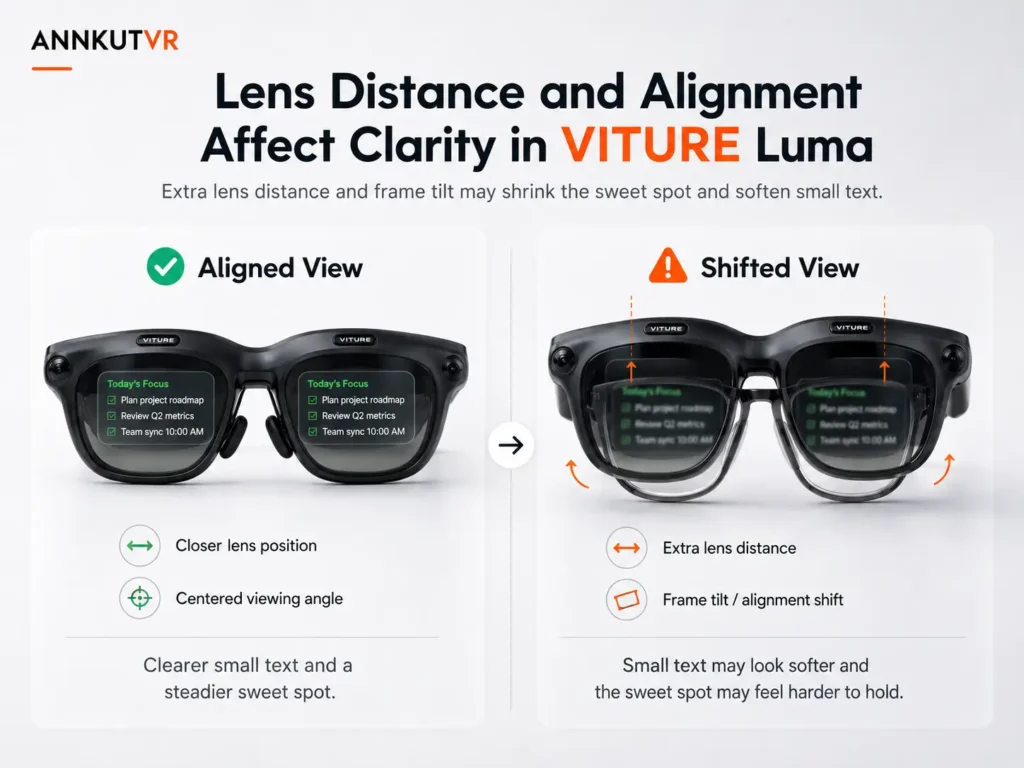
Clarity is not only about whether your prescription is correct. It is also about where your eyes sit relative to the display and lens path. Regular glasses can move VITURE Luma forward, downward, or slightly tilted. Even a small shift may make menus, subtitles, browser text, and spreadsheet lines look less stable.
This is where PD and IPD become useful checks. PD helps with prescription lens alignment, while IPD and face fit affect screen alignment. If clarity improves when you lift, lower, or press the frame closer, read the VITURE Luma PD and IPD guide before assuming your regular glasses are the only issue.
What About Astigmatism?
Astigmatism can make the glasses-under-device decision harder. If your eyeglasses correct astigmatism well, removing them may make text look smeared, doubled, or shadowed. But if your glasses push VITURE Luma out of position, wearing them underneath may still create blur or fatigue.
Check your prescription for CYL and AXIS. Those values describe astigmatism correction and should not be treated as optional if they affect screen clarity. The VITURE Luma astigmatism guide explains when built-in adjustment may fall short and when prescription inserts may help, depending on fit and prescription.
Scratch and Smudge Risk: The Quiet Problem
Two lens surfaces near each other are easy to overlook. If your eyeglass lenses sit close to the VITURE Luma optics, normal movement can create contact, rubbing, smudges, or cleaning marks.
Before long sessions, check spacing gently. Put the device on without forcing the frame, then remove it slowly and look for contact marks or pressure points. If the setup only works when compressed tightly, compare other options.
Quick Checklist Before Choosing Glasses or Inserts
Use a short test before deciding that regular glasses, contacts, or inserts are the answer. Separate vision correction from frame position, especially with small text.
- Wear your regular glasses under VITURE Luma for 10 minutes.
- Check subtitles, browser text, menus, and white text on a dark background.
- Notice whether clarity changes when you lift, lower, or tilt the XR frame.
- Check whether one eye looks clearer than the other.
- Look for pressure marks or lens contact after removal.
- Confirm whether your current prescription is for glasses, not only contacts.
- Stop if you feel pinching, eye strain, or unstable fit.
If your glasses are comfortable and the image stays clear, that may be enough for occasional use. If clarity changes when the frame moves, inserts may be easier to compare.
When Prescription Inserts May Be a Better Option
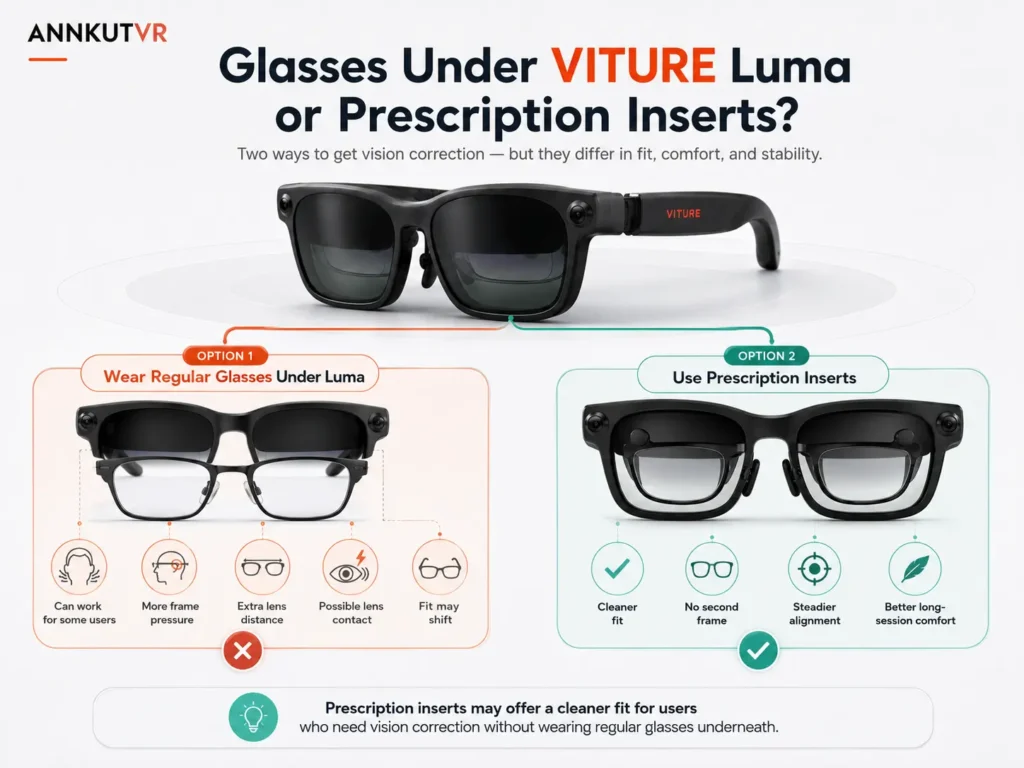
Prescription inserts may be a better option when regular glasses make VITURE Luma sit awkwardly, when built-in adjustment does not cover your correction, or when you want less frame stacking. Inserts are designed to place correction inside the device path.
They are not a fix for every clarity issue. Inserts may help when the problem is uncorrected or under-corrected vision, but they may not solve blur caused by poor fit, dirty lenses, device position, content quality, or an outdated prescription. Before ordering, check your eyeglass prescription, SPH, CYL, AXIS, and PD. If those labels are confusing, the VITURE Luma prescription values article explains each field.
ANNKUTVR sells compatible custom prescription lens inserts and plano protective lens options for supported VR, XR, and AR devices. ANNKUTVR does not manufacture VITURE glasses. Treat inserts as one practical option to compare after checking fit and prescription details.
Need a Cleaner Fit Than Regular Glasses?
ANNKUTVR prescription inserts are designed for VITURE Luma users who want vision correction without stacking regular glasses under XR glasses.
View VITURE Luma Prescription InsertsBottom Line
You can try to wear glasses under VITURE Luma, but judge the result by comfort, stability, scratch risk, and real text clarity. If the device feels pushed forward, lenses touch, or clarity changes when the frame moves, compare built-in adjustment, contacts, and inserts.
FAQ
1. Can you wear glasses under VITURE Luma?
Some users can, especially with thin frames. Comfort and clarity depend on frame shape, nose fit, lens spacing, and whether VITURE Luma still sits in the right viewing position.
2. Will regular glasses scratch VITURE Luma lenses?
They may increase scratch or smudge risk if the lenses touch or rub. Check spacing gently and avoid forcing VITURE Luma into a compressed fit.
3. Are prescription inserts better than wearing glasses under VITURE Luma?
They may be better for users who want less frame stacking or need more than built-in focus adjustment. They are not automatically better for everyone; fit, prescription values, and comfort still matter.
4. Does VITURE Luma myopia adjustment replace glasses?
Not for every user. Myopia adjustment may help some nearsighted users, but it does not replace astigmatism correction, PD alignment, or more complex prescription needs.
5. What if I have astigmatism?
If your prescription includes CYL and AXIS, built-in myopia adjustment may not cover the full correction. Prescription inserts may help depending on your values, fit, and how VITURE Luma sits on your face.
6. Can glasses affect VITURE Luma clarity?
Yes. Regular glasses can change lens distance, frame angle, and eye alignment. That may affect the sweet spot and make small text look softer.
7. Do I still need PD for prescription inserts?
Yes, PD is still important because it helps align the optical center of the prescription inserts with your pupils. Use monocular PD when available.
8. Who should consider VITURE Luma prescription inserts?
Consider inserts if regular glasses feel cramped, built-in adjustment is not enough, your prescription includes CYL and AXIS, or you use VITURE Luma often enough that a cleaner fit may matter.