Enjoy 5% OFF + FREE shipping on orders $49+! Use Code: 202512AK5

Enjoy 5% OFF + FREE shipping on orders $49+! Use Code: 202512AK5
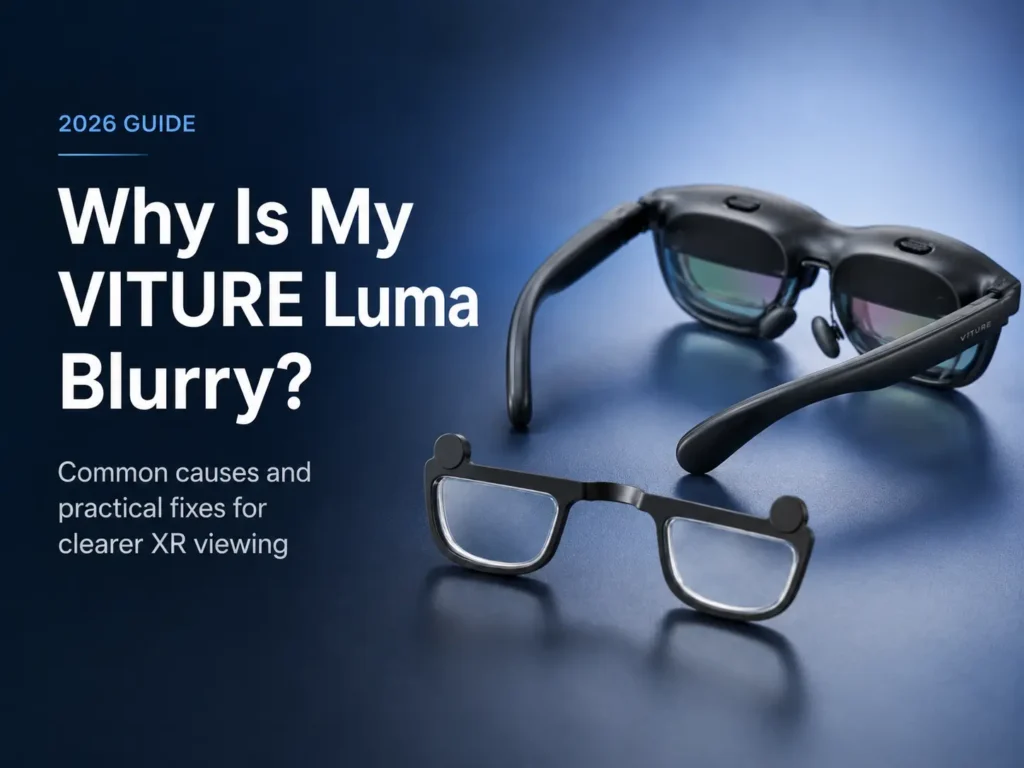
VITURE Luma blurry text can be frustrating, especially when the device itself seems to be working. The cause is not always one thing. Blur may come from focus adjustment, your prescription, astigmatism, PD/IPD alignment, frame fit, dirty lenses, eye position, eye fatigue, or the quality of the video source.
This guide walks through the most common reasons VITURE Luma, VITURE Luma Pro, or VITURE Luma Ultra may look soft or unclear. If your vision feels unusual or one eye is much worse than the other, check with an eye care professional.
For the full topic overview, see our VITURE Luma prescription lenses guide. This article focuses on blur, focus, and what to check before deciding whether custom inserts may help.
Why VITURE Luma May Look Blurry
Blurry VITURE Luma visuals usually fall into a few main categories. Some are easy to fix. Others point to a prescription or alignment issue.
The first category is focus adjustment. VITURE Luma models include built-in myopia adjustment dials that may help some nearsighted users. If the dials are not set correctly for each eye, text can look soft.
The second category is prescription mismatch. Built-in adjustment mainly helps with spherical focus. It may not match every part of your glasses prescription, especially if your prescription includes CYL and AXIS values for astigmatism.
Astigmatism is another common reason text looks smeared, doubled, stretched, or uneven. A user may adjust the dials and improve the center of the image, but still see fuzzy letters or soft edges because astigmatism has not been corrected.
PD and IPD alignment can also affect clarity. In simple terms, your eyes need to sit in the right position behind the optics. If your pupils do not line up well with the display optics, the image may look sharper in one area and softer in another.
Frame fit matters too. If the glasses sit too high, too low, tilted, or too far from your face, the viewing position may be less clear. Nose pad choice and frame size can change how your eyes line up with the virtual screen.
Do not skip basic lens cleaning. Smudges on the outer lenses or inner optical surfaces can make text look hazy. A fingerprint can look like a focus problem if it sits in the wrong place.
Finally, eye fatigue and source quality can make blur worse. Low-resolution video, compressed streaming, tiny text, or tired eyes can all make a clear device feel unclear.
Start With the Simple Checks First
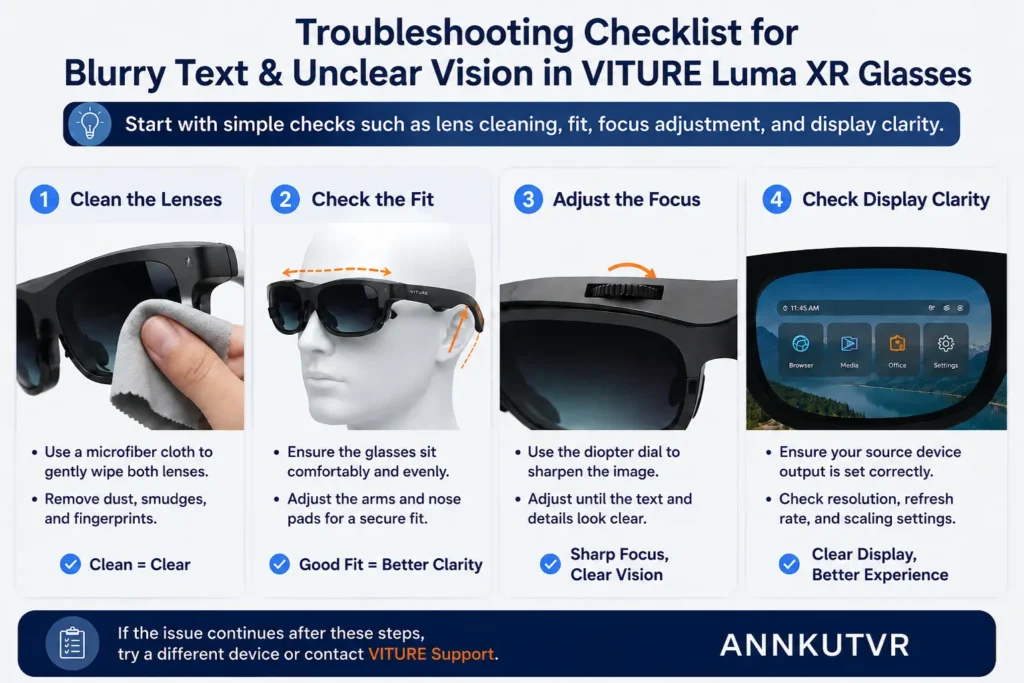
Before changing your setup or ordering anything, start with the easy checks.
Clean both the outer lenses and the inner optical surfaces with a clean microfiber cloth. A small smudge can make the virtual screen look cloudy.
Check the source quality. A low-resolution video, poor stream, or small mirrored phone screen may look soft even when the glasses are fine.
Adjust the nose pads and wearing position. Move the glasses slightly up, down, closer, or farther from your face.
Make sure the glasses sit level. A tilted frame can make blur feel uneven.
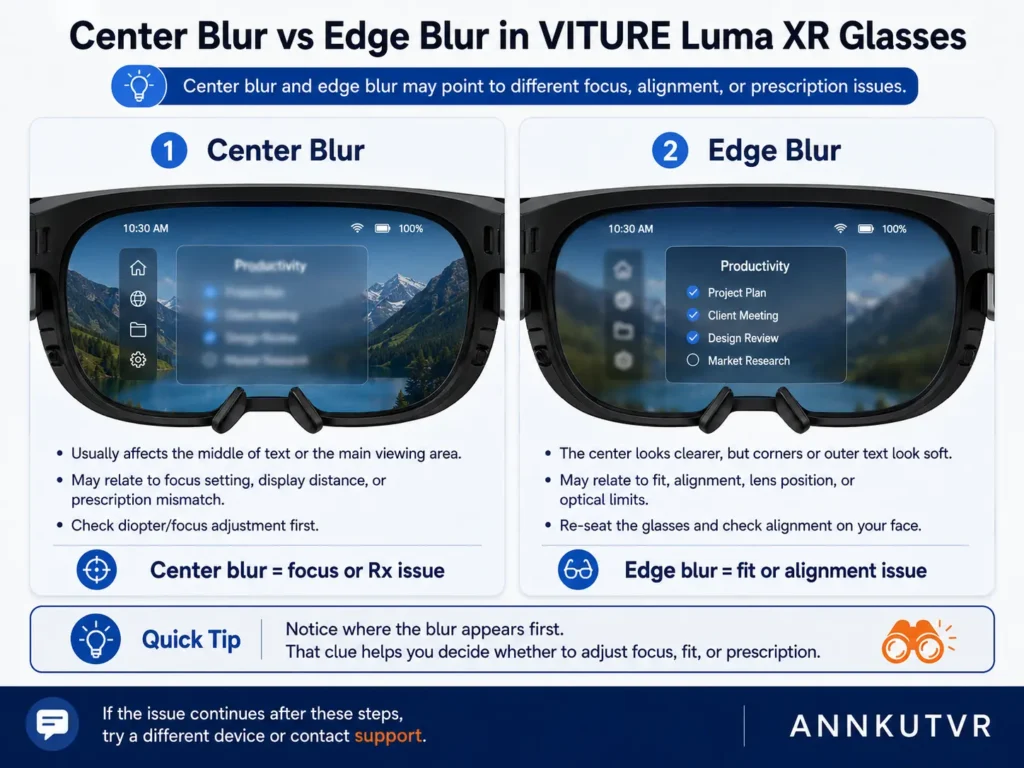
Test text in the center first, then at the edges. Edge softness may have a different cause than center blur.
Rest your eyes and retest if you have been using screens for a long time.
Check the Built-in Myopia Adjustment Dials
The built-in myopia adjustment dials are one of the first things to check if VITURE Luma looks blurry. They may help nearsighted users bring the virtual screen into focus.
Adjust one eye at a time. Cover or close one eye, turn the dial slowly, and look at clear text in the center of the screen. Then repeat with the other eye. Do not rush this step. A small dial change can affect sharpness.
These dials mainly help with spherical focus. They may not solve astigmatism, missing CYL or AXIS correction, PD/IPD mismatch, frame fit problems, or different right-eye and left-eye prescription needs.
If the center becomes clearer but text still looks smeared or uneven, your prescription details may be part of the issue. For a deeper comparison, see VITURE Luma myopia adjustment vs prescription inserts.
Blurry Edges vs Blurry Center: What the Difference May Mean
Where the blur appears can give you useful clues. If the center of the image is blurry, start with focus. Recheck the myopia dials, clean the lenses, and test a sharp source.
If the center is clear but the edges are blurry, the cause may be different. Edge blur can be linked to eye-to-optic position, PD/IPD alignment, frame fit, face shape, nose pad height, or astigmatism.
If only one eye is blurry, test each eye separately. Your right and left eyes may need different correction, or one dial may be set better than the other.
If both eyes are clear for a short time but become strained later, the issue may be fatigue, fit, or a subtle mismatch.
Troubleshooting Table: Common Causes of VITURE Luma Blur
Use this table as a quick way to narrow down the cause.
| Problem | Possible Cause | What to Check | When Inserts May Help |
|---|---|---|---|
| Center text is blurry | Focus dials may be off, or your prescription may need more than spherical adjustment. | Adjust one eye at a time. Clean lenses and test a sharp source. | If blur remains after careful dial adjustment. |
| Edges are blurry but center is clear | Eye position, PD/IPD alignment, frame fit, or astigmatism. | Move the glasses slightly and compare both eyes separately. | If astigmatism or PD details are part of the issue. |
| One eye looks blurrier | Right and left prescriptions may differ, or one dial may be off. | Test each eye alone and review OD and OS values. | If each eye needs a different value. |
| Text looks smeared or doubled | Astigmatism may be present. | Look for CYL and AXIS on your latest prescription. | If CYL and AXIS support is available. |
| Image looks hazy or cloudy | Smudges, dust, fingerprints, or source quality. | Clean all lens surfaces and test clear menus. | Less likely if the cause is dirt or source quality. |
| Clarity changes when you move the frame | The glasses may not sit at the best height, angle, or distance. | Adjust nose pads, level the frame, and retest. | If fit is good but prescription blur remains. |
| Long sessions cause eye strain | Focus mismatch, poor fit, fatigue, or small text. | Take breaks and review prescription details. | If strain is linked to prescription needs. |
Astigmatism, CYL, and AXIS Can Cause Blurry Text
Astigmatism can make text, edges, and lights look blurred or stretched. It may become more obvious when you look at small text on a virtual screen.
On an eye prescription, astigmatism is usually shown with CYL and AXIS values. CYL describes the amount of astigmatism correction. AXIS describes the direction of that correction.
Built-in myopia adjustment does not replace CYL and AXIS correction. The dials may improve spherical focus, but astigmatism is a different part of the prescription.
Prescription inserts may support CYL and AXIS values when available. This may help users whose blur is caused by astigmatism, but it is not a promise of perfect clarity.
If you see CYL or AXIS on your prescription and VITURE Luma remains blurry after setup checks, confirm your values before ordering.

PD/IPD Alignment and Frame Fit
PD means pupillary distance. IPD means interpupillary distance and is often used in XR and VR contexts. Both terms relate to how your eyes line up with the optics.
If alignment is off, you may notice soft edges, uneven sharpness, eye strain, or a feeling that you have to hunt for the clear spot.
Frame fit can change alignment. Nose pads, face shape, frame size, and how high or low the glasses sit can all affect the view.
Try small fit changes before assuming the device is defective. If clarity changes as the frame moves, fit and eye position are likely part of the problem.
Prescription inserts do not replace good fit. They work best when the glasses are stable and the prescription values are correct.
When Prescription Inserts May Be Worth Considering
Prescription inserts may be worth considering if the image still looks blurry after the simple checks.
They may help if blur remains after you adjust the myopia dials for each eye. This can be a sign that built-in adjustment is not matching your full prescription needs.
They may also help if your prescription includes astigmatism. CYL and AXIS values are not the same as simple spherical myopia correction.
Different right and left eye values are another sign. If one eye looks clear and the other stays soft, custom inserts may be useful when each side can use its own value.
High myopia or a prescription outside your device’s built-in adjustment comfort zone can also be a reason to consider inserts. Check your exact model and prescription.
Comfort matters too. Some users can wear regular glasses under VITURE Luma, but everyday frames may press on the nose or shift during use. Inserts may offer a cleaner setup.
Need Clearer Vision in VITURE Luma?
ANNKUTVR prescription inserts are designed for users who need more than basic built-in focus adjustment.
View VITURE Luma Prescription InsertsWhen to Check With an Eye Care Professional
Check with an eye care professional if your prescription is old, incomplete, or missing PD.
You should also ask for help if one eye is much blurrier, if you have strong astigmatism, or if you get headaches or eye strain during use.
Do not order inserts from memory if you are unsure. Use your latest prescription and confirm whether it includes SPH, CYL, AXIS, and PD.
Final Troubleshooting Checklist
- Clean the lenses.
- Check source quality.
- Adjust wearing position and nose pads.
- Make sure the frame sits level.
- Adjust the built-in myopia dials one eye at a time.
- Test one eye at a time.
- Compare center blur against edge blur.
- Review SPH, CYL, AXIS, and PD on your latest prescription.
- Consider inserts if blur remains.
- Check with an eye care professional if values are unclear.
Frequently Asked Questions
Why is my VITURE Luma blurry even after adjusting the dials?
The dials mainly help with spherical focus. Blur may remain if you have astigmatism, different right and left prescriptions, PD/IPD alignment issues, poor fit, dirty lenses, or a soft source.
Can VITURE Luma myopia adjustment fix astigmatism?
Built-in myopia adjustment is not the same as astigmatism correction. Astigmatism usually uses CYL and AXIS values. Prescription inserts may support those values when available.
Why are the edges blurry but the center is clear?
Edge blur may be linked to eye position, PD/IPD alignment, frame fit, nose pad height, or astigmatism. Try small fit changes and test each eye separately.
Can incorrect PD or IPD make VITURE Luma blurry?
Yes, alignment can affect clarity. If your eyes do not line up well with the optics, text or edges may look soft. PD is also important when ordering prescription inserts.
Can I wear regular glasses under VITURE Luma?
Some users can, but it may feel tight or unstable. Regular glasses can change the wearing position. Prescription inserts may reduce the need to wear everyday glasses underneath.
When should I consider prescription inserts?
Consider inserts if blur remains after cleaning, fit adjustment, and dial adjustment, or if your prescription includes astigmatism, different eye values, higher correction needs, or comfort issues.
Should I use my old prescription to order inserts?
It is better to use a current prescription. If your prescription is old, missing PD, or unclear, check with an eye care professional before ordering.
Final Thoughts
Blurry VITURE Luma visuals can come from setup, fit, cleaning, source quality, prescription mismatch, astigmatism, PD/IPD alignment, or eye fatigue. Start with the simple checks first.
If VITURE Luma still looks blurry after cleaning, fit adjustment, and dial adjustment, review your latest prescription. Look for SPH, CYL, AXIS, and PD.
Custom prescription inserts may be a better solution when your eyes need more than basic built-in focus adjustment. They are not a cure-all, but they may support a more complete setup for users with astigmatism, different eye values, higher correction needs, or comfort issues.