Enjoy 5% OFF + FREE shipping on orders $49+! Use Code: 202512AK5

Enjoy 5% OFF + FREE shipping on orders $49+! Use Code: 202512AK5
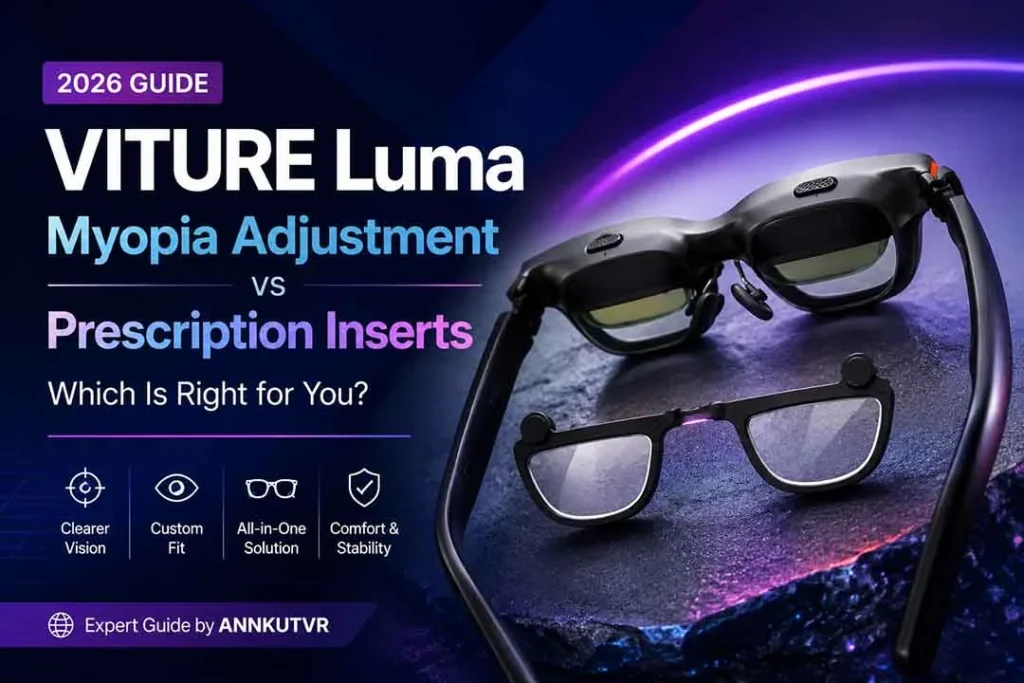
VITURE Luma myopia adjustment is helpful for many nearsighted XR users. It lets you fine-tune focus with built-in dials instead of adding lenses right away.
Still, built-in adjustment is not the same as a full prescription lens setup. It mainly helps with spherical myopia correction. Prescription inserts may support more complete prescription needs, including SPH, CYL, AXIS, PD, and different right-eye and left-eye values.
If you are deciding between the built-in dials and custom inserts, this guide explains the difference in simple terms. For a broader overview, see our VITURE Luma prescription lenses guide.
What Is VITURE Luma Myopia Adjustment?
Myopia means nearsightedness. If you have myopia, faraway objects can look blurry without glasses, contacts, or another correction method.
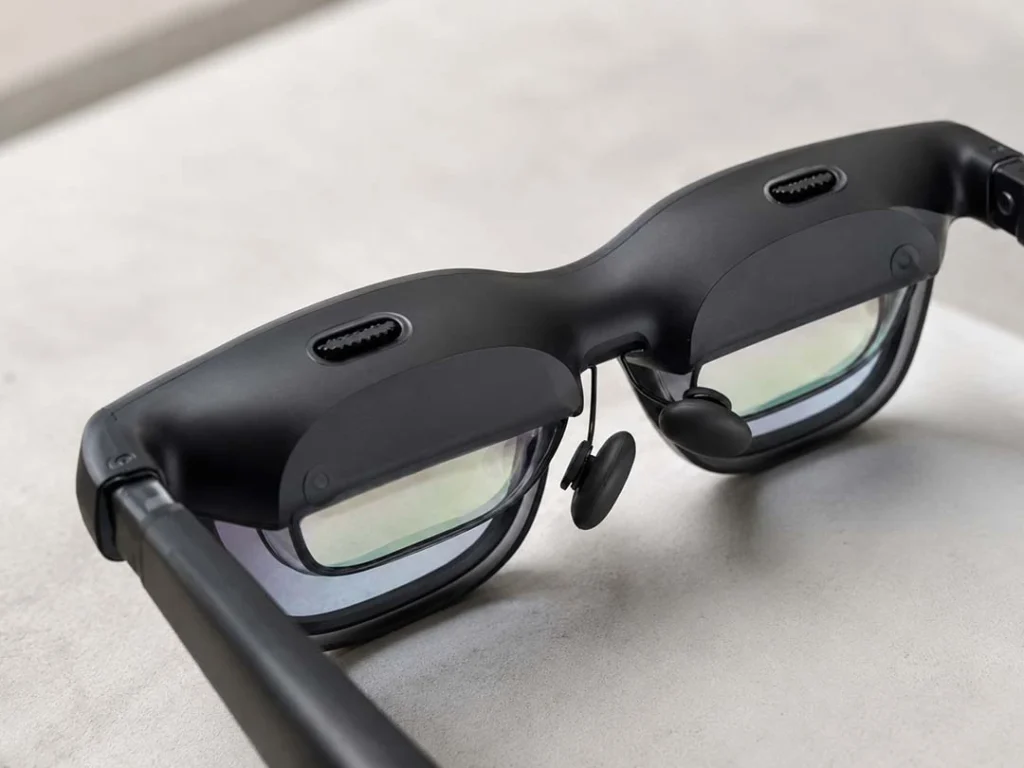
VITURE Luma XR glasses include built-in myopia adjustment dials above the lenses. These dials adjust focus for each eye so some nearsighted users can see the virtual screen more clearly.
The key point is that built-in myopia adjustment is mainly a spherical focus adjustment. It is useful for simple myopia, but it is not designed to replace every part of an eye prescription.
Official VITURE pages list Luma with myopia adjustment up to -6.0D, while Luma Pro and Luma Ultra are listed up to -4.0D. Check the current specifications for your exact model before relying on the built-in dials alone.
What Are Prescription Inserts for VITURE Luma?
Prescription inserts are custom lenses that attach inside or near your VITURE Luma glasses. Instead of adjusting only the built-in focus dials, the inserts are made from your prescription values.
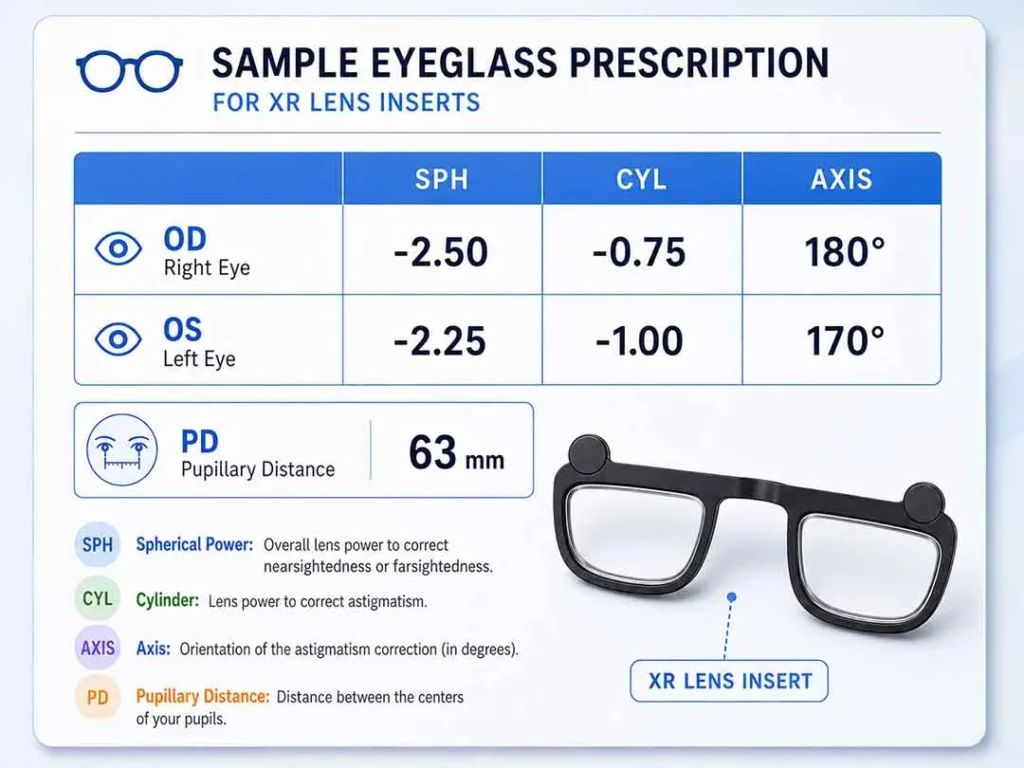
Those values may include SPH for spherical correction, CYL and AXIS for astigmatism, and PD for pupil distance. Inserts can also be made with different values for your right eye and left eye.
This does not mean inserts guarantee perfect vision for every user. It means they may support a more complete optical setup when built-in myopia adjustment alone is not enough.
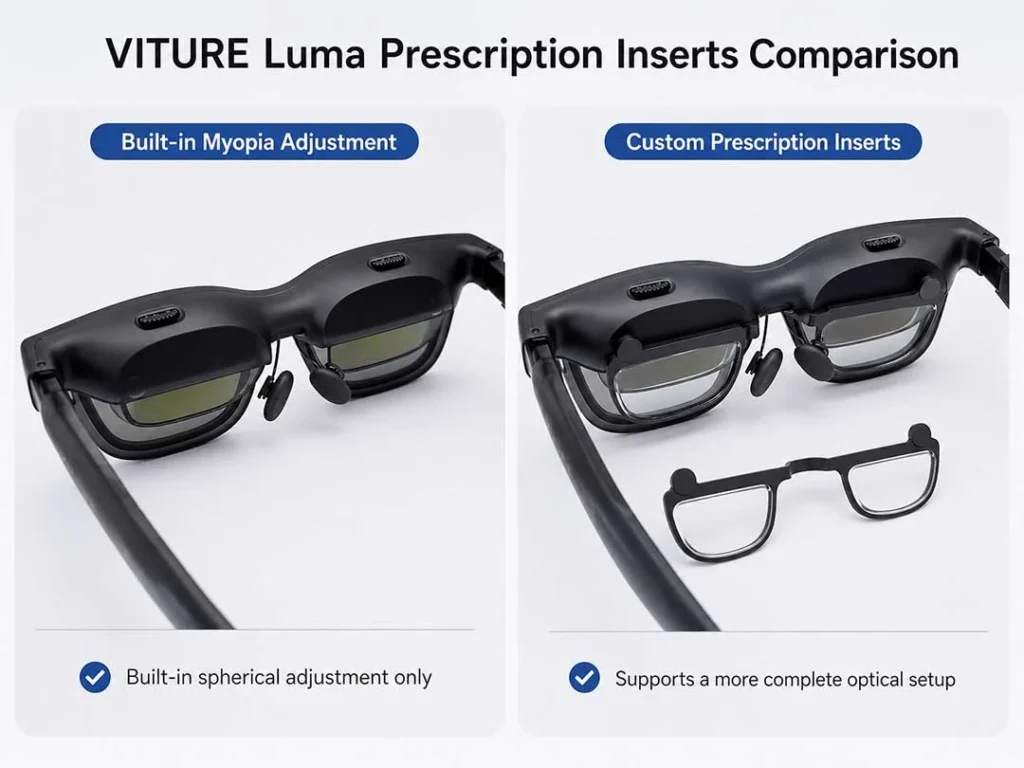
Built-in Myopia Adjustment vs Prescription Inserts: Key Differences
The best choice depends on what your eyes need. The table below compares the most common situations.
| Factor | Built-in Myopia Adjustment | Prescription Inserts | Best Choice |
|---|---|---|---|
| Correction type | Mainly helps with spherical myopia focus. | Can be made from fuller prescription values. | Use inserts if your needs go beyond simple SPH correction. |
| Astigmatism | Does not replace CYL and AXIS correction. | May support CYL and AXIS values. | Inserts are usually better for astigmatism. |
| Different prescriptions | Each eye can be adjusted, but only within the built-in correction type. | Can be made separately for right and left eyes. | Inserts may be better when one eye needs different correction. |
| PD and alignment | Focus dials do not replace prescription alignment details. | Can use PD as part of the lens setup. | Inserts may help when alignment matters. |
| Comfort | May avoid extra lenses for simple myopia. | Can reduce the need to wear regular glasses under XR glasses. | Inserts are often cleaner for longer sessions. |
| Best user fit | Simple myopia within the supported model range. | Astigmatism, high myopia, different eye values, or comfort needs. | Match the option to your prescription. |
When Built-in Myopia Adjustment May Be Enough
Built-in myopia adjustment may be enough if your prescription is mild, simple, and mostly spherical. In other words, your prescription mainly has SPH values and does not include CYL or AXIS for astigmatism.
It may also work well if your right and left eyes are similar and the screen becomes clear after you adjust each eye. Test small text, menus, and the edges of the virtual screen. If everything looks stable and comfortable, you may not need inserts.
This option is also convenient for people who use VITURE Luma for shorter sessions, travel, or casual media viewing. The built-in dials keep the setup simple when your eyes fit what the dials can correct.
When Prescription Inserts May Be a Better Option
Prescription inserts may be a better option if your prescription includes astigmatism, higher myopia, or different values for each eye. These needs often go beyond what built-in myopia adjustment is meant to handle.
They may also be better if you dislike wearing regular glasses under your XR glasses. Everyday frames can add pressure, shift position, or sit too close to the device lenses. Inserts create a more direct setup for users who need prescription correction during longer sessions.
If you adjust the dials carefully and the screen still looks blurry, soft, or uneven, that is a sign to check your prescription details. You may need more than built-in myopia adjustment alone.
Need a More Complete Prescription Setup?
ANNKUTVR prescription inserts are designed for users who need more than built-in myopia adjustment alone.
View VITURE Luma Prescription InsertsWhat About Astigmatism, CYL, AXIS, and Different Prescriptions?
Astigmatism is a common reason built-in myopia adjustment may not be enough. It is usually shown on a prescription with CYL and AXIS values. CYL describes the amount of astigmatism correction. AXIS describes its direction.
Built-in diopter adjustment mainly changes spherical focus. It does not replace CYL and AXIS correction. If your prescription includes those values, prescription lens inserts may provide a better path because they can be made around more detailed prescription information.
Different right-eye and left-eye prescriptions can also matter. Your prescription may label the right eye as OD and the left eye as OS. If one eye needs more correction than the other, custom inserts can be made with separate values for each side.
Comfort, Field of View, and Daily Use
Comfort matters because XR glasses often sit close to your face. If you wear regular glasses underneath, the two frames can compete for space. This may cause pressure, slipping, or lens contact.
Prescription inserts can make daily use feel cleaner because the correction is built into the XR setup. That can be helpful for gaming, streaming, productivity, and travel sessions where you wear the glasses for longer periods.
Field of view can depend on fit, nose pads, face shape, lens position, and your exact model. Inserts do not guarantee a wider field of view, but they may reduce the fit problems that come from stacking regular glasses under the device.
How to Decide Which Option Is Right for You
Start with your latest eye prescription. Look for SPH, CYL, AXIS, and PD. If you only have simple SPH values and they are within your model’s supported range, the built-in dials may be worth trying first.
If your prescription includes CYL or AXIS, if your right and left eyes are different, or if your myopia is beyond the supported range, prescription inserts may be the better choice.
You should also think about comfort. If regular glasses feel tight under VITURE Luma, inserts may be more practical for everyday use.
When you are unsure, check your prescription with an eye care professional. This is especially important if your prescription is old, incomplete, or missing PD.
Recommended Setup for ANNKUTVR Users
For simple myopia, start with the built-in VITURE Luma myopia adjustment. Adjust each eye slowly and test clear text on the virtual screen.
For astigmatism, higher myopia, different right and left prescriptions, or daily comfort needs, ANNKUTVR prescription inserts are the more complete setup. They are designed for users who need more than built-in adjustment alone.
The goal is not to buy extra lenses when you do not need them. The goal is to match your VITURE Luma setup to your actual prescription and how you use XR glasses day to day.
Frequently Asked Questions
Does VITURE Luma myopia adjustment replace prescription inserts?
No. VITURE Luma myopia adjustment can help with spherical nearsightedness correction, but it does not replace a full prescription setup. Inserts may support SPH, CYL, AXIS, PD, and different values for each eye.
Does built-in myopia adjustment correct astigmatism?
No. Astigmatism correction uses CYL and AXIS values. Built-in myopia adjustment is mainly for spherical focus, so users with astigmatism may need prescription inserts.
What do SPH, CYL, AXIS, and PD mean?
SPH is spherical correction for nearsightedness or farsightedness. CYL and AXIS relate to astigmatism. PD is pupil distance, which helps align lenses with your eyes.
What if my right and left eye prescriptions are different?
Prescription inserts can be made with separate right-eye and left-eye values. This may help if one eye remains blurrier after using the built-in dials.
Can I wear regular glasses under VITURE Luma?
Some users can, but it may feel tight or uncomfortable. Regular frames can also shift under the XR glasses. Prescription inserts can reduce the need to wear everyday glasses under the device.
Are prescription inserts better for high myopia?
They may be better if your prescription is beyond your VITURE model’s built-in adjustment range. Check your exact prescription and confirm lens availability before ordering.
Should I ask an eye care professional before ordering?
Yes, if you are unsure. An eye care professional can help confirm your SPH, CYL, AXIS, and PD values so you do not guess when ordering prescription lens inserts.
Final Thoughts
VITURE Luma myopia adjustment is a useful feature for simple nearsightedness. If your prescription is mild, mostly spherical, and within your model’s supported range, the built-in dials may be enough.
Prescription inserts are a better option when your needs are more detailed. If you have astigmatism, different prescriptions in each eye, stronger myopia, or comfort issues with regular glasses, inserts may give you a more complete setup.
Before you decide, check your current prescription and your exact VITURE Luma model. When in doubt, ask an eye care professional so your XR glasses setup matches your eyes as closely as possible.