Enjoy 5% OFF + FREE shipping on orders $49+! Use Code: 202512AK5

RayNeo Air 4 Pro Prescription Lenses vs Wearing Glasses: Which Is Better for AR Comfort?
If you wear corrective eyewear and want to experience the RayNeo Air 4 Pro, you might wonder if you can simply wear the AR glasses over your existing frames. While “double stacking” is a common first instinct, it usually leads to physical discomfort and compromised visual quality. Here is a breakdown of why dedicated magnetic inserts offer a superior experience.
The Problem with “Double Stacking” Glasses
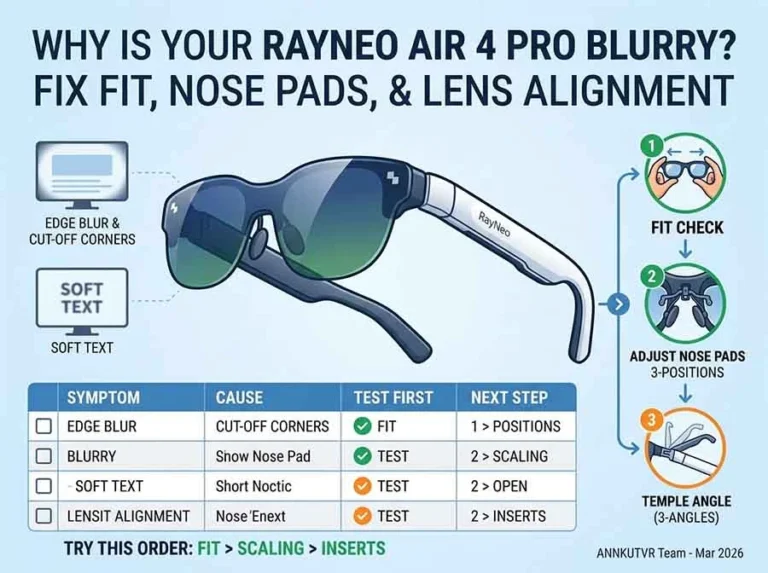
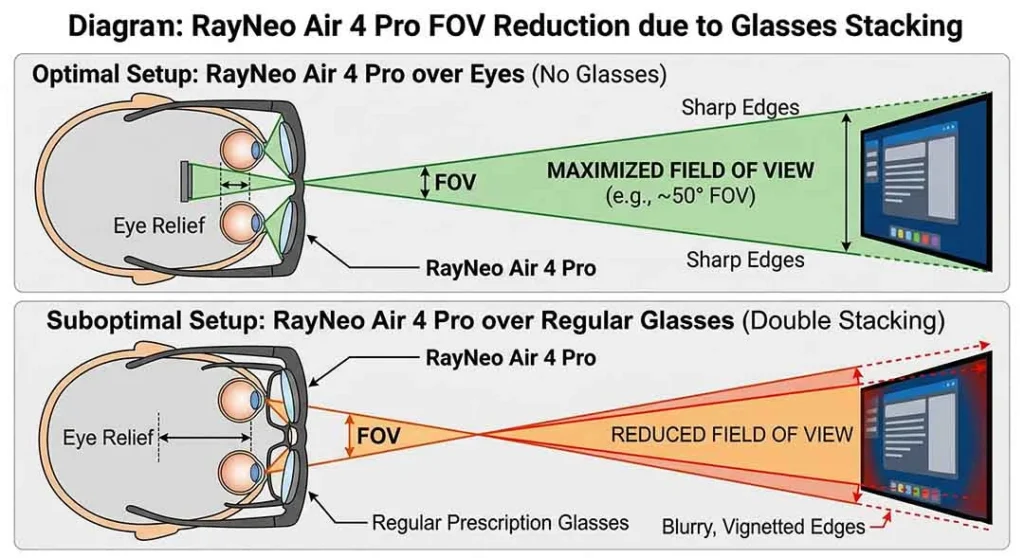
Wearing your everyday frames under your AR headset creates an unnatural distance gap. Your regular glasses push the RayNeo Air 4 Pro further away from your eyes, which shrinks the “Eye Box.” This increased distance is a primary reason why the corners of the digital screen may disappear or become blurry, preventing you from seeing the full display.
For a deeper troubleshooting path, see the RayNeo Air 4 Pro blurry edges guide.
If you want to avoid double stacking glasses, the next step is choosing the correct insert for your exact RayNeo model. Our RayNeo prescription lenses guide compares the available RayNeo lens insert options in one place.
Weight and Balance Considerations
The RayNeo Air 4 Pro is engineered for lightweight comfort, weighing just 76g (without nose pads). Its ergonomic design relies on adjustable nose pads and flexible temples to maintain proper balance on your face. Adding a second pair of glasses completely disrupts this weight distribution, creating uncomfortable pressure points on your nose bridge and ears during long movie or gaming sessions.
Risk of Scratching the Micro-OLED Lenses
Beyond comfort, the most critical risk of wearing two pairs of glasses is physical damage. The hard plastic or metal edges of your everyday frames can rub against the delicate inner optics of the AR glasses. This friction may cause permanent scratches, and damage from improper use may not be covered under the applicable store policy.
Frequently Asked Questions
Can you wear RayNeo Air 4 Pro over regular glasses?
You can try it, but it is usually not the best long-term setup. Wearing regular glasses underneath increases the distance between your eyes and the display system, which can reduce the usable viewing area and make the experience less comfortable over time. Dedicated prescription inserts are usually the more practical option for longer sessions.
Why do the edges look blurry when wearing regular glasses underneath?
Blurred edges usually happen because the glasses sit farther away from your eyes, which makes optical alignment harder and reduces the usable “sweet spot.” RayNeo’s support guidance also recommends adjusting the nose pads and temples when you cannot clearly see the full screen.
What prescription range is officially supported for RayNeo Air 4 Pro?
RayNeo’s official prescription-lens purchase guidance lists myopia from 0 to -10.00D and astigmatism from 0 to -2.00D for official optical partners. If your prescription is more complex, it is best to verify the details with the lens provider before ordering.
When are magnetic prescription inserts the better option?
Magnetic prescription inserts are usually the better option when you want a more stable fit, better screen alignment, and a more practical setup for longer viewing sessions. They are especially useful if you need prescription correction and want to avoid the extra distance and comfort issues caused by wearing AR glasses over regular frames.
The Magnetic Insert Alternative
To get the best out of the 1200 nits HDR10 display, using dedicated magnetic prescription inserts is the optimal solution. This is especially relevant if your prescription falls within RayNeo’s officially supported myopia and astigmatism range. These inserts snap directly onto the nose pad area, keeping the lenses safely away from the AR optics while maintaining the correct field of view and intended center of gravity.
If you plan to use the headset for longer sessions, dedicated inserts are usually the more practical option. To ensure you order correctly, check if your prescription falls within the supported range first, and then compare RayNeo Air 4 Pro prescription lens providers to find the best option for your budget.
For a fit-focused checklist, review the RayNeo Air 4 Pro compatibility guide before choosing a provider.
Looking for the hardware itself? See the RayNeo Air 4 Pro product page.