Enjoy 5% OFF + FREE shipping on orders $49+! Use Code: 202512AK5

Table of Contents
Best VR Headsets for Glasses Wearers: Comfort & Lens Guide
The best VR headset for a glasses wearer is not determined by one annual ranking. Face shape, frame width, prescription strength, platform, and the availability of model-specific inserts can matter as much as display specifications. A headset that is comfortable for one frame may press against another.
This guide compares practical vision-correction paths across standalone VR, PlayStation VR, PC VR, and Apple Vision Pro. It avoids temporary prices and rumors so the decision remains useful when bundles and product lineups change.
How Glasses Wearers Should Compare VR Headsets
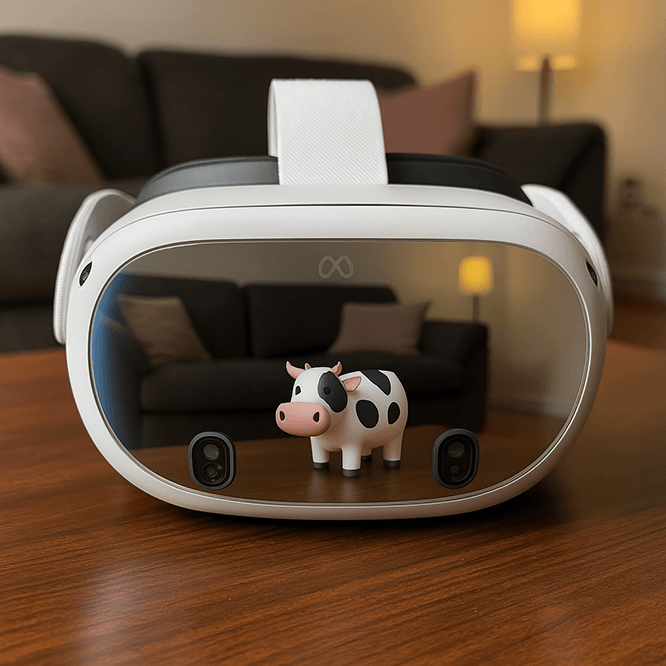
Start with the platform and software you need, then evaluate optical comfort. Check whether the headset accommodates your frame width, whether the visor or eye relief can move away from the face, and whether a spacer is included or available. Leave enough clearance that eyeglass lenses cannot touch the headset optics.
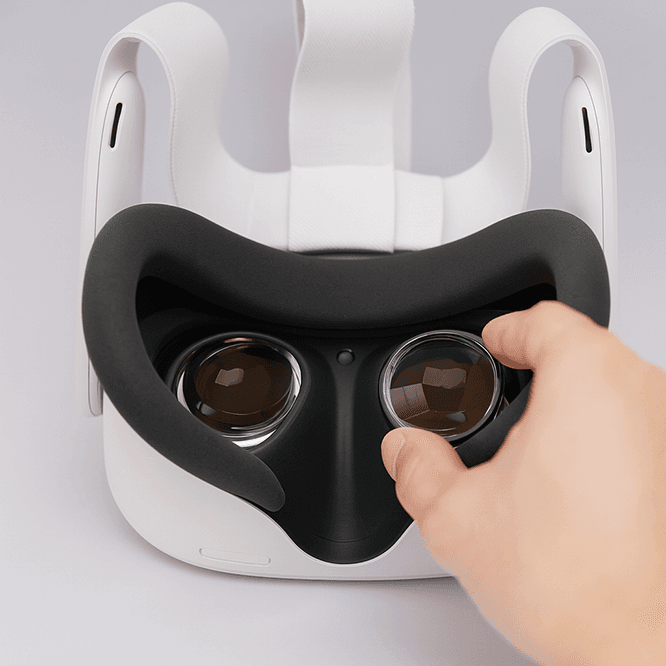
Also check whether a dedicated prescription insert exists for the exact model. Inserts can remove frame pressure and keep the correction in a repeatable position, but they are model-specific. Contact lenses remain another option for users who already wear them comfortably.
The glasses for VR guide explains frame-clearance and scratch-risk tradeoffs in more detail.
Meta Quest 3 for Standalone and PC VR
Meta Quest 3 is a flexible choice for users who want standalone play with optional PC VR access. Glasses wearers should set the facial-interface depth or spacer correctly and confirm that the frame does not contact the headset lenses.
A model-specific insert is the cleaner long-term setup for many prescription users. The Quest 3 prescription lenses are intended for the standard Quest 3. Quest 2 / Quest 3S inserts are a separate product, so check the exact headset before ordering.
Choose Quest 3 when standalone software and portability are priorities, then solve vision correction with a safe spacer, contacts, or the correct insert.
PSVR2 for PlayStation 5 and PC
PSVR2 suits players who want the PlayStation VR library and can also be used on a compatible PC setup. Sony states that glasses can be worn inside PS VR2, and the scope position can be adjusted. Wide or unusually shaped frames may still fit differently from person to person.
Keep visible clearance between eyeglass and headset lenses. A dedicated PSVR2 prescription lens insert removes the ordinary frame from the visor and can make the viewing position easier to repeat.
For fit, installation, and care details, follow the model-specific instructions and confirm the insert is seated evenly before use.
Valve Index and Other PC VR Headsets
PC VR buyers should compare tracking setup, computer requirements, controller ecosystem, and physical eye relief. Valve Index remains relevant for users who already own its tracking ecosystem, but ordinary glasses need enough clearance inside the facial interface.
The Valve Index prescription lenses provide a model-specific correction without eyeglass temples inside the headset. Other PC VR headsets require their own insert geometry; a lens labeled for Index should not be moved to another model.
Choose a PC VR headset only after confirming both computer compatibility and a safe vision-correction plan.
Apple Vision Pro Uses Optical Inserts, Not Eyeglasses
Apple states that ordinary eyeglasses cannot be worn inside Apple Vision Pro. Users who need prescription correction generally use supported optical inserts or compatible contact lenses. This makes prescription planning part of the purchase decision rather than an optional comfort upgrade.
ANNKUTVR offers a third-party Apple Vision Pro prescription lens, but it does not include an official ZEISS pairing code. Buyers must understand that limitation and use the correct setup option described on the product page.
Choose Vision Pro for its own platform and workflows, then verify that the required vision correction and setup path are supported.
Pico and Other Standalone Headsets
Pico headsets can be relevant where their software and regional availability match the buyer’s needs. Pico 4 and Pico 4 Ultra use a different ANNKUTVR product from Pico Neo 3, so the family name alone is not enough to choose an insert.
Review the exact model on the headset before selecting Pico 4 prescription lenses or another model-specific option. The same rule applies to HTC, Pimax, and other VR families: verify the mounting design and product label instead of assuming cross-generation compatibility.
Glasses, Contacts, or Prescription Inserts?
Glasses require no extra prescription product, but they can create pressure, reduce clearance, and move inside the headset. A spacer may help but can move the eyes farther from the optics.
Contact lenses avoid frame-clearance problems and work across devices, but they suit only users who already tolerate and maintain them properly.
Prescription inserts stay with one headset, remove eyeglass temples, and add an optical layer over the headset lens. They require accurate prescription data and the exact model-specific frame.
There is no universal best choice. Use the option that is medically appropriate, physically comfortable, and compatible with the headset.
Choose by Platform, Fit, and Vision Needs
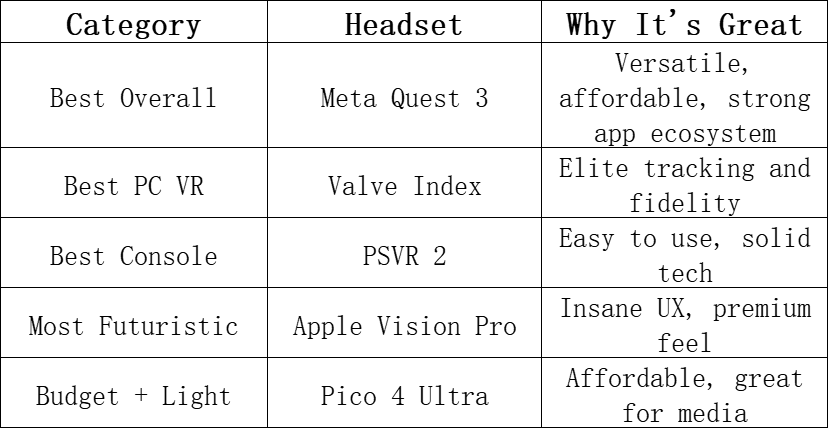
For standalone convenience, begin with the Quest family and verify the exact model. For PlayStation users, PSVR2 offers an adjustable visor and a clear insert path. PC VR buyers should weigh computer requirements and tracking hardware before optical accessories. Vision Pro users need to plan for optical inserts or suitable contacts because eyeglasses do not fit inside the device.
When possible, test the headset with your normal correction before committing. Look for temple pressure, nose pressure, stable focus, enough lens clearance, and an adjustment range that does not require overtightening the strap. Recheck these points after adding a spacer or prescription insert, including during a normal head movement and play position.
Do not let a temporary discount decide the vision setup. Confirm platform, frame clearance, prescription support, and return terms first. The best headset is the one that supports the experiences you want while giving your eyes a stable, correctly corrected view.

Hello everyone, it’s my first go to see at this web site,
and piece of writing is genuinely fruitful for me, keep up posting these articles.