Enjoy 5% OFF + FREE shipping on orders $49+! Use Code: 202512AK5

Is It Safe to Wear Glasses Inside Meta Quest 3? Read This Before You Play
Introduction
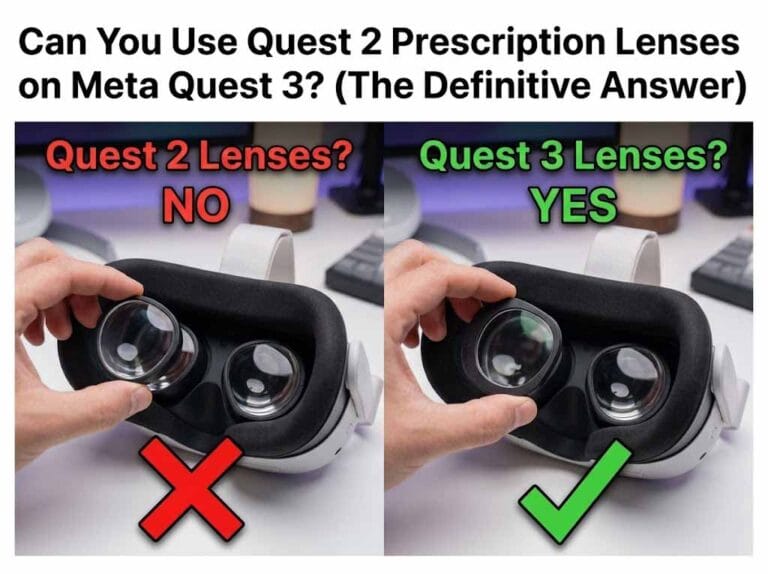
So, you’ve upgraded to the amazing Meta Quest 3. As experts in VR optics at ANNKUTVR, we know the first temptation is to jump straight into mixed reality. You also likely know from our previous guide that your old Quest 2 inserts won’t fit.
So, you decide to just keep your regular glasses on for now. After all, the Quest 3 features a new “Eye Relief” adjustment button inside the facial interface designed to make room for glasses. Problem solved, right?
Wrong.
While the Quest 3 is friendlier to glasses than its predecessor, it is far from “safe.” Relying on the stock spacer is a gamble that could cost you your $500 headset.
The "Pancake Lens" Vulnerability
The VR lenses are made of relatively soft plastic polymers. They are incredibly delicate. In fact,Meta’s official cleaning guidelines strictly warn that even using the wrong type of cloth can cause irreparable micro-scratches, let alone rubbing hard glass against them.
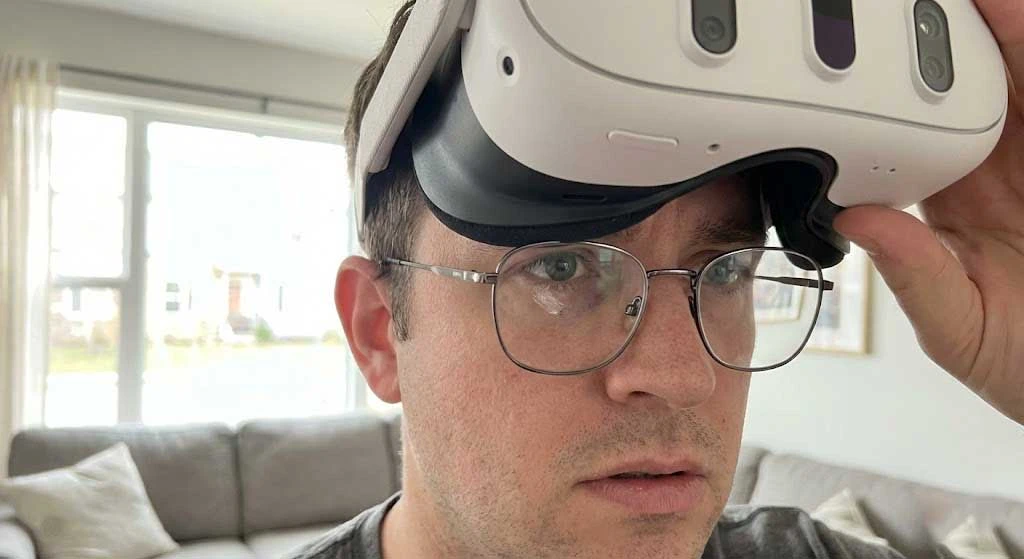
Even with the Quest 3 facial interface extended to the maximum depth (setting 4), large or thick frame glasses can still touch the VR lenses during active movement.
The Contact Point: The center of the convex VR lens often bulges out to meet your glasses.
The Result: “Glass-on-Plastic” friction. One accidental bump during a game of Beat Saber can leave a permanent scuff in the absolute center of your vision.
Fogging and Ruining the "Sweet Spot"
Safety aside, at ANNKUTVR, we believe wearing glasses inside the Quest 3 ruins the immersion you paid for.
Instant Fogging: The heat from your face gets trapped between your glasses and the headset lenses. This double-layer effect creates immediate fogging in active games, forcing you to constantly pause and wipe them down.
Tunnel Vision (Reduced FOV): To make room for glasses, you are forced to use the eye relief mechanism to push the lenses further away from your eyes.
The Consequence: You lose a significant portion of the massive Field of View (FOV) that makes the Quest 3 so special. You are essentially looking through a tunnel just to accommodate your frames.
It’s a tragedy to damage these premium optics. You risk ruining the stunning “edge-to-edge clarity” that PC Gamer praised in their Quest 3 review as the headset’s standout feature, all because of a simple friction scratch from your glasses.
The ANNKUTVR Solution: Total Safety & Clarity
Don’t risk your hardware with temporary fixes. The only way to get 100% safety and maximum immersion is to remove your frames entirely.
ANNKUTVR’s Custom Prescription Lenses for Meta Quest 3 offer the ultimate seamless upgrade:
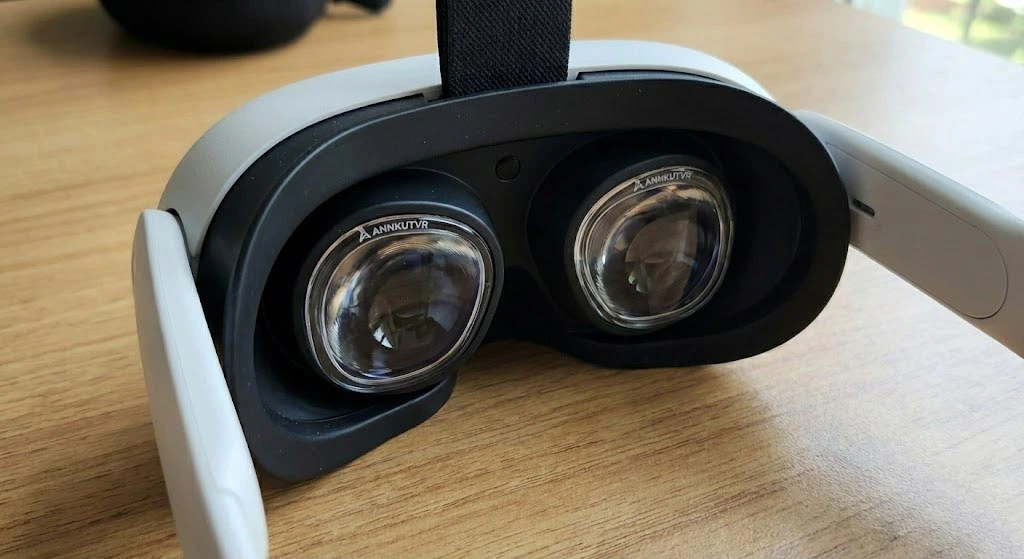
Zero Scratch Risk: Our lenses lock securely over the Quest 3 optics, acting as a sacrificial barrier that protects the original pancake lenses from dust, sweat, and scratches.
Maximum FOV: Our ultra-slim design allows you to set the facial interface closer to your eyes (Setting 1 or 2), unlocking the full visual potential of the headset that glasses wearers usually miss.
Premium Magnetic / ZRO Installation: Engineered for precision, our mounts are easy to install and remove instantly if you need to share the headset.Don’t believe how fast it is? Check out our step-by-step Meta Quest 3 Lens Installation Guide to see the simple snap-on process in action.
Conclusion
The Quest 3’s depth adjustment is a nice feature for occasional guest users, but for daily gaming, wearing glasses is a risk not worth taking. Trust the optical experts at ANNKUTVR—avoid the scratches, ditch the fog, and enjoy crystal clear VR the way it was meant to be seen.
If you are still experiencing visual issues like blurriness or astigmatism glare even after removing your glasses, ensure your IPD is set correctly or consider upgrading to custom prescription lenses.
FAQ
Is it safe to wear glasses while using the Meta Quest 3?
Yes, it is generally safe if you take the proper precautions. The Meta Quest 3 is designed to accommodate glasses, but there is always a risk of your frames rubbing against the VR lenses and causing scratches. To minimize this risk, you must ensure your glasses are properly positioned and use the headset’s built-in depth adjustment feature.
How do I adjust the Quest 3 to fit my glasses safely?
The Quest 3 features an adjustable facial interface. You can increase the distance between your eyes and the VR lenses by extending the interface outward to its maximum depth setting. This creates a buffer zone that helps prevent your glasses from touching and scratching the delicate headset lenses.
What size glasses can fit inside the Meta Quest 3?
Before wearing your glasses inside the headset, ensure they meet the recommended size limits. Your frames should be no larger than 142mm in width and 50mm in height. If your frames are wider or taller, they will be too tight, causing discomfort and increasing the risk of damaging both your frames and the VR lenses.
Can scratched Quest 3 lenses be repaired?
Unfortunately, no. The Meta Quest 3 uses advanced Pancake lenses with special optical coatings. Unlike older VR headsets where you could buff out minor scratches using polishing pastes, using these chemicals on the Quest 3 will permanently ruin the lenses. This makes scratch prevention absolutely critical.
What is the safest and most comfortable alternative to wearing glasses in VR?
The absolute safest and most comfortable solution is to use custom VR prescription lenses. These lenses snap directly over the Quest 3 displays, allowing you to play without your glasses entirely. This completely protects the VR lenses from scratches, provides a wider field of view, eliminates pressure on the bridge of your nose, and ensures crystal-clear vision.
For a broader comparison of headset fit, scratch risk, fogging and alternatives, read our glasses for VR guide.