Enjoy 5% OFF + FREE shipping on orders $49+! Use Code: 202512AK5

12 Must-Have PSVR2 Accessories in 2026: The Ultimate Upgrade List
(Introduction) The PlayStation VR2 is an incredible piece of hardware straight out of the box. But let’s be honest—it isn’t perfect. If you have spent more than an hour in Horizon Call of the Mountain, you probably noticed the “sweet spot” slipping, your forehead starting to ache, or fog clouding your view.
That is where the best PSVR2 accessories come in. After logging over 500 hours in VR and testing dozens of mods, I have curated the ultimate list of upgrades for 2026. These aren’t just fancy add-ons; they are problem solvers. Whether you need to fix blurry vision, improve comfort, or connect to a PC, this list covers it all.
Let’s turn your standard headset into a premium VR machine.
Category 1: Visual Clarity & Protection (The Essentials)
If you can’t see clearly, nothing else matters. Start here.
1. ANNKUTVR Magnetic Prescription Lenses Best For
Fixing blur, protecting the main lenses, and glasses wearers.
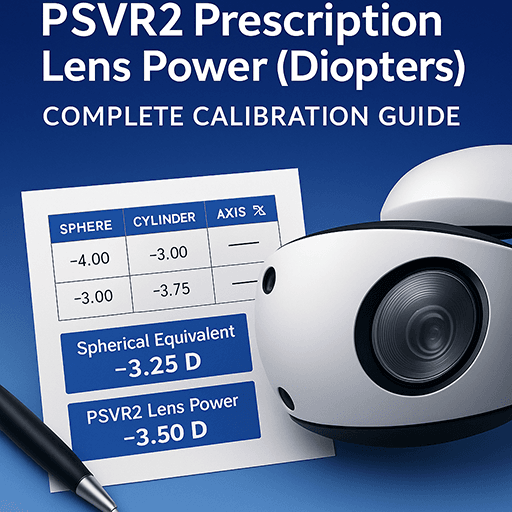
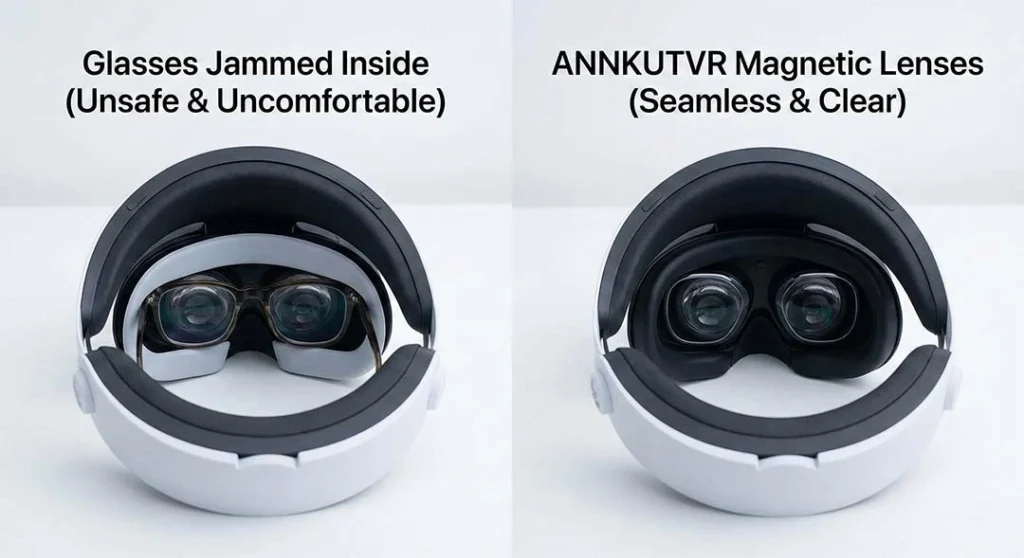
If you wear glasses, this is the single most important accessory you will ever buy. Shoving your glasses inside the headset is risky. One slip, and you have permanently scratched your PSVR2 lenses (which cannot be replaced). Even if you don’t wear glasses, you need plano (non-prescription) lenses to act as a sacrificial shield against dust and sweat.
Why You Need It: It eliminates the gap between your eyes and the screen, maximizing FOV and the “sweet spot.”
Expert Tip: Don’t risk a $550 headset. Get ANNKUTVR prescription lenses to lock in crystal-clear visuals and peace of mind.
2. Lens Cleaning Pen & Microfiber Cloths Best For
Removing fog, grease, and sweat smudges.
You accidentally touched the lens with your hair, and now everything looks like a smudge. Using a T-shirt is a huge mistake (it causes micro-scratches). You need a dedicated lens pen with a carbon tip to absorb oil.
Learn More: Not sure how to clean them safely? Read our Expert Guide on How to Clean PSVR2 Lenses.
Category 2: Comfort & Hygiene Fix the "headache" and play for hours.
3. Globular Cluster CMP2 Comfort Mod Best For
Forehead pain and “slipping” headset.
4. Silicone Face Cover / Sweat Guard Best For
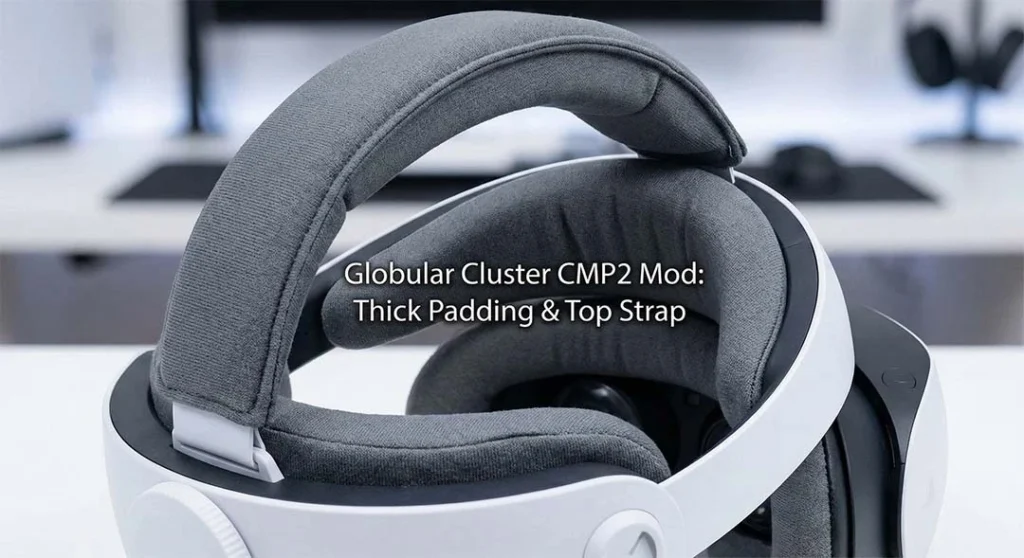
The stock PSVR2 padding is notoriously thin and slippery. The Globular Cluster CMP2 is widely regarded by the community (and me) as the king of comfort. It replaces the stock pads with thick memory foam and adds a top strap to distribute weight.
The Result: No more red marks on your forehead.
Deep Dive: Installation can be tricky. Check our full guide on how to fix forehead pain and stop slipping to get the perfect fit.
Hygiene during workouts (Beat Saber / Les Mills Bodycombat).
The stock light shield is made of thin rubber that absorbs sweat and is hard to deep clean. A medical-grade silicone cover goes over it. It’s cooler on the skin and can be wiped down with an alcohol pad in seconds.
Category 3: The PCVR Expansion Unlock thousands of SteamVR games.
5. PlayStation VR2 PC Adapter Best For
Playing Half-Life: Alyx and other SteamVR exclusives.
In 2026, the PSVR2 is no longer just a PS5 accessory. With the official adapter, it’s a high-end PC VR headset.
Warning: It’s not “plug and play.” You need to configure settings to avoid blurry visuals. Don’t worry, we wrote the manual for you: The Ultimate PSVR2 PC Adapter Settings Guide.
6. DisplayPort 1.4 Cable (8K Capable) Best For
Actually using the adapter.
Here is the catch Sony didn’t tell you: The PC adapter does not come with a cable. You need to buy a separate DisplayPort 1.4 cable. Make sure it supports HBR3 bandwidth (32.4Gbps) to handle the PSVR2’s 4K 120Hz signal without blackouts.
Category 4: Immersion & Quality of Life
7. Pulse Explore / Pulse Elite Headphones Best For
3D Audio and isolation.
The included earbuds are… okay. But they dangle and fall out. The Pulse Elite headset is designed to fit over the PSVR2 band perfectly. The planar magnetic drivers deliver punchy bass, making gunshots in Resident Evil feel terrifyingly real.
8. IR Illuminator (Infrared Light) Best For
Playing in the dark.
PSVR2 tracking cameras need light. If you play at night, playing in the dark causes “Tracking Lost” errors. An IR Illuminator blasts the room with invisible infrared light, solving this instantly. (Having other tracking issues? Read our guide on how to fix controller drift and tracking loss).
9. Sense Controller Charging Dock Best For
Cable management.
The Sense controllers have a short battery life (4-5 hours). Charging them one by one with USB cables is a hassle. A magnetic drop-in dock (like the official Sony one or Collective Minds) ensures they are always 100% ready when you are.
10. Controller Knuckle Straps Best For
Hand immersion.
These straps attach to the controller and wrap around your hand, allowing you to fully “let go” of the controller without dropping it (similar to the Valve Index). This adds a huge layer of immersion in throwing mechanics.
Category 5: Storage & Management
11. Hard Shell Carrying Case Best For
Dust protection and sunlight safety.
Rule #1 of VR: Never let sunlight hit the lenses. It will burn the OLED screen like a magnifying glass burning an ant. A hard shell case is mandatory for storage.
12. VR Cable Management Pulley System Best For
Not tripping over the wire.
If you hate the cable tangling around your legs, a ceiling pulley system (like Kiwi Design) suspends the cable above you. It’s the closest thing to a “wireless” feel you can get on PSVR2.
Summary: The "Must-Have" Checklist
| Problem (The Pain) | The Accessory Solution |
|---|---|
| Blurry Vision / Glasses | ANNKUTVR Prescription Lenses |
| Forehead Pain | Globular Cluster Comfort Mod |
| Fog / Smudges | Lens Pen & Microfiber Cloth |
| Sweaty Face | Silicone Face Cover |
| Want SteamVR Games | PSVR2 PC Adapter |
| Tracking Loss | IR Illuminator (Infrared Light) |
FAQ: PSVR2 Accessories
Do I really need lens protectors if I don't wear glasses?
es. The PSVR2 lenses are soft and coated. Cleaning them repeatedly with a rough cloth can wear down the coating. A plano (non-prescription) lens protector takes all the abuse, keeping your headset pristine.
Does the PC adapter work with a laptop?
Only if your laptop has a DisplayPort or a Mini-DisplayPort that is directly connected to the dedicated GPU (not the integrated graphics).
Can I use any headphones with PSVR2?
Yes, as long as they have a 3.5mm jack or a wireless USB dongle. However, bulky headphones might clash with the PSVR2 halo strap.
If you wear glasses, start with our glasses for VR safety guide to understand when a spacer is enough and when inserts are safer.
Conclusion
The PSVR2 is a beast, but with the right accessories, it becomes a monster. If you only buy one thing from this list, make it the prescription lens inserts. Protecting your eyes and your lenses is the foundation of a good VR experience. Once visuals are sorted, grab a comfort mod, and you are ready for 2026’s best games.
References
TechRadar, “The best PSVR 2 accessories in 2026” – Read Article.
PlayStation Blog, “PSVR2 PC Adapter Support” – Official News.
About the Author
Written by the ANNKUTVR Team. We are VR enthusiasts and optics experts with over a decade of experience in the industry. We have tested every headset from the Oculus Rift DK1 to the PSVR2. Our goal is to help you get the sharpest, most comfortable VR experience possible.