Enjoy 5% OFF on all orders over $49 + FREE shipping! Use code: 202512AK5

Can You Use Meta Quest 3 with Astigmatism? The Definitive Guide
The Quick Answer
Dealing with Quest 3 astigmatism issues—like blurry text and ghosting lights—is entirely fixable without jamming glasses into your headset. The best solution is not contact lenses (which dry out) or glasses (which scratch lenses), but custom prescription inserts that lock your specific axis alignment in place.
For a permanent fix, we recommend installing Meta Quest 3 prescription lenses. They correct both sphere (nearsightedness) and cylinder (astigmatism) directly on the headset optics.
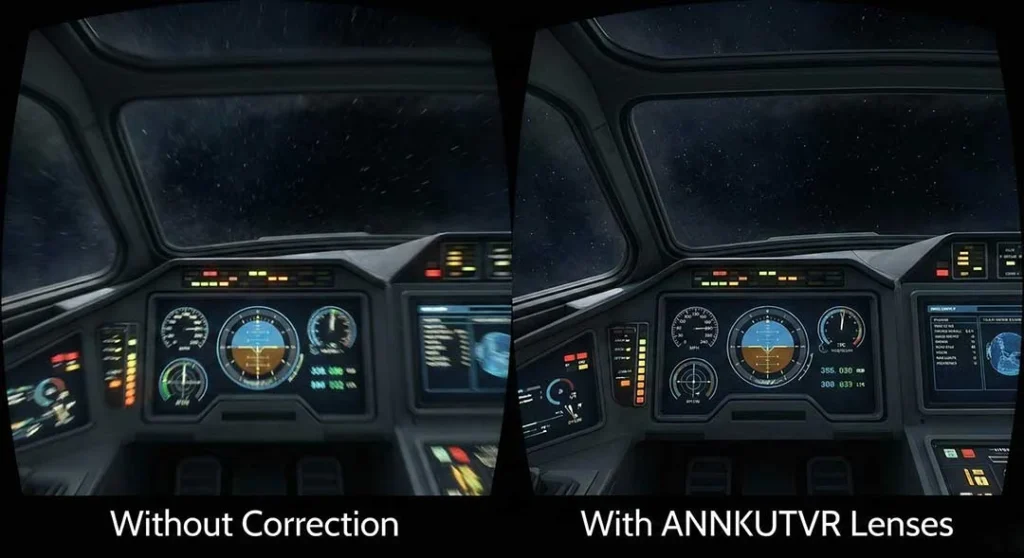
Why "Ghosting" Happens in VR
If you see streaks of light or shadowed text in VR, that is astigmatism. Unlike simple nearsightedness, astigmatism requires precise axis alignment.
According to the American Academy of Ophthalmology, astigmatism is an imperfection in the curvature of your eye's cornea. In VR, even a slight misalignment amplifies this distortion, leading to headaches and severe eye strain after just 20 minutes of play.
Why Glasses Are Risky for Astigmatism
You might think wearing your frame glasses is enough, but it creates two major problems:
Axis Shifting: In active games like Beat Saber, your glasses slide. If your astigmatism axis rotates even 5 degrees, your vision blurs instantly.
Scratch Hazard: Meta explicitly warns users about the risk of lens spacing. Without proper spacers, glasses can permanently scratch the soft pancake lenses. For a detailed breakdown of these risks, read our guide on whether it is safe to wear glasses inside Meta Quest 3.
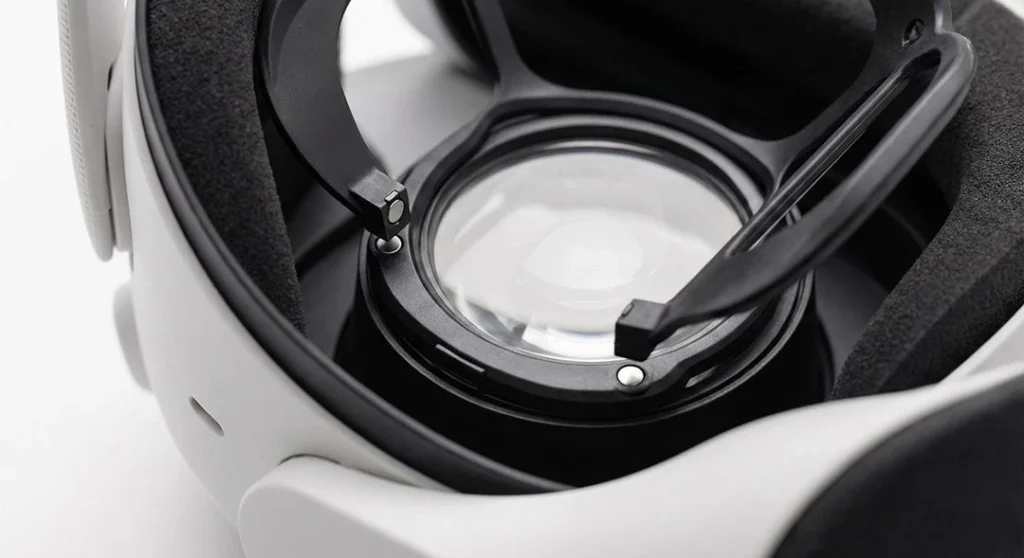
The ANNKUTVR Advantage: Locked Precision
At ANNKUTVR, we custom-grind lenses based on your exact prescription data (SPH, CYL, and AXIS).
Secure Axis: Our magnetic base locks the lens orientation perfectly parallel to the screen. It never rotates, ensuring 100% clarity.Worried about getting the alignment right? See how our magnetic system handles this automatically in our Meta Quest 3 Lens Installation Guide.
High Index Options: For players with high cylinder power (CYL > -2.00), we use high-index materials to keep the lenses thin, preventing eyelash contact.
FAQ: Meta Quest 3 & Astigmatism
Can I play VR with astigmatism?
Yes, absolutely. While astigmatism can cause “ghosting” or blurred edges in VR, using dedicated prescription inserts is the most effective way to correct it. These inserts ensure your axis alignment remains stable, which is much more reliable than wearing glasses that might shift during active gameplay.
Is Meta Quest 3 okay with glasses?
While the Quest 3 has a built-in depth adjustment for glasses, it is often uncomfortable and risky. Glasses can easily rub against and permanently scratch the headset's pancake lenses. Using custom inserts like ANNKUTVR eliminates this risk entirely while providing a wider field of view.
How can I make the Meta Quest 3 less blurry if I have bad eyesight?
The most common cause of blurriness is an incorrect IPD (Interpupillary Distance) setting or uncorrected vision. If you are nearsighted or have astigmatism, you must use vision correction because VR lenses project images at a focal distance of about 1.3 to 2 meters.
What is the 20-20-20 rule for VR eye strain?
To reduce eye strain, you should take a break every 20 minutes and look at something 20 feet away for at least 20 seconds. This helps relax the ciliary muscles in your eyes, which often become overworked during long VR sessions.
Do blue light glasses really work for VR gaming?
Yes, they can help reduce digital eye strain and improve sleep quality by filtering out the intense blue light from the Quest 3's displays. At ANNKUTVR, we offer a blue light filter add-on for our prescription lenses to provide both vision correction and eye protection in one solution.
Conclusion
Don't let blurry visuals ruin your immersion. Experience the Quest 3 the way it was meant to be seen—sharp, clear, and headache-free.
Check your prescription for the “CYL” and “AXIS” numbers, and order your custom set today.