Enjoy 5% OFF + FREE shipping on orders $49+! Use Code: 202512AK5

How to Install Quest 3 Lens Inserts
So, you’ve finally decided to upgrade your VR experience and ordered a pair of ANNKUTVR Custom Prescription Lenses. Congratulations!
In our previous guide, we discussed the hidden dangers of wearing glasses inside your headset. Today, we are going to fix that problem for good.
💡 Pro Tip: Prefer watching a video? Check out our Official Installation Hub. It features detailed video tutorials for Meta Quest 3, PSVR2, RayNeo Air 4, and even the new Rokid Max 2.
For those who prefer a step-by-step text guide, keep reading!
What You Need (Preparation)
Before we start, make sure you have a clean workspace. You don’t want dust trapping between your new lenses and the headset.
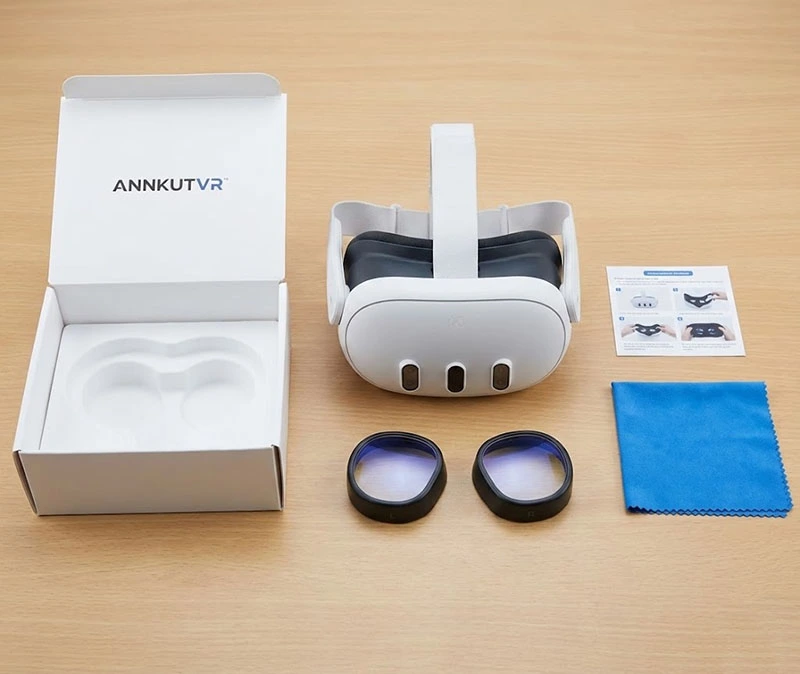
Your Meta Quest 3 Headset
ANNKUTVR Lens Kit
A Microfiber Cleaning Cloth
Step 1: The "Deep Clean" (Don't Skip This!)
This is the most critical step. According to Meta’s official maintenance guidelines, you should always use a dry optical lens microfiber cloth.
Gently wipe the original pancake lenses of the Quest 3.
Start from the center and wipe in a circular motion towards the edges.
Warning: Never use liquid cleaners or alcohol wipes, as they can strip the lens coating.
Step 2: Identify Left vs. Right
Your ANNKUTVR lenses are custom-made for each eye, especially if you have different prescriptions or astigmatism.
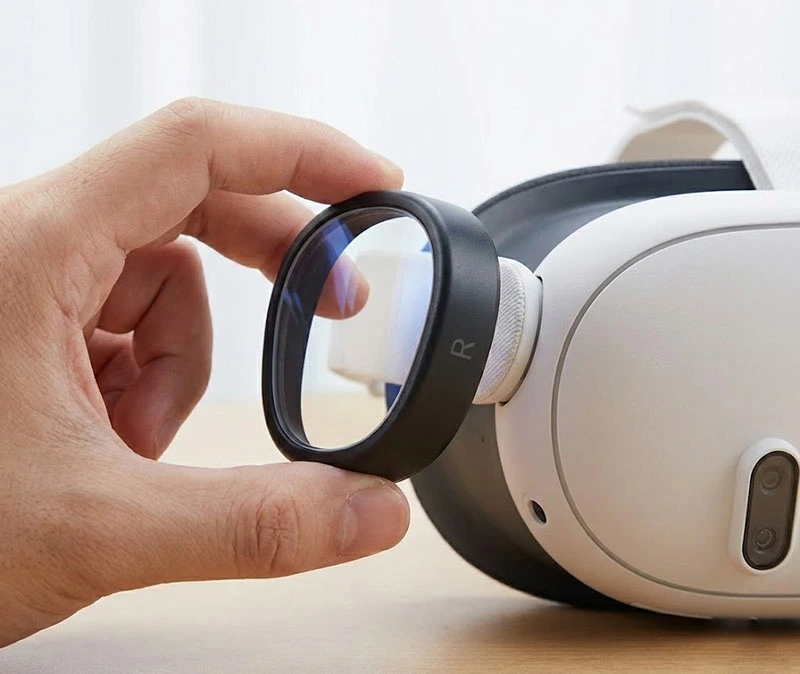
Look for the markings on the lens frame: “L” for Left and “R” for Right.
The shape of the Quest 3 lenses is not a perfect circle; it’s slightly irregular. Align the shape of the magnetic base with the shape of the headset lens housing.
Step 3: Click and Lock (The Installation)
Our lenses use a 2-part design: a Magnetic Base and the Lens itself.
Install the Base First: Place the black magnetic base over the Quest 3 lens. It is designed to snap gently onto the plastic rim surrounding the glass. You should feel a firm tactility when it seats correctly.
Attach the Lens: Now, simply bring the prescription lens close to the base. The strong magnets will automatically pull it into the perfect position with a satisfying click.
Why Magnetic? This design allows you to pop the prescription part off in one second if you want to share the headset with a friend who has 20/20 vision!
Step 4: The Shake Test
Once both lenses are installed, give your headset a gentle shake. Our precision-molded bases are designed to stay secure even during intense sessions of Beat Saber or Supernatural. If they wobble, check to make sure the base is fully pressed down onto the rim.
Maintenance: How to Keep Them Clear
Now that your expensive headset lenses are protected, you only need to worry about cleaning the inserts.
Fogging: If you sweat a lot, lenses might fog up. Use an anti-fog cloth or simply pop the magnetic lenses off, wipe them down, and snap them back on.
Cleaning: Treat these just like your regular eyeglasses. Use a microfiber cloth. If they are very dirty, a small drop of lens cleaner on the cloth (not directly on the lens) is fine.
Still Not Sure? Watch the Video!
If you are a visual learner, text might not be enough. We have created a comprehensive library of installation videos covering almost every major VR/AR device on the market.
Whether you need help with your new Quest 3, or you are looking to install lenses on a RayNeo Air 4 or PSVR2, we have got you covered.
Ready to Play?
That’s it! No more squeezing your frame glasses inside the headset. No more fear of scratches. Just pure, immersive clarity.
If you haven’t ordered yours yet, get your Meta Quest 3 prescription lenses here.