Enjoy 5% OFF + FREE shipping on orders $49+! Use Code: 202512AK5

Can You Wear Glasses with PSVR2? (The Definitive Safety Guide)
If you have just unboxed your PlayStation VR2, you are probably eager to jump into Horizon Call of the Mountain or Gran Turismo 7. But if you wear prescription glasses, you might be hesitating.
The short answer is: Yes, you can physically fit glasses inside the PSVR2.
However, just because you can, doesn’t mean you should. While the official stance from PlayStation Support is that the headset is designed to accommodate glasses, many users find out the hard way that this “compatibility” comes with significant risks.
In this guide, we will explain why wearing glasses in VR is risky and explore the safest ways to get clear visuals without ruining your $550 headset.
The Hidden Risks of Wearing Glasses in PSVR2
The PSVR2 uses Fresnel lenses (a specific type of ridged optical lens). While they provide excellent visual clarity, the material is actually quite soft—much softer than the glass or hardened plastic of your everyday spectacles.
Permanent Lens Scratches
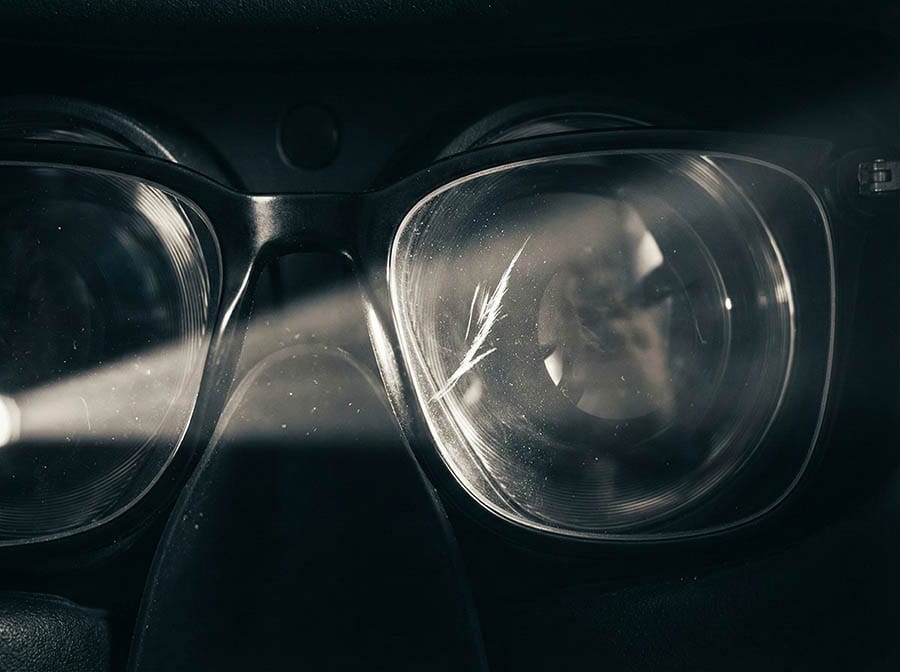
This is the biggest nightmare for VR owners. When you are immersed in a game, you move your head rapidly. If your glasses slip forward even a few millimeters, the two lenses can rub against each other.
Because your glasses are harder than the VR lenses, your glasses will win. This friction creates a “foggy” scuff mark right in the center of the PSVR2 lens. Unlike scratches on a phone screen, scratches on VR lenses cannot be easily repaired. Once they are scratched, that blur is there forever.
Comfort & Light Leakage
To fit glasses inside, you often have to extend the headset visor further away from your face. This creates two problems:
- Lower Field of View (FOV): Being further from the lenses makes the screen look like you are looking through binoculars.
- Light Leakage: The rubber light shield may not seal perfectly around your glasses’ frame, allowing real-world light to bleed in and break your immersion.
This extra distance also makes it much harder to stay in the “Sweet Spot,” resulting in blurry edges. Learn how to fix this in our guide: Why Is My PSVR2 Blurry? Finding the “Sweet Spot” & Fixing Visuals.
3 Ways to Protect Your PSVR2 Lenses
If you need vision correction, don’t squint. Here are the three most common solutions to play safely.
1. Contact Lenses (The "Free" Option)
If you already own contact lenses, this is the easiest immediate fix. It allows you to bring the headset close to your face for the best Field of View.
The downside: Many gamers report “dry eyes” in VR. According to the American Academy of Ophthalmology, we tend to blink significantly less when staring at digital screens. In a VR headset, this can cause contact lenses to become dry, uncomfortable, and blurry after just 30 minutes of gameplay.
2. Lens Protectors / Bumpers
These are simple plastic rings or stickers that create a physical barrier, preventing your glasses from touching the VR glass.
- Pros: Very cheap.
- Cons: You still have to wear your glasses, so the comfort issues (pressure on temples/nose) remain unsolved. (If frame pressure is killing your fun, check our guide on how to fix PSVR2 comfort issues and forehead pain.
3. Magnetic Prescription Lenses (The Best Solution)
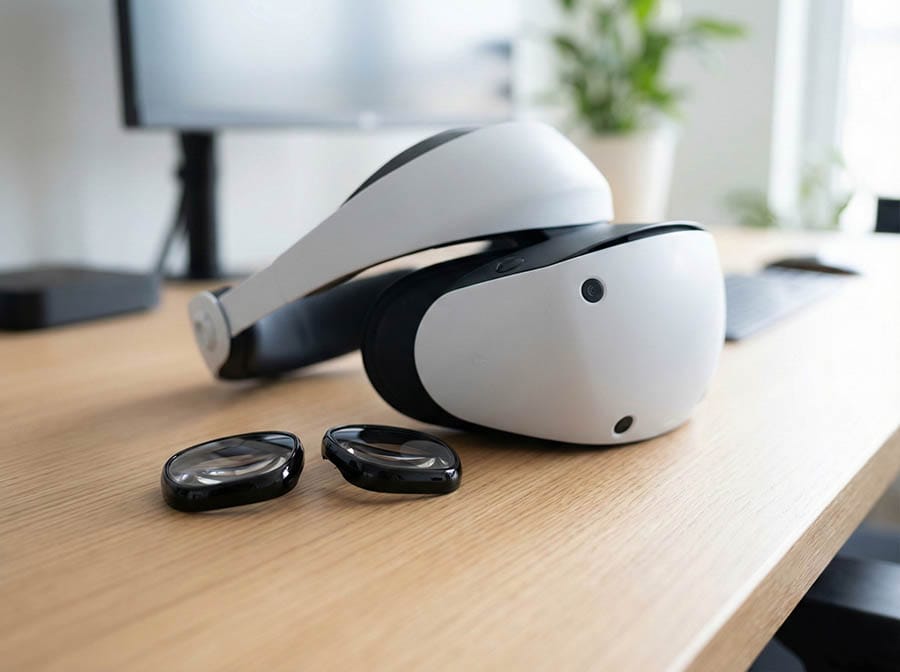
For the ultimate experience, dedicated prescription lens inserts are the industry standard. These are custom-made lenses that snap directly onto the PSVR2 optics.
At ANNKUTVR, we designed our PSVR2 Magnetic Prescription Lenses to solve all the issues mentioned above:
- Zero Contact: They act as a sacrificial layer, protecting your original lenses from dust and scratches.
- Magnetic Design: Share the headset easily. If a friend wants to play, just pop the magnetic lenses off in one second.
- Blue Light Protection: Our lenses come with premium coatings to reduce eye strain during long gaming sessions. Curious about how blue light affects your sleep and comfort? Read our analysis: Why PSVR2 Gives You Headaches & How to Fix It.
How to Install Prescription Lenses on PSVR2
Upgrading your headset is easier than you think. You don’t need any screws or tools.
Clean: Use a microfiber cloth to wipe your PSVR2 lenses clean. (Not sure about the best method? Check our expert guide on How to Clean PSVR2 Lenses Properly to avoid accidental scratches).
Align: Identify the Left (L) and Right (R) frames.
Snap: Gently press the frame onto the lens housing. You will feel a satisfying “click” or magnetic pull when it seats correctly.
Once installed, you can leave them on permanently—it’s a “set it and forget it” upgrade.
FAQ: PSVR2 Vision & Comfort
Q: Do I really need lenses if I am only slightly near-sighted?
A: Yes. The focal distance in VR is typically around 2 meters (6 feet). If you struggle to see clearly at that distance in real life, things will look blurry in VR too.
Q: Can I use my Quest 2 or Quest 3 lenses on PSVR2?
A: No. Each headset has a completely different lens shape and mounting mechanism.
Q: Will these inserts affect eye tracking?
A: No. High-quality inserts like ours are designed to work seamlessly with Sony’s Tobii eye-tracking technology.
Conclusion
The PlayStation VR2 is an incredible piece of hardware, especially now that the PC adapter has unlocked its full potential. However, it is also fragile.
Whether you choose contact lenses or dedicated inserts, protecting your vision and your hardware is worth the investment. For the most comfortable, fog-free experience, a custom prescription insert is widely considered the best accessory you can buy.
Ready to upgrade your view? 👉 Shop Custom PSVR2 Prescription Lenses Here
For a broader comparison of headset fit, scratch risk, fogging and alternatives, read our glasses for VR guide.