Enjoy 5% OFF + FREE shipping on orders $49+! Use Code: 202512AK5

How to Stop PSVR2 From Fogging Up: 7 Instant Fixes (2026 Guide)
Nothing ruins a perfect combo in Beat Saber or a lap in Gran Turismo 7 faster than a wall of white mist. You are in the zone, sweating, and suddenly—you can’t see anything.
Learning how to stop PSVR2 from fogging up is essential for any serious VR gamer. It’s not a defect; it’s physics. But you don’t have to suffer through it.
In this guide, we have compiled the definitive list of fixes, ranging from free “life hacks” to permanent hardware solutions.
The "Quick Fix" Cheat Sheet
If you are in a hurry, here is the summary of how to prevent condensation:
Pre-warm the headset (The #1 cause).
Create a nose gap for ventilation.
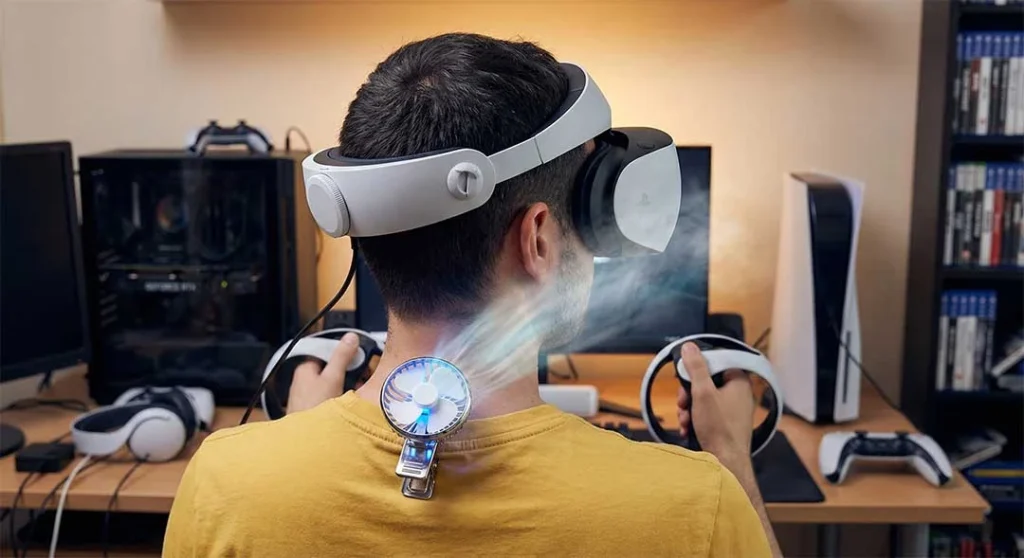
Use a floor fan while playing.
Wear a sweat-wicking headband.
Remove the light shield (for fitness games).
Avoid chemical sprays (they damage coatings).
Install lens inserts (the double-pane glass effect).
Why Does My PSVR2 Fog Up?
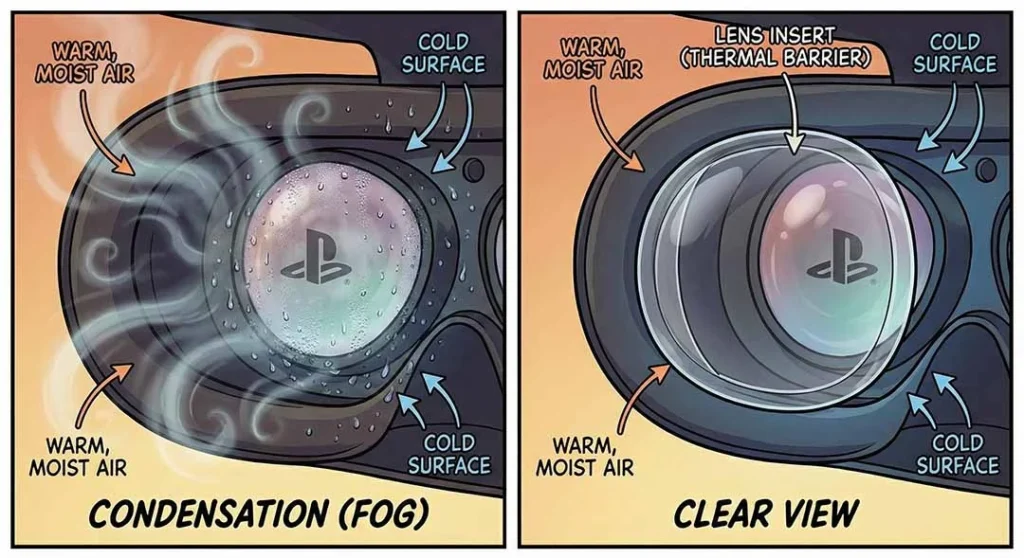
It comes down to one simple concept: Condensation. Your face is hot (37°C / 98°F) and sweating, while the PSVR2 lenses are cold.
To fight this, the PSVR2 uses an internal fan to create airflow. While this helps reduce fog, it creates a new problem for some users: Dry Eyes. That constant airflow can dehydrate contact lenses, making your vision look foggy even when the lens is clean. 👉 Eyes hurting? Read why the internal fan airflow causing dryness is a nightmare for contact lens wearers.
This is why fogging is worst in the first 10 minutes of gameplay or during winter. To fix it, you need to either warm the lens or remove the moisture.
7 Proven Ways to Fix Foggy Lenses
1. The "Pre-Warm" Technique (Most Effective)
Since cold glass is the enemy, the best fix is to warm it up before you put it on.
How to do it: Turn on your PS5 and PSVR2, but don’t wear it yet. Let it sit on your desk for 5-10 minutes. The internal electronics will generate heat, warming the lenses slightly.
Pro Tip: Some Reddit users suggest using a hair dryer on the lowest setting for 30 seconds. Be extremely careful—high heat can warp the plastic!
2. The "Nose Gap" Trick
The PSVR2’s rubber light shield is designed to block all light, but it also traps all humidity.
- The Fix: Extend the scope (visor) just one “click” away from your face.
- The Result: This creates a tiny vent near your nose. While you might lose a tiny bit of immersion, the airflow usually clears fog instantly.
3. Manage Your Sweat (Headbands)
If sweat is dripping from your forehead into the headset, humidity will skyrocket. A simple sports headband or bandanna can absorb moisture before it enters the “danger zone.”
4. Use a Fan
Place a fan in front of your play area blowing directly at you. This serves two purposes:
It keeps your body temperature down.
It pushes fresh air into the nose gap of the headset, cycling out the moist air.
5. The "Double-Pane" Solution: Prescription Inserts
This is the ultimate hardware fix that few people talk about. ANNKUTVR PSVR2 Prescription Lenses act like a “double-pane window” for your headset.
How it works: The insert creates a sealed air gap between your eye and the cold PSVR2 lens. The insert warms up to your body temperature much faster than the thick glass of the headset, preventing condensation from forming on the optical surface.
Bonus: They also protect against scratches.
6. Remove the Light Shield (For Fitness)
If you are playing high-intensity games like Les Mills Bodycombat, consider removing the silicone rubber light shield entirely.
Pros: Maximum ventilation; impossible to fog up.
Cons: You will see your living room in your peripheral vision.
7. WARNING: Be Careful with Anti-Fog Sprays
You might be tempted to use anti-fog sprays meant for swimming goggles. Don’t. The PSVR2 lenses have a delicate coating that can be stripped away by harsh chemicals or alcohol.
Expert Guide: Not sure what is safe to use? Read our viral guide on How to Clean PSVR2 Lenses: Expert Guide to avoid ruining your visuals.
Is Your Vision Foggy or Just Blurry?
Sometimes, what looks like fog is actually a “Sweet Spot” issue. If wiping the lenses doesn’t fix the problem, you might just be wearing the headset wrong. The Fresnel lenses on PSVR2 are notorious for looking “smudged” if they aren’t centered perfectly.
Troubleshooting: Check our detailed breakdown in Why Is My PSVR2 Blurry? Finding the “Sweet Spot” to ensure it’s actually fog and not a fit issue.
Conclusion
You don’t need to tolerate a foggy view. By pre-warming your headset and managing airflow, you can keep your vision crystal clear. For the most permanent solution—and to stop worrying about scratching your lenses while wiping off fog—consider upgrading to custom inserts.
Ready to play fog-free? Shop ANNKUTVR Custom Lenses and get the clarity you deserve.
External Resources
For official maintenance tips, refer to PlayStation Support’s guide on headset care.
Learn more about the physics of condensation and active cooling solutions from Road to VR’s analysis on fighting foggy lenses.