Enjoy 5% OFF + FREE shipping on orders $49+! Use Code: 202512AK5

How to Stop Meta Quest 3 Lenses from Fogging (Especially for Glasses Wearers)
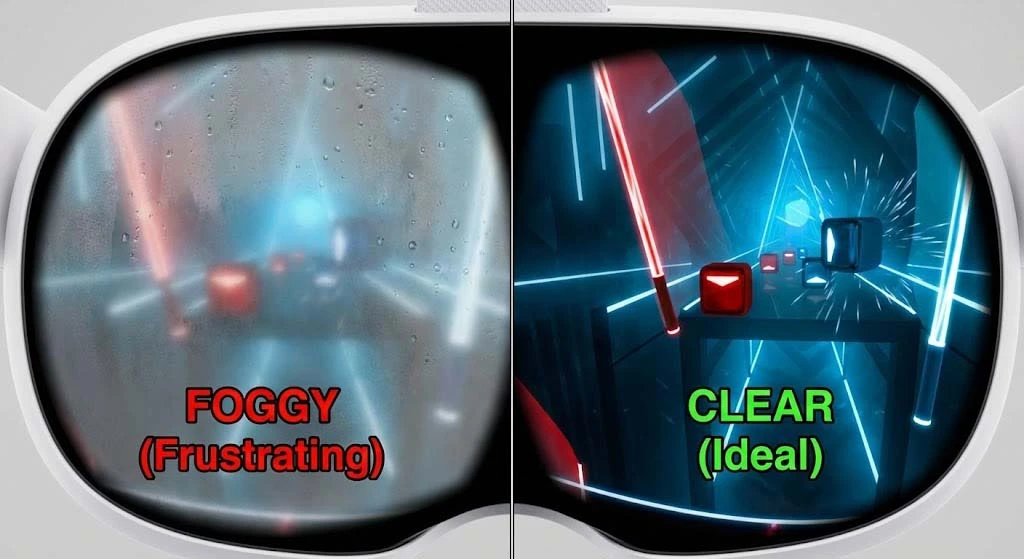
You are ten minutes into a high-intensity session of Supernatural or Beat Saber. You are sweating, the music is pumping, and then it happens: the dreaded white mist. Suddenly, you can’t see the blocks, and stopping Meta Quest 3 lenses from fogging becomes your only priority.
As avid VR players, we know there is nothing more immersion-breaking than foggy lenses. But for those of us who wear glasses, the problem is twice as bad. In this guide, we will explain the science behind the fog and the definitive solutions to keep your vision crystal clear.
Why Does My Quest 3 Fog Up? (The Science)
It is simple physics. Fog occurs when warm, moist air (from your face and sweat) hits a cool surface (the Quest 3 lenses). The moisture condenses into tiny droplets.
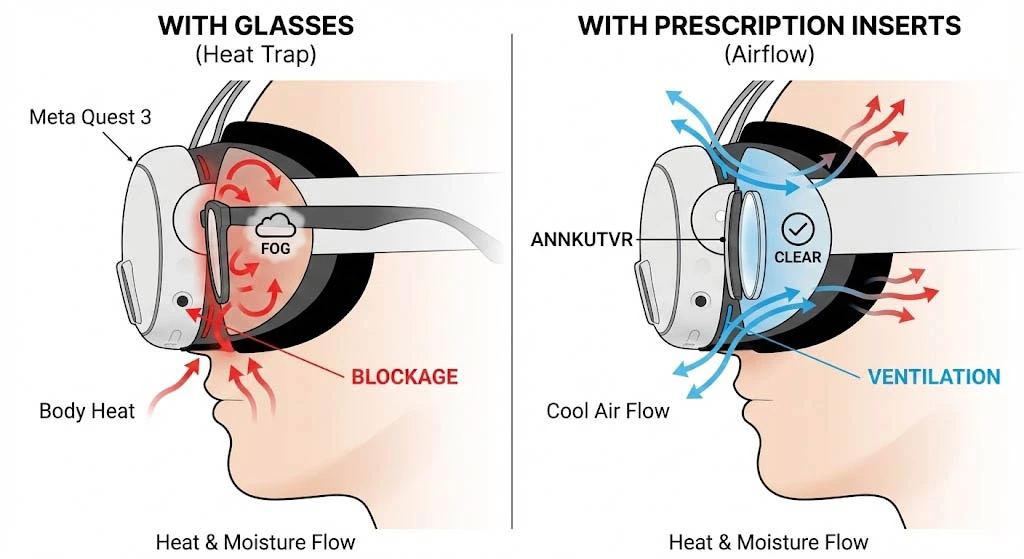
If you wear glasses inside the headset, you create a “Double Greenhouse Effect.”
Your body heat is trapped between your eyes and your glasses.
That heat is then trapped again between your glasses and the VR lenses.
As we warned in our previous article about Is It Safe to Wear Glasses Inside Meta Quest 3? , bulky frames often block the natural airflow vents of the headset. This lack of ventilation is the #1 reason why glasses wearers suffer from fogging more than anyone else.
3 Quick Fixes to Prevent Fog (Before You Play)
Before you start wiping frantically (and potentially scratching your lenses), try these preventative measures:
1. The “Pre-Heat” Method Cold lenses are fog magnets. Before putting the headset on, place it on a safe, flat surface and turn it on for 5–10 minutes. Let the device’s internal heat warm up the lenses. According to VR experts at Android Central, equalizing the temperature between the glass and your face is the most effective way to stop condensation.
2. Adjust the Nose Gap The Quest 3 has a decent light blocker around the nose, but sometimes this blocks too much air. If you are doing a heavy workout, try adjusting the facial interface slightly to allow a tiny bit of cool air to enter from the bottom.
3. Be Careful with Anti-Fog Sprays Many players ask if they can use generic anti-fog sprays. We advise caution. The Quest 3 pancake lenses have delicate coatings. Using harsh chemicals can strip these coatings permanently. For safe cleaning methods, always refer to our detailed guide on How to clean Meta Quest 3 lenses.
The Ultimate Solution: Remove the Barrier
The most effective way to stop fogging is to improve airflow. And the best way to do that is to remove your glasses entirely.
By switching to Custom Prescription Lenses, you remove the bulky glass barrier that traps heat against your eyes. Our ANNKUTVR lenses sit closer to the headset’s display, allowing the Quest 3’s built-in active cooling fan to circulate air more effectively across your face.
But what if it still fogs up during an intense workout? This is where the type of lens matters.
In our recent showdown of Magnetic vs. Snap-On Lenses, we highlighted a massive advantage of the magnetic design: Wipability.
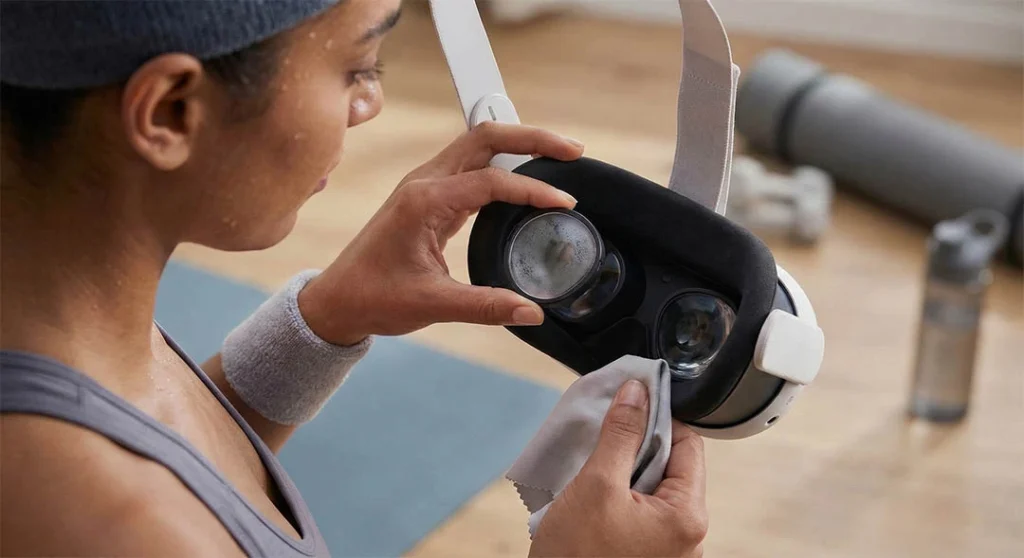
If you are using Zenni-style snap-on clips and they fog up, you are stuck. You can’t easily reach the condensation trapped underneath without risking damage to the plastic clips. With a magnetic system, if fog happens, you just:
Pop the lens off (1 second).
Wipe the fog with a microfiber cloth.
Snap it back on.
Conclusion
Don’t let a little chemistry ruin your gaming weekend. By warming up your headset and ditching the glasses for a more breathable solution, you can keep your vision clear even in the heat of battle.
According to Meta’s official maintenance guidelines, keeping your facial interface dry and using proper lens accessories is key to a fog-free experience.
However, if you have banished the fog but your visuals are still not 4K sharp, you might have an IPD or “Sweet Spot” issue. Read our complete guide: Why Is My Meta Quest 3 Blurry? 5 Common Causes & How to Fix Them.
Ready to clear the fog? Upgrade to ANNKUTVR Magnetic Prescription Lenses and let your eyes breathe.
For a broader comparison of headset fit, scratch risk, fogging and alternatives, read our glasses for VR guide.