Enjoy 5% OFF + FREE shipping on orders $49+! Use Code: 202512AK5

XREAL Air 2 Pro: Contact Lenses vs. Prescription Inserts
If you already wear contact lenses comfortably and have a current contact-lens prescription, contacts can be the lowest-profile option for XREAL Air 2 Pro. Prescription inserts may suit users who prefer not to wear contacts or want a dedicated correction setup on the glasses. Neither option is universally more comfortable.
This comparison does not recommend a three-hour uninterrupted session. XREAL’s Air 2 safety guide recommends using the glasses for no more than two hours per session and taking a 10–15 minute break every 45 minutes.
Use the prescription that belongs to the option you choose. Contact lenses require their own fitting and prescription; a prescription insert is ordered from current eyeglass-style values. Do not copy contact-lens numbers into an eyeglass-lens order.
Contacts vs. Inserts: Quick Comparison
The practical differences are setup, prescription source, care, and how the correction is shared with the device.
| Decision point | Contact lenses | Prescription inserts |
|---|---|---|
| Setup | Wear your fitted contacts before putting on the glasses. | Install the model-specific insert in the intended mounting area. |
| Prescription source | Current contact-lens prescription and fitting. | Current distance eyeglass prescription and requested measurements. |
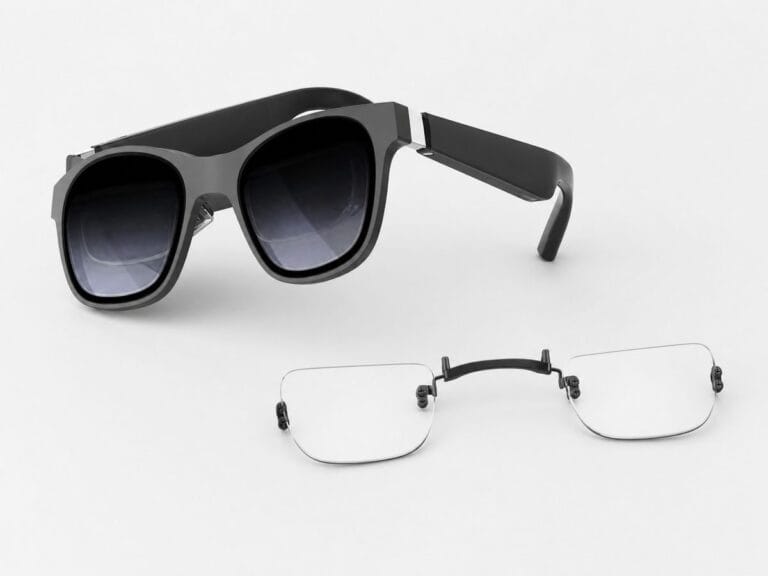
| Eye contact | The corrective lens sits directly on the eye. | The corrective lenses sit on a frame attached to the glasses. |
| Care | Follow the prescribed wear schedule and contact-lens hygiene instructions. | Clean the insert with a suitable lens cloth and store it safely when removed. |
| May suit | People already comfortable wearing contacts for the planned session. | People who prefer a dedicated insert and do not want contacts on the eye. |
Comfort still depends on individual fit, prescription, lens care, wear time, and eye health. A table cannot predict which option will feel better for every person.
For Air 2 and Air 2 Pro insert installation, prescription fields, and fit checks, use the XREAL Air 2 fit and comfort guide.

A Safer Long-Session Check
Use a shorter, break-based check instead of testing either option through an uninterrupted movie marathon.
- Before starting: confirm that the device, contact lenses or insert, and display are clean and that vision is comfortable in each eye.
- Every 45 minutes: remove the glasses for a 10–15 minute break and check for eye discomfort, unusual blur, dizziness, or uncomfortable device warmth.
- By two hours: end the session in line with XREAL’s published guidance rather than extending it to three uninterrupted hours.
- Stop earlier when needed: discontinue use if you experience eye pain, dizziness, nausea, blurred or double vision, or other significant discomfort.
If contact lenses feel dry, gritty, painful, or unusually uncomfortable, stop wearing them and follow your eye-care professional’s instructions. Do not use an AR session to extend contact-lens wear beyond the prescribed schedule.
If an insert changes the clarity in only one eye, feels unstable, or does not seat naturally, remove it and recheck the exact device model, left/right prescription values, orientation, and installation.
XREAL’s guide says to remove the prescription-lens frame and store it safely when the glasses are stored. Do not promise that an insert can remain attached in every case or that it eliminates all scratch risk.
Air 2 and Air 2 Pro follow the same ANNKUTVR product path, but other XREAL models may use different insert structures. Confirm the full model name before ordering.
Prescription and Fit Checks Before You Choose
- Prescription: use current values for the selected correction method; do not substitute a contact-lens prescription for an eyeglass-style insert.
- Left and right eye: check that the values and signs are entered for the correct eye.
- Astigmatism: include CYL and AXIS when they appear on the prescription.
- Model: confirm Air 2 or Air 2 Pro before using this product path.
- Fit: never force or bend an insert that does not seat as intended.
If the model is uncertain, use the XREAL prescription-lens model selector before opening a product page.
Which Option Fits You Better?
Contacts may suit you if they are already comfortable, properly fitted, and convenient for the planned use. Follow the prescribed wear and care schedule.
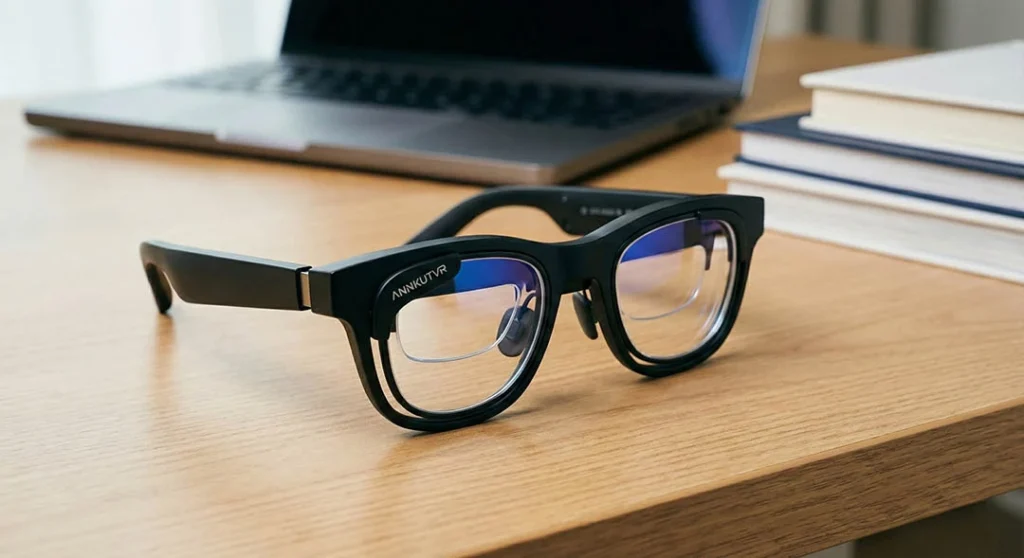
Prescription inserts may suit you if you prefer not to wear contacts, want a correction setup dedicated to the glasses, and have a current eyeglass prescription.
Check the XREAL Air 2 / Air 2 Pro Insert
Confirm your exact model and current eyeglass prescription before choosing the available lens options.
View XREAL Air 2 / Air 2 Pro Prescription Lenses