Enjoy 5% OFF + FREE shipping on orders $49+! Use Code: 202512AK5

Table of Contents
AR Glasses Prescription Lenses: Compatibility & Buying Guide
AR glasses prescription lenses are usually removable optical inserts made for a specific frame or nose-bridge mount. They correct the wearer’s vision without placing a full pair of eyeglasses behind a compact display frame. The important word is specific: an insert for one model should not be assumed to fit another model from the same brand.
This guide compares the ordering questions shared by XREAL, VITURE, RayNeo, and Rokid users. It focuses on compatibility, prescription data, fit, and care rather than short-lived device rankings or release-year predictions.
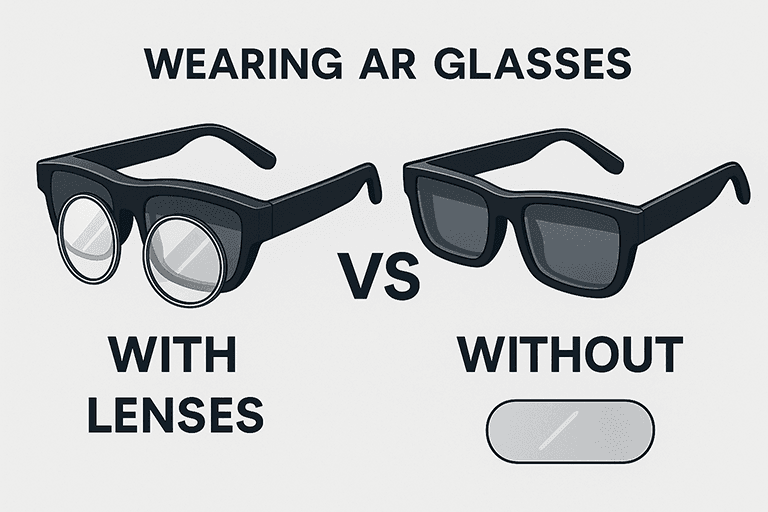
How Prescription Inserts Work With AR Glasses
Many display glasses place a small prescription frame between the wearer’s eyes and the optical display. A lens provider cuts the correction for each eye and mounts it on the compatible insert. Some products arrive pre-mounted; others use a frame supplied with the glasses.
The insert corrects vision but does not change the electronic display, field of view, tracking, or software. Clear results depend on accurate prescription values, correct optical centering, and a frame that sits in the intended position.
Users who wear soft contact lenses comfortably may not need an insert. Users who prefer not to wear contacts, or who cannot fit ordinary frames behind AR glasses, often find a dedicated insert more repeatable.

Compare XREAL, VITURE, RayNeo, and Rokid Compatibility
XREAL: Air 2, Air 2 Pro, Air 2 Ultra, One, and One Pro do not all use one universal ANNKUTVR frame. Start at the XREAL prescription lenses page and choose the exact model.
VITURE: VITURE One and Pro buyers should use the matching VITURE prescription lens product. Check whether the order includes a mounted frame or uses an existing insert.
RayNeo: RayNeo model names can be very similar. Use the RayNeo prescription lenses page to match the Air-series model instead of choosing by appearance.
Rokid: Rokid Max and Max 2 users can review the dedicated Rokid Max prescription lenses. Do not assume the same frame fits every Rokid generation.
Prescription Information to Prepare
Use a current distance eyeglass prescription. Most order forms request separate right-eye and left-eye values:
- SPH: the main correction for nearsightedness or farsightedness.
- CYL and AXIS: the power and orientation used to correct astigmatism.
- PD: pupillary distance, supplied as one total value or two monocular values.
Contact lens and eyeglass prescriptions are not automatically interchangeable. Near-only reading power is also not a substitute for a full distance prescription. Ask an eye-care professional when values are missing, when the prescription includes prism, or when the order form does not support a listed value.
Plano inserts are non-prescription. They may be offered for users who want the matching insert frame or an additional optical surface without vision correction.
Fit, Lens Materials, and Coatings
Fit begins with the correct frame. Once installed, the insert should sit level, remain secure, and avoid contact with the display optics or eyelashes. If it rocks, tilts, or requires force, remove it and check the model and orientation.
Higher prescriptions may benefit from high-index material because it can reduce lens thickness. Anti-reflective or anti-glare coatings can reduce reflections from the additional optical surfaces, while a scratch-resistant coating supports routine handling. These features do not improve the native display resolution.
Weight matters on compact AR glasses. A correctly centered, thin insert is preferable to an unnecessarily thick lens. The provider may need to confirm unusual prescriptions before manufacturing.
Check Optical Alignment After Installation
Put on the AR glasses in their normal position before judging the finished insert. The nose support should be stable, the display should sit where the manufacturer intends, and the insert should not slide when you look down or turn your head. Check one eye at a time, then both eyes together, using ordinary display content rather than changing the prescription to compensate for a loose fit.
If text is clear only when the frame is pushed sideways, or if one lens appears tilted, stop and inspect the mounting direction. A fit problem, incorrect right-left orientation, or incomplete seating can imitate an optical problem. Do not bend a metal insert frame or force a plastic mount unless the product instructions explicitly call for an adjustment.
Cleaning and Storage
Handle an insert by its frame and use a clean microfiber cloth on the lens surfaces. Follow the product’s care instructions before applying any liquid because coatings and frame materials vary. Keep the insert in a case when it is removed, and avoid direct sunlight, high heat, and abrasive debris.
AR Glasses Prescription Lens Buying Checklist
- Confirm the exact brand and model printed on the device or original order.
- Use a current distance prescription for the correct eye.
- Check whether PD is required and whether separate values are available.
- Review the live product page for supported ranges, manufacturing time, included coatings, and frame details.
- Keep the submitted values and inspect the finished insert before installation.
- Clean the insert separately and store it away from direct sunlight and abrasive materials.
A broad AR guide should help you identify the right product family, but the model-specific product page is the final compatibility source. Choose by exact model, not by a similar frame shape or a shared brand name.

