Enjoy 5% OFF on all orders over $49 + FREE shipping! Use code: 202512AK5

Why Is My Meta Quest 3 Blurry? 5 Common Causes & How to Fix Them (Instantly)
You just unboxed your Meta Quest 3. You put it on, expecting crystal-clear 4K visuals, but instead… text looks smeared, and the edges are fuzzy. It looks more like a PS2 game than next-gen VR.
Don’t panic. Your headset isn’t broken.
As a daily VR user, I went through the exact same frustration. The Quest 3 uses advanced “Pancake lenses,” which are amazing, but they are also unforgiving if you don't set them up perfectly.
The good news? The fix is usually simple. Here are the 5 most common reasons your Quest 3 looks blurry and exactly how to fix them in seconds.
1. You Haven't Found the "Sweet Spot" Yet
Before you mess with any settings, check how the headset sits on your face.
The “Sweet Spot” is the tiny center area of the lens where the image is sharpest. If your headset is sitting too high on your forehead or too low on your nose, you are looking through the blurry edges of the glass.
The Fix: Loosen the strap completely. Hold the headset against your face and gently tilt it up and down (like nodding yes). Find the angle where the text becomes razor-sharp, then tighten the strap to lock it in place.
2. Your IPD (Lens Spacing) is Off
If the image feels like it is “pulling” at your eyes or looks doubled, your IPD (Interpupillary Distance) is wrong. This is the distance between your pupils. If the lenses don't line up with your eyes, everything will look washed out.
Unlike the Quest 2, the Quest 3 has a stepless scroll wheel on the bottom left.
The Fix: While looking at text in the VR menu, slowly scroll the wheel until the numbers and letters snap into focus.
💡 Official Tip: Not sure what your IPD is? You can check Meta's official guide on adjusting lens spacing to measure it precisely.
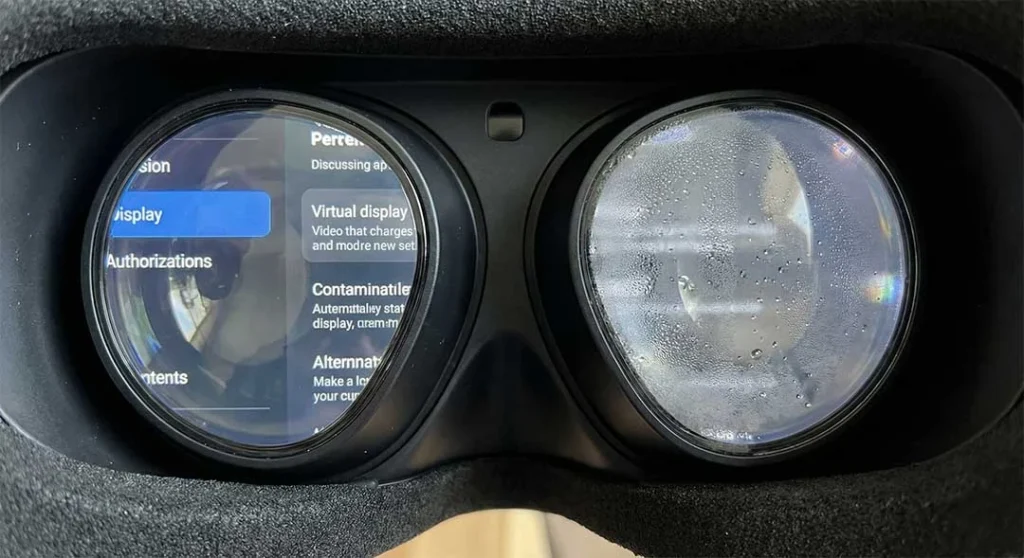
3. The "Fog" Factor
Is the view clear for the first 2 minutes and then gets blurry? That isn't a lens defect; that is physics.
If you are playing active games like Beat Saber, or if your room is cold and your face is warm, condensation will form on the lenses instantly. This creates a “milky” blur that wiping rarely fixes permanently.
The Fix: You need to manage the temperature difference or use specific anti-fog techniques. I wrote a detailed breakdown on exactly how to stop your Quest 3 lenses from fogging—it includes a few tricks you probably haven't tried yet.
4. You Are Wearing Glasses Inside the Headset
This is a huge cause of blur that people ignore.
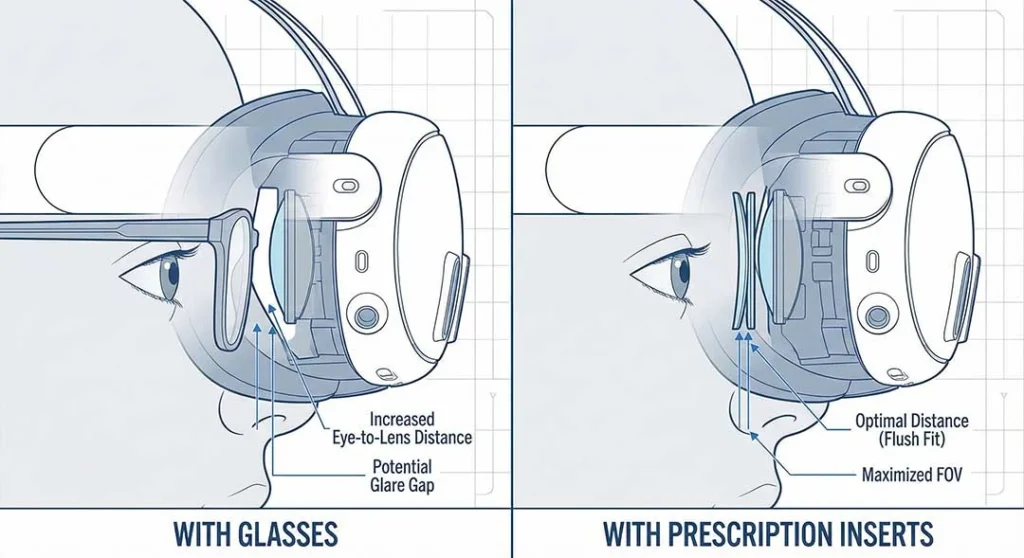
When you wear frame glasses inside the Quest 3, two things happen:
Increased Distance: Your glasses push the headset further away from your eyes. This reduces the Field of View (FOV) and makes the “Sweet Spot” much harder to find.
Glare & Reflections: Light bounces between your glasses and the VR lenses, creating “god rays” and ghosting.
I used to struggle with this until I realized that glasses frames were the bottleneck. I recently compared the two best solutions for this: magnetic vs. snap-on lenses. If you are still squeezing frames into your headset, you are missing out on clarity.
5. You Need Prescription Inserts (The "Real" Fix)
Here is the hard truth: If you have even a mild astigmatism or nearsightedness in real life, VR will magnify it.
You might think, “I can see my computer screen fine without glasses, so VR should be fine.” Wrong. The focal distance in the Quest 3 is about 1.3 to 2 meters. If you need glasses to drive or watch TV, you need them in VR.
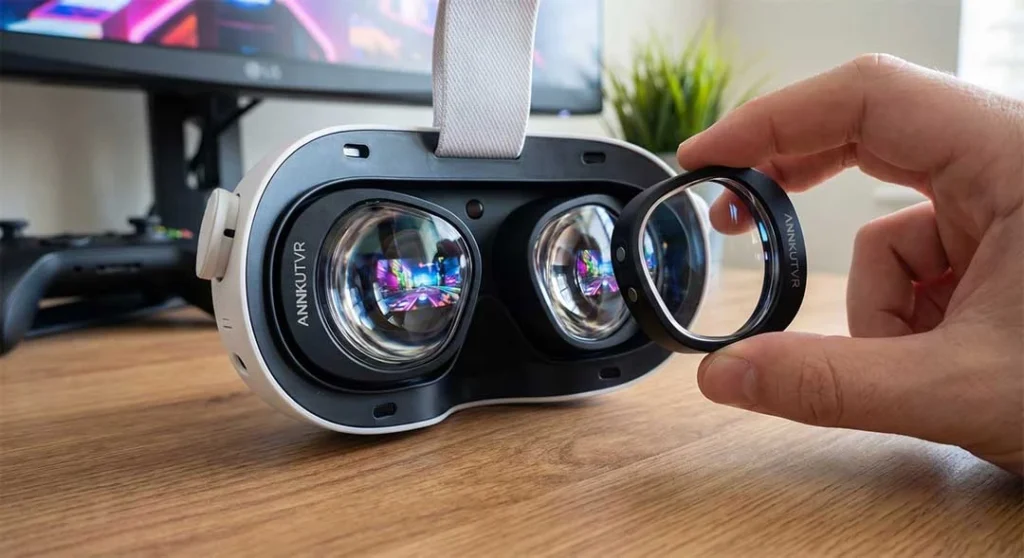
The Solution: The absolute best way to fix blurry visuals permanently is to install dedicated prescription lenses. They snap directly onto the headset, correcting your vision while keeping your eyes close to the screen for maximum immersion.
It sounds complicated, but it takes less than 60 seconds. Check out my guide on how to install Quest 3 prescription lenses to see how easy it is.
Ready to see clearly? 👉 Get your ANNKUTVR Custom Prescription Lenses here.
Bonus Tip: The "Smudge" Check
Finally, before you go, check the simplest culprit. Oils from your eyelashes or hair can smudge the lenses instantly.
Do not use your t-shirt. Use a clean optical microfiber cloth and wipe in a circular motion from the center outwards. If you keep your lenses clean and follow the steps above, your “blurry” Quest 3 will transform into the 4K powerhouse it was meant to be.