Enjoy 5% OFF + FREE shipping on orders $49+! Use Code: 202512AK5

XREAL Air 2 Ultra Prescription Lenses: What to Check Before Ordering
XREAL Air 2 Ultra prescription lenses need a dedicated compatibility check because Air 2 Ultra should not be grouped automatically with Air 2 or Air 2 Pro. Confirm the full model name, matching insert structure, and current prescription information before ordering.
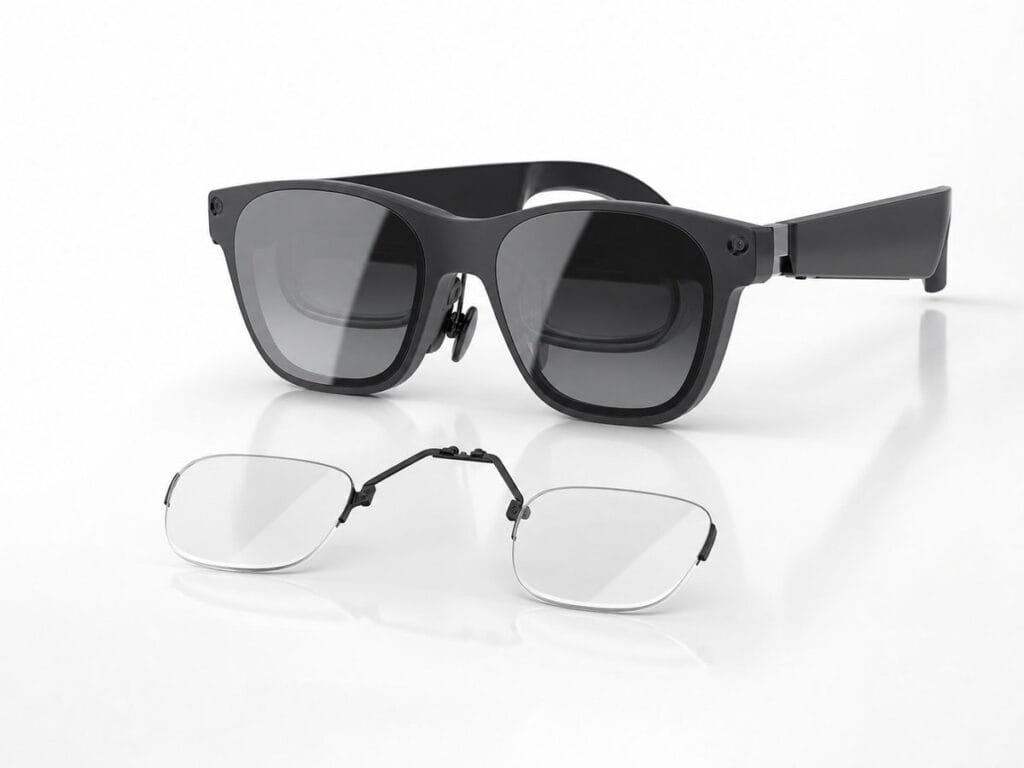
If you own Air 2 Ultra, follow the Air 2 Ultra product path. Do not use Air 2 / Air 2 Pro inserts unless a current product page explicitly lists your exact model. If you are unsure which Air-series device you own, use the XREAL model selector before choosing an insert.
Five Checks Before You Order
- Confirm the full model name: the device, box, or order record should say XREAL Air 2 Ultra.
- Use a current distance eyeglass prescription: prepare the SPH, CYL, AXIS, and PD values shown by your eye-care provider, and do not copy a contact-lens prescription.
- Check both eyes and every sign: make sure right and left values are in the correct fields and that plus and minus signs match the prescription.
- Flag unusual or missing values: ask before ordering if the prescription includes prism, unusually strong values, separate near correction, or a field you do not understand.
- Use the Ultra-specific route: do not substitute an insert made for Air, Air 2, Air 2 Pro, One, or another similarly named model.
If the exact model or prescription information is still uncertain after these checks, pause the order and ask ANNKUTVR or your eye-care professional for the relevant confirmation.
Check the Air 2 Ultra Product Path
Confirm the exact Air 2 Ultra model and your current eyeglass prescription before selecting the available lens options.
View XREAL Air 2 Ultra Prescription LensesAir 2 Ultra Is Its Own Compatibility Check
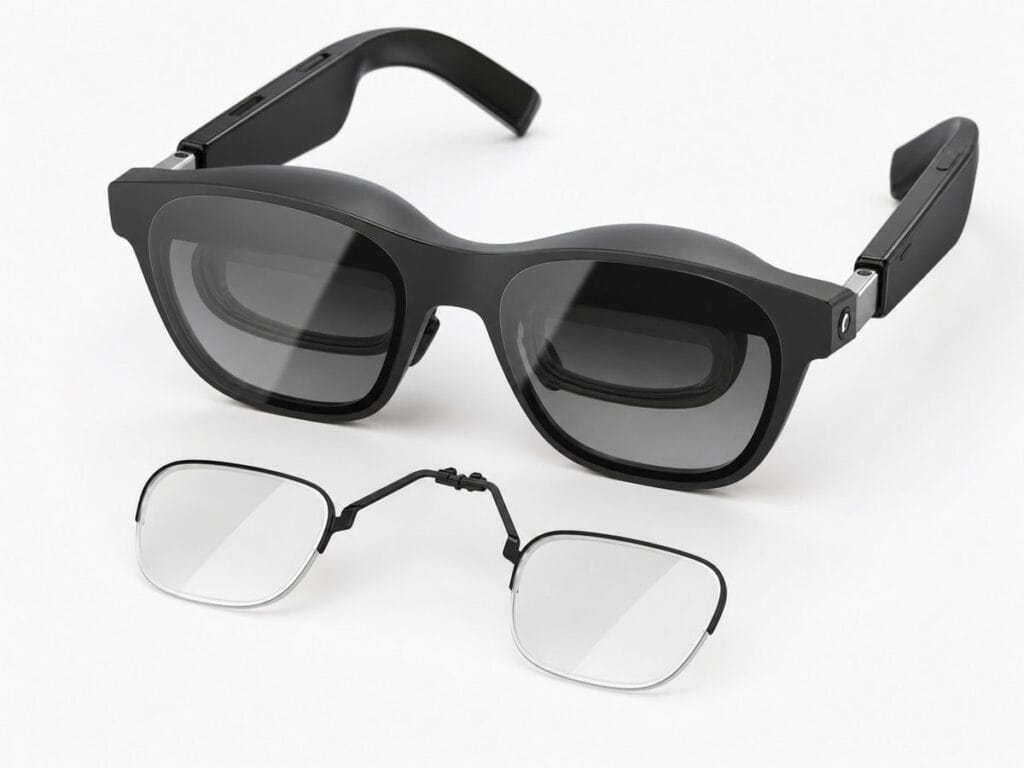
The name Air 2 Ultra makes it easy to assume that Air 2 and Air 2 Pro inserts are close enough. For prescription lens inserts, that is not the right assumption. A small difference in the frame, mounting point, or clearance can affect whether an insert sits correctly. The insert should match the glasses model, not just the general product family.
Before ordering, confirm that the product page explicitly says XREAL Air 2 Ultra. If your receipt or box says Air 2 or Air 2 Pro instead, use the Air 2-series product path. If it says original Air or Nreal Air, read the Air comparison guide before buying.
If you own or plan to buy Air 2 Ultra, verify the model before entering prescription details. The checks below focus on Air 2 Ultra and should not be applied automatically to another XREAL model.
Air 2 Ultra has a separate product path. Use current eyeglass prescription values in the order form, and do not substitute an insert made for another Air-series model.
Prescription Values to Prepare
Use a current distance eyeglass prescription. You will usually need SPH, CYL, AXIS, and PD. SPH corrects nearsightedness or farsightedness. CYL and AXIS describe astigmatism correction. PD helps position the optical centers correctly for your eyes. If a value is blank on your prescription, do not invent it; ask your eye-care provider or contact support.
Do not use a contact lens prescription as a shortcut. Contact lens prescriptions are measured differently because the lens sits directly on the eye. AR glasses prescription inserts are closer to eyeglass lenses, so the distance eyeglass prescription is the safer source. If you only need non-prescription lenses, choose plano intentionally.
If your prescription lists separate near and distance values, use the distance values for AR viewing unless your eye-care provider tells you otherwise. If your PD is missing, ask for it before placing the order. Single PD and dual PD can both be valid formats, but the values should come from a real measurement rather than an estimate.
Strong Prescriptions and Fit
Strong prescriptions can affect lens thickness. That is especially important in compact AR glasses where the insert sits close to the frame and display path. A stronger SPH or CYL value does not automatically mean the order will fail, but it should trigger a careful pre-order check. Prism or unusual values should also be reviewed before purchase.
If you are unsure, it is better to ask before ordering than to guess. The goal is to avoid a lens that is optically correct on paper but uncomfortable or poorly matched to the frame. Clear prescription data and exact model matching do most of the work.
Buyers with higher prescriptions should also avoid comparing lens thickness from unrelated devices. A Quest insert, RayNeo insert, Air 2 insert, and Air 2 Ultra insert can look different because the frame geometry is different. Use the Ultra-specific product path and ask about your actual prescription instead of using another product photo as the reference.
Installation and Handling
Install the insert gently and follow the intended direction for Air 2 Ultra. Do not force an insert if it does not seat naturally. Do not bend the insert frame to make it fit. Keep the lens surfaces clean and handle the insert by the frame area when possible to reduce smudges.
After installation, check whether the insert feels stable and whether the viewing area feels centered. If something feels off immediately, remove the insert and recheck model, direction, and prescription information before continuing. Most ordering problems are easier to solve before the lens is used heavily.
For other XREAL models, browse the XREAL hub or use the model selector. Air 2 Ultra owners can use the checklist on this page before checkout.
When comparing product photos, use Air 2 Ultra images with its matching insert only. A multi-model photo should not be treated as evidence that inserts are interchangeable.
If you are comparing Ultra with other models, read the XREAL Air vs Air 2 vs Air 2 Pro prescription lenses guide. For the full product family, use the XREAL prescription lenses hub.